
Your Guide to Supabase Self Hosted Deployments
Opting for a supabase self hosted setup puts you in the driver's seat of your entire backend. It’s a serious strategic move, not just a technical one, that comes with a hefty dose of operational responsibility. This path is really for teams who need absolute data sovereignty, deep customization, and a way to sidestep vendor lock-in. You get all the power, but you also take on all the work.
Why Choose to Self Host Supabase
Let’s be clear: deciding to self-host Supabase is almost never about saving a few bucks. It’s about gaining control. For most projects, the managed Supabase Cloud is a fantastic, streamlined solution. But sometimes, specific business or regulatory needs make a self-hosted architecture an absolute necessity.
The biggest driver is usually data sovereignty. If you're in fintech, healthcare, or government, you're likely dealing with strict rules like GDPR in Europe or HIPAA in the U.S. These regulations dictate exactly where your user data can live. A self-hosted instance guarantees your data stays within a specific geographic boundary, whether that’s a server in Frankfurt or inside your own private data center. For many, this isn't just a preference—it's a hard requirement for compliance.
Another huge reason is escaping vendor lock-in. When you build on a managed platform, you’re hitched to their pricing, their feature roadmap, and their operational quirks. Self-hosting gives you the freedom to evolve your stack on your own terms. You can weave Supabase into your existing private networks, hook it up to specialized monitoring tools, or tweak its components without waiting for official support. That kind of autonomy is priceless for long-term strategy.
Gaining Full Architectural Control
This control goes way beyond just data location. With a self-hosted Supabase instance, you can fine-tune every single aspect of performance. You can throw more powerful hardware at your PostgreSQL database, set up custom network policies between services, and roll out security protocols that are perfectly tailored to your organization's threat model.
This is especially critical for apps with unique needs. Take an AI-powered app built with a tool like Dreamspace, a vibe coding studio and AI app generator. It might be processing highly sensitive user inputs. By deploying on a private Supabase backend, Dreamspace can guarantee that all that data remains completely isolated and secure—a massive win for privacy-conscious users. You can explore how this works by checking out our guide on how to create your own app.
The decision to self-host is a trade-off, plain and simple. You swap the convenience of a managed service for total ownership. That means you are now on the hook for uptime, backups, security patches, and scaling. It’s a significant DevOps commitment.
The Growing Trend of Self Hosting
This shift towards taking back infrastructure control isn't just a niche trend. We're seeing a real uptick in self-hosted Supabase adoption, particularly among enterprises and startups in regions with tight data sovereignty laws like the EU and North America.
From what we've seen in industry reports and community chatter, the number of organizations choosing to self-host Supabase jumped by about 40% between 2023 and 2025. Interestingly, North America accounted for nearly 55% of these deployments. This isn't just a blip; it's a clear move toward architectures that put control and compliance first. You can always find the official take in the Supabase documentation.
For teams weighing this option, the motivations usually boil down to these key points:
- Regulatory Compliance: Meeting strict data residency rules is almost always the top reason.
- Security Customization: The power to implement your own security measures and integrate with private networks.
- Performance Tuning: Direct hardware access lets you squeeze every last drop of performance from your database and services.
- Avoiding Lock-In: Freedom from a single vendor’s ecosystem, pricing, and limitations.
Before you jump in, it's worth seeing a clear side-by-side comparison.
Supabase Self Hosted vs Managed Cloud
Ultimately, choosing a supabase self hosted setup is a serious operational decision. It gives you incredible control but demands a real investment in DevOps expertise to keep it running smoothly and securely.
Deconstructing the Self-Hosted Architecture
Before you spin up your first container, it's crucial to get a handle on what’s actually under the hood of a self-hosted Supabase instance. This isn't a single monolithic app; you're orchestrating a whole suite of specialized microservices. Trust me, having a clear mental model of how they all fit together is your best defense against future headaches when things go wrong or it's time to scale.
Everything revolves around your PostgreSQL database. It’s the source of truth, the heart of the operation where all your data lives. Every other service in the stack talks to it, directly or indirectly, to do its job.
The Core Supabase Services
The whole architecture is intentionally modular. Each component has one job and (mostly) does it well, which makes the system much easier to manage and scale piece by piece.
- Kong: Think of this as the bouncer at the front door of your Supabase backend. It’s an API gateway that fields all incoming requests from your apps. Its job is to route traffic to the right service, handle SSL, and check API keys.
- GoTrue: This is your dedicated authentication manager. GoTrue handles everything related to user sign-ups, logins, and issuing JWTs (JSON Web Tokens). When someone logs in, GoTrue checks their details against the
auth.userstable in Postgres and hands back a signed JWT. - PostgREST: Here’s where the real magic for your database API happens. PostgREST inspects your PostgreSQL schema and instantly generates a full-blown RESTful API. Every request that comes in with a valid JWT gets passed to PostgREST, which then uses Postgres's own Row Level Security (RLS) to make sure users only see the data they're supposed to.
These three services form the bedrock of your backend's request-response cycle. But modern apps need more than just basic CRUD.
Realtime and Storage APIs
To build the kind of dynamic, feature-rich apps users expect today, Supabase brings in two more heavy hitters for specialized tasks.
- Realtime: This is what powers live updates in your app using WebSockets. It cleverly listens for database changes (inserts, updates, deletes) through PostgreSQL's logical replication stream and broadcasts those events to any connected clients. It's how you build things like live chat or real-time dashboards without hammering your database with constant polling.
- Storage API: For handling files like user avatars, documents, or product images, the Storage API provides an S3-compatible interface. It keeps the file metadata neatly organized in your database while the actual file objects are stored in a bucket you configure.
This diagram really gets to the heart of why you’d go through the trouble of self-hosting in the first place: data sovereignty, no vendor lock-in, and total control over your infrastructure.
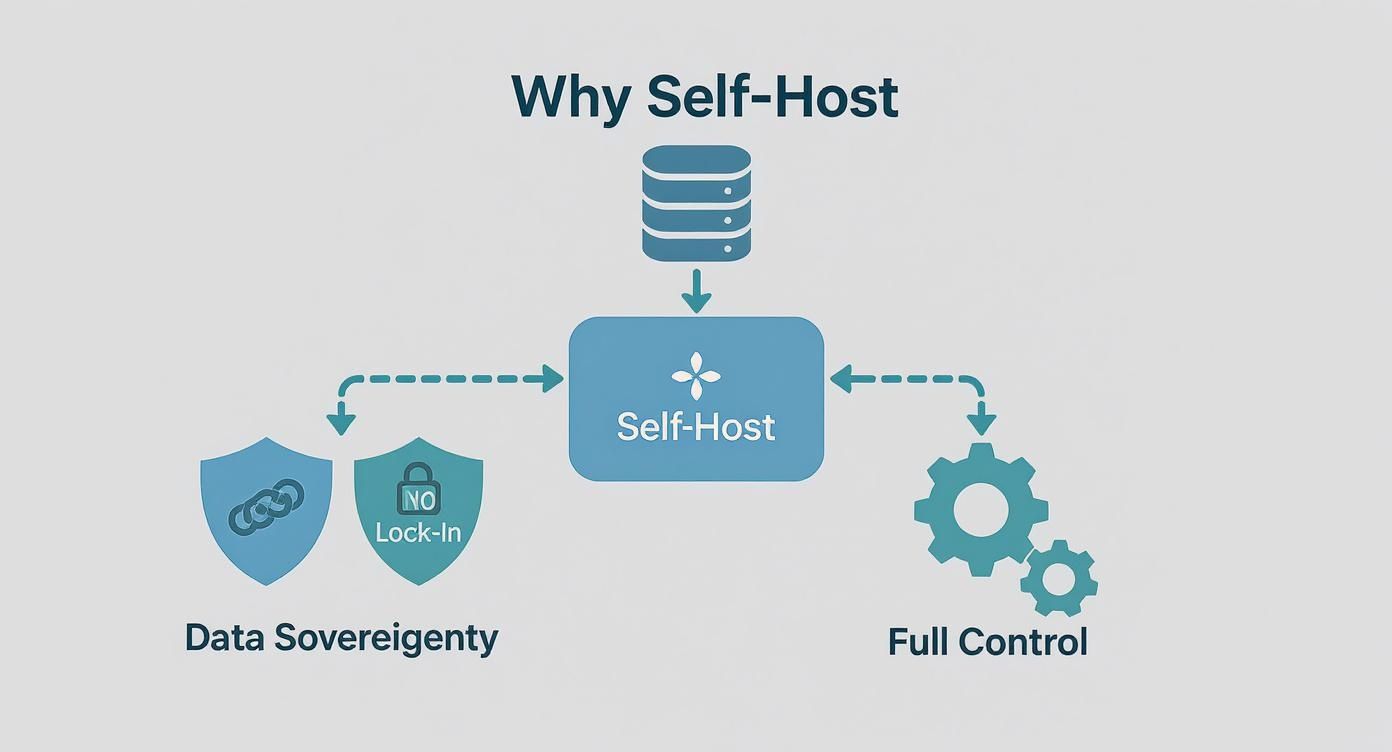
These are the benefits you get in exchange for taking on the operational load. For teams building highly specialized tools, like the Dreamspace vibe coding studio, this level of control isn't just nice to have—it's essential for guaranteeing data privacy and enabling deep integrations.
The key takeaway is the flow: A request hits Kong, which might send it to GoTrue for a JWT. That JWT is then used to make secure calls to PostgREST. All the while, Realtime is pushing out live updates from the database, and the Storage API is managing your files. Each piece knows its role.
Alright, let's get our hands dirty and spin up your very own supabase self hosted instance. Now that we've covered the architecture, it's time for the fun part.
The quickest way to get a Supabase stack running, especially for development or smaller projects, is definitely with Docker Compose. It neatly bundles up all the different Supabase services into their own containers and handles all the networking between them. It’s a beautifully simple approach for getting everything running on a single machine.
Getting Started with Docker Compose
First up, you'll need Docker and Docker Compose installed on whatever machine you're using. Most modern Docker setups already include Compose, so you're likely good to go.
With that sorted, the next step is to grab the official self-hosting files straight from the Supabase GitHub repository.
You can pull it down with a single Git command: git clone --depth 1 https://github.com/supabase/supabase
This downloads a supabase directory with everything you need. Jump into the docker folder inside that new directory—that's our home base for this operation.
Dialing in Your Configuration
Inside this docker folder, you’ll spot a file called .env.example. Think of this as the template for your environment. We need to copy it to a new file named .env, which is what Supabase will actually use.
Just run: cp .env.example .env
Now, open that new .env file in your editor of choice. This is where you'll set the crucial secrets that lock down your instance. Don't rush this part; getting these variables right is vital for both security and making sure everything works as expected.
Here are the big ones you absolutely need to configure:
POSTGRES_PASSWORD: This is the master password for your PostgreSQL database. Make it long, complex, and something you store securely. It’s the key to your entire data kingdom.JWT_SECRET: You'll need a long, random string here. It's used to sign the JSON Web Tokens for user authentication. If this key ever leaks, an attacker could forge user sessions and wreak havoc.ANON_KEYandSERVICE_ROLE_KEY: These are your main API keys. TheANON_KEYis the public-facing one for client-side requests. TheSERVICE_ROLE_KEYis the all-powerful "god mode" key that should never leave your server.
A pro tip from my own experience: use a password manager or a simple command-line tool like
openssl rand -hex 32to generate truly random strings for these secrets. Don't ever use "password123" or something guessable, even if it's just for a local dev environment. Good habits start now.
Firing Up the Engines
Once your .env file is locked and loaded, firing up the entire Supabase stack is surprisingly easy. From inside that same docker directory, just run one command: docker compose up -d.
The -d flag is your friend here—it runs all the containers in "detached" mode, so they hum along happily in the background.
The first time you run this, Docker will need to download all the container images for Postgres, Kong, GoTrue, and everything else. It might take a few minutes, so go grab a coffee.
After it's done, you can check if everything is ship-shape with docker ps. You should see a whole list of containers—supabase-db, supabase-auth, supabase-rest, etc.—all showing a status of "Up." That's the green light. Your supabase self hosted stack is officially live.
To see your handy work, pop open a browser and head to http://localhost:8000 (or your server's IP address). You should be greeted by the familiar Supabase Studio dashboard, ready for you to start building.
This hands-on setup is the best way to really get a feel for how all the pieces fit together. It’s a philosophy we live by at Dreamspace, an AI app generator where truly understanding the tech you're building on is non-negotiable. If you want to dive deeper into that build-first mentality, you should check out our guide on the principles of vibe coding. Getting a deployment like this running is the perfect first step on that journey.
Scaling to Production with Kubernetes
While Docker Compose is fantastic for getting started and for smaller projects, it has one major drawback: it lives on a single machine. When your app starts getting real traction, you'll need high availability, automatic scaling, and zero-downtime deployments. That’s when it’s time to graduate to a serious orchestrator like Kubernetes (K8s).
Moving your supabase self hosted instance to Kubernetes is the definitive step toward a production-grade infrastructure that can handle real traffic.
Before we jump in, you’ll need a few things squared away. First, a running Kubernetes cluster—this could be a managed service like GKE or EKS, or one you run yourself. You'll also need the kubectl command-line tool installed and configured to talk to your cluster.
Streamlining Deployment with Helm Charts
Trying to deploy every single Supabase service manually in Kubernetes would be a nightmare of YAML files and a recipe for errors. Thankfully, we don't have to. The community has provided Helm charts that bundle all the necessary K8s manifests—Deployments, Services, ConfigMaps, and more—into one neat, manageable package. Think of Helm as the package manager for Kubernetes; it makes complex deployments repeatable and easy to configure.
The heart of any Helm deployment is the values.yaml file. This is where you'll customize your Supabase installation without ever having to touch the underlying Kubernetes templates. It's the grown-up version of the .env file from our Docker Compose setup.
Configuring for a Production Environment
Just running helm install isn't enough to call it "production-ready." You need to get into your values.yaml and carefully configure a few key pieces to make your instance resilient and secure.
- Persistent Storage for PostgreSQL: Out of the box, a Helm chart might use ephemeral storage. That means if your database pod restarts, your data is gone forever. For production, you must configure a
PersistentVolumeClaim(PVC). This tells Kubernetes to provision a real, persistent disk from your cloud provider that will survive pod failures and keep your data safe. - Resource Limits and Requests: To avoid one noisy Supabase service from hogging all the cluster resources and destabilizing everything else, setting CPU and memory requests and limits is critical. This gives Kubernetes the information it needs to make smart scheduling decisions and ensures predictable performance under load.
- Ingress Controller: You need a front door to your application. An Ingress controller (like NGINX or Traefik) is what manages external access, routing traffic to the right Supabase service (like Kong) and handling SSL termination.
My biggest piece of advice here is to start with a managed PostgreSQL service like Amazon RDS or Google Cloud SQL instead of running Postgres inside the cluster. Managing a stateful, production database in Kubernetes is an expert-level task. Offloading it to a managed service dramatically reduces your operational burden.
Tackling Common Kubernetes Challenges
Running a supabase self hosted stack on Kubernetes isn't without its own set of challenges. These aren't just edge cases; they are hurdles pretty much every team faces when they move to a distributed environment.
Managing Secrets Securely
Your values.yaml is going to have some very sensitive information in it, like database passwords and JWT secrets. Committing this file directly into a Git repository is a massive security risk. The standard practice is to use Kubernetes Secrets. You store the sensitive data securely in the cluster itself and then reference those secrets in your Helm chart. This keeps your configuration files clean and, more importantly, safe.
Network Policies for Security
By default in Kubernetes, any pod can talk to any other pod. That's not great from a security perspective. By implementing Network Policies, you can create firewall-like rules that explicitly define which services can communicate. For example, you can write a policy that only allows the PostgREST and GoTrue pods to connect to your PostgreSQL database, locking down access from everything else.
As you scale, Exploring Essential DevOps Tools can give you a broader perspective on the ecosystem you'll be operating in. This kind of robust infrastructure is crucial for platforms like Dreamspace, a vibe coding studio and AI app generator where a resilient backend is the foundation for creating reliable apps.
Mastering Post-Deployment Operations
Getting your supabase self hosted instance live is a huge win, but honestly, it’s just the starting line. The real grind—and where the true costs of self-hosting start to show—is in the day-to-day work of keeping your backend running smoothly, securely, and without a hitch. This isn't a "set it and forget it" deal; you've just adopted a living, breathing piece of infrastructure that needs your constant attention.
The absolute first thing you need to lock down is database backups. Your PostgreSQL database is the heart and soul of your application. If you lose that data, it’s game over. You can't afford to be reactive here; a solid, automated backup strategy is completely non-negotiable.
Implementing Bulletproof Backups
The old-school, battle-tested tool for PostgreSQL backups is pg_dump. It’s reliable and creates a clean, logical snapshot of your database that's easy to restore. Your goal is to make this process completely hands-off. A simple cron job on a dedicated server that runs pg_dump every day is a great place to start.
But remember, a backup isn't really a backup unless you get it off-site. Storing backups on the same server as your database is like leaving your spare house key under the doormat—totally pointless when you actually need it.
- Automation is Key: Set up a script to run
pg_dumpon a regular schedule, like every night when traffic is low. - Secure Off-Site Storage: After the dump, have your script automatically zip it up and ship it off to a secure object storage service like Amazon S3, Google Cloud Storage, or Backblaze B2.
- Test Your Restores: A backup you've never tested is just a file and a prayer. Make it a habit to regularly restore your backups to a staging environment. It's the only way to know for sure that your data is safe and that you can actually recover from a disaster.
The Reality of Updates and Migrations
Supabase is a fast-moving open-source project. That means new features, bug fixes, and critical security patches are always rolling out. As the captain of your self-hosted ship, you're the one responsible for applying these updates.
The process usually involves pulling the latest Docker images or updating your Helm chart and redeploying everything. But before you touch anything, you must read the release notes carefully. Sometimes updates come with required database migrations or even breaking changes. Always back up your database right before you start an update, and for any production system, test the whole process in a staging environment first.
The hidden truth of self-hosting is the operational drag. It’s not just about servers; it's about the hours your team spends on maintenance, troubleshooting, and security instead of building features for your product. This is a real cost that must be factored into your decision.
Proactive Monitoring and Alerting
You can't fix what you can't see. Proactive monitoring is your early warning system, letting you spot trouble long before your users start complaining. For any serious production setup, a robust monitoring stack using tools like Prometheus for collecting metrics and Grafana for beautiful dashboards is standard practice.
Here’s a breakdown of what you absolutely need to be watching on your supabase self hosted instance:
Understanding the True Operational Cost
Forget the monthly server bill for a second. The biggest expense of self-hosting is people. From what we've seen in the industry, a team running a self-hosted Supabase instance typically dedicates between 1 and 2 full-time equivalents (FTEs) just to operations. That’s an annual cost of $120,000 to $240,000 in salaries alone. When you add in infrastructure costs—persistent compute, managed databases, object storage—the total bill often climbs higher than the pricing for hosted Supabase, especially for teams under 50 people. The community has had some great discussions on these self-hosting cost considerations.
A critical part of mastering post-deployment ops is keeping security tight. Staying aware of broader cybersecurity issues, like the rising threat of infostealer malware, reinforces why this constant vigilance is so necessary. This operational know-how is what powers platforms like Dreamspace, a vibe coding studio and AI app generator. Mastering these skills is fundamental to being an effective developer, and you can dive deeper into tooling with our guide on how to use the Cursor code editor.
Common Questions About Self Hosting Supabase
Diving into a supabase self hosted deployment is a serious move, and it's bound to kick up a few questions. It’s a big commitment, so it's smart to know exactly what you're getting into. Let's walk through some of the most common questions we hear, clearing up the confusion so you can make the right call for your project.
What Features Do I Lose with Self Hosted vs Cloud?
This is the best part: you don't lose any core features. The Supabase engine you run yourself is the exact same one powering their cloud platform. You get the same powerful PostgreSQL database, GoTrue for auth, PostgREST for APIs, Realtime for live updates, and the Storage API. It’s all there.
The real difference is purely operational. When you self-host, you are the platform. That means you're on the hook for everything—managing the servers, scaling resources, patching security holes, and handling every single update.
Supabase Cloud handles all that grunt work for you. Their managed service takes care of backups, makes scaling a one-click affair, and offers integrated support. By self-hosting, you gain total control but give up the operational peace of mind that comes with a managed service.
The key takeaway is this: you don't lose features, but you do lose the managed service that babysits the infrastructure for you. The code is identical; the responsibility is a world apart.
How Do I Update My Self Hosted Instance?
Updating a self-hosted instance is a manual, hands-on job that demands your full attention. If you’re using Docker Compose, the process usually involves pulling the latest Supabase service images and then restarting your containers. For Kubernetes users, you'll be updating the image versions in your Helm chart and applying the new configuration.
But before you do anything else, always back up your database. This is non-negotiable. It's your safety net if an update goes sideways.
It's also crucial to actually read the official release notes for the version you're upgrading to. Updates can sometimes introduce breaking changes or require you to run specific database migration scripts. For any production system, testing the update in a staging environment first isn't just a good idea—it's an absolute must to avoid unexpected downtime.
Can I Use an External Database like Amazon RDS?
Yes, you absolutely can. In fact, for any serious production setup, you probably should. Instead of running the PostgreSQL container that comes with the default setup, you can point your Supabase services to an external, managed database.
This is a really popular strategy, and for good reason:
- Rock-Solid Reliability: Managed services like Amazon RDS, Google Cloud SQL, or Azure Database for PostgreSQL are built for high availability and handle backups and point-in-time recovery automatically.
- Less Operational Headache: Let's be honest, running a production-grade database is a massive undertaking. Offloading that responsibility to a dedicated service frees up your team from the immense burden of database management.
- Built-in Scalability: Scaling a managed database is usually far simpler, letting your backend grow with your app's demand without needing major architectural surgery.
This hybrid approach often gives you the best of both worlds: you keep control over your Supabase application stack while leaning on the battle-tested infrastructure of a major cloud provider for your most critical component—the data.
What Are the Biggest Self Hosting Challenges?
The hurdles of running a supabase self hosted instance really boil down to two things: operations and money. On the operational side, you're now the one responsible for high availability, disaster recovery, security patching, and every update. This isn't trivial; it requires real DevOps expertise and constant vigilance.
The financial side is what often catches people by surprise. The cost is so much more than just the monthly server bill. You have to factor in data transfer fees, object storage for your backups, and—most importantly—the cost of engineering hours spent on maintenance and troubleshooting.
We've seen it time and again: this total cost of ownership can easily eclipse the price of Supabase's managed plans, especially for smaller teams. The real challenges are the relentless operational commitment and making sure you have the right people on hand to manage it all.
At Dreamspace, the vibe coding studio and AI app generator, we believe in building on solid foundations. Whether you're wrangling a self-hosted backend or using managed services, a reliable infrastructure is essential for creating incredible applications. If you're looking to generate production-ready on-chain apps with AI, see how a powerful backend can unlock your creativity at https://dreamspace.xyz.