
trigger sql update: A Practical Guide to SQL Triggers
A trigger sql update is a specialized stored procedure that jumps into action automatically whenever someone runs an UPDATE statement on a table. Think of it as a watchdog for your data—a rule that reacts to changes the moment they happen. This lets you enforce complex logic, maintain audit trails, or protect data integrity, all without touching a single line of application code.
Understanding The Role Of Update Triggers
At its heart, an update trigger automates database tasks. A standard UPDATE statement just changes the data, but the trigger responds to that change. It gives you a powerful hook to step in, log what happened, or even kick off other updates across your database. This makes them a critical layer of business logic that lives right where it should: with the data itself.
This level of automation is why they're so popular in the real world. A 2022 survey found that over 78% of large organizations rely on triggers in their production databases. Even more telling, they reported a 30% drop in data inconsistencies after putting them to work. The most common uses? Auditing and enforcing complex business rules. For a deep dive into the syntax, Microsoft’s official documentation on CREATE TRIGGER is the place to go.
Why Not Just Use Application Logic?
This is a classic question. Why bake logic into the database when you can handle it in your application? The answer comes down to one thing: bulletproof data integrity.
- Centralized Logic: When the rule is in a trigger, it’s tied directly to the data. It doesn't matter if the update comes from a web app, a mobile client, or a developer running a manual query—the trigger always fires. The rule can't be accidentally bypassed.
- Performance: For complex checks that require querying related tables, a trigger is often much faster. It avoids the back-and-forth network latency of an application making multiple calls to the database.
- Reduced Complexity: Handling this kind of logic in the database keeps your application code cleaner and more focused. This is a core competency expected in many Database Engineer roles.
Even with modern tools like Dreamspace, an ai app generator that makes building applications easier than ever, a firm grasp of database fundamentals like triggers is what separates a good system from a great one. It ensures the applications you build are robust, secure, and built on a solid foundation.
Common Scenarios For SQL Update Triggers
To give you a better idea of where UPDATE triggers really shine, here's a look at some common, practical use cases.
These are just a few examples, but they show how triggers act as an essential safeguard, enforcing rules directly at the data layer to ensure consistency and reliability no matter how the data is accessed.
Deconstructing The SQL Update Trigger Syntax
To get an effective trigger sql update off the ground, you have to get comfortable with its core structure. From a bird's-eye view, the syntax is pretty simple: you give the trigger a name, point it at the table it needs to watch, tell it when to fire, and then you write the code that does the work.
But the real magic is in the timing. You’ve got two main choices for when your trigger actually runs:
AFTER UPDATE: This is your workhorse. The trigger kicks in after theUPDATEstatement has already done its job and the changes are committed. It’s perfect for tasks like logging who changed what or kicking off updates in related tables.INSTEAD OF UPDATE: This one is a bit more specialized. The trigger runs instead of theUPDATEstatement you issued. I see this used most often on database views, where it gives you a clever way to update several underlying base tables through one clean interface.
This flow chart gives a great visual of how an AFTER UPDATE trigger jumps into action when data changes.
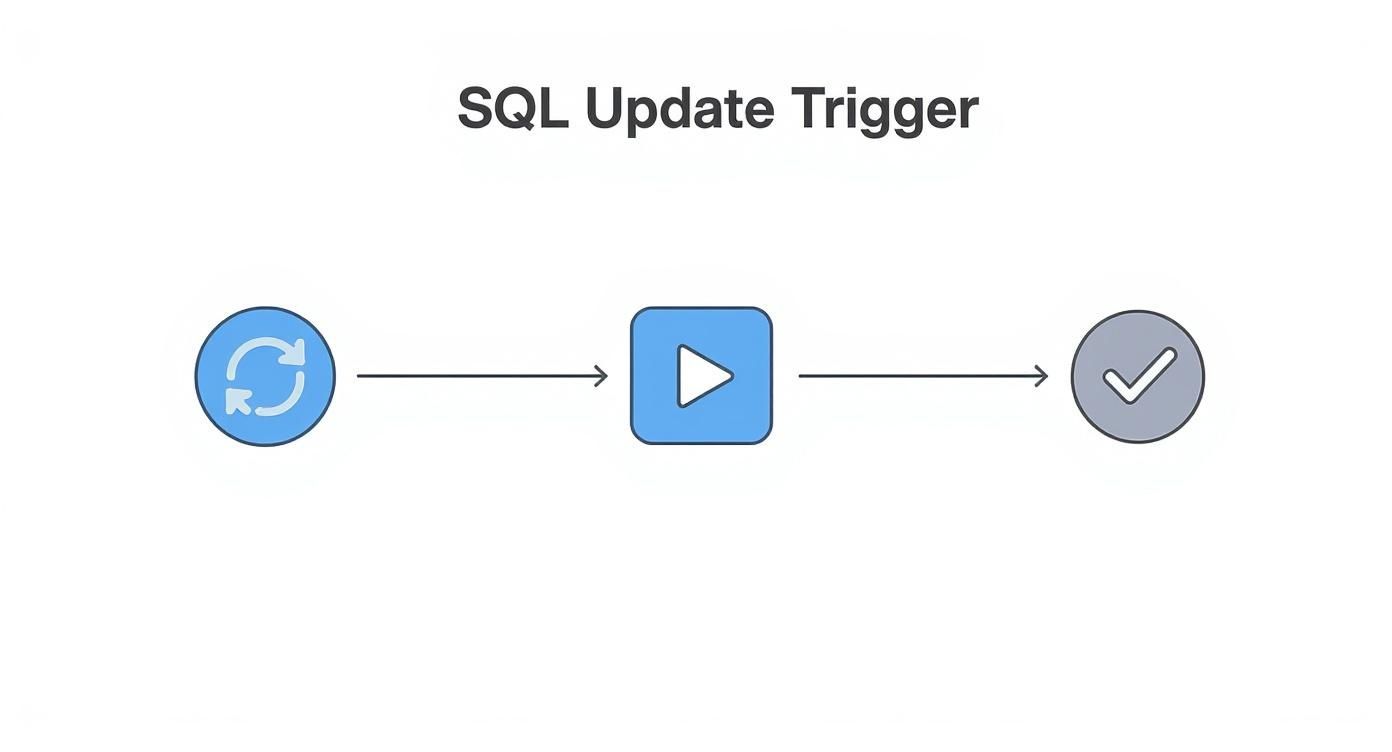
As you can see, the trigger is a direct reaction to an event—automating a follow-up action without anyone needing to lift a finger.
The Magic Of Inserted And Deleted Tables
The real secret weapon inside any update trigger is its access to two special, in-memory tables: inserted and deleted. These temporary tables are your key to seeing what the data looked like before and after the UPDATE hit.
The
insertedtable holds the new row data (what it looks like now), while thedeletedtable holds the old row data (what it used to be). A pro tip: always write your trigger logic assuming these tables could contain multiple rows, not just one.
Let's say you want to create an audit log for price changes. You'd simply join inserted and deleted on the product's primary key. This lets you directly compare inserted.price with deleted.price for every single row affected by the UPDATE. Nailing these fundamentals is crucial, even when using a slick ai app generator like Dreamspace, which can build things fast but still relies on a solid database design underneath.
How to Write Your First Update Trigger
Alright, enough with the theory. Let's roll up our sleeves and write a real, working SQL update trigger. We're going to tackle a super common scenario: creating an audit trail.
Imagine you have a Products table. For compliance or just plain good record-keeping, you need to log every single price change. We'll set up a trigger to automatically capture these changes and stash them in a ProductsAudit table. This is a bread-and-butter skill for any database developer.
I'll walk you through the full code for SQL Server, PostgreSQL, and MySQL. Pay close attention to the syntax—the small differences between database engines can trip you up if you're not careful.
SQL Server T-SQL Example
In the world of SQL Server, triggers give you access to two magic, temporary tables: inserted and deleted. The deleted table holds the row values before the update, and inserted holds them after.
This makes it pretty easy to compare the "before and after" state. We just join them on the primary key and grab the data we need.
CREATE TRIGGER trg_Products_PriceChangeON ProductsAFTER UPDATEASBEGINSET NOCOUNT ON;-- First, let's make sure the 'Price' column was actually updated.IF UPDATE(Price)BEGININSERT INTO ProductsAudit (ProductID, OldPrice, NewPrice, ChangedBy, ChangeDate)SELECTi.ProductID,d.Price, -- The old price from the 'deleted' tablei.Price, -- The new price from the 'inserted' tableSUSER_SNAME(),-- Grabs the current user loginGETDATE() -- The current timestampFROMinserted iINNER JOINdeleted d ON i.ProductID = d.ProductIDWHEREi.Price <> d.Price; -- We only care if the price actually changed!ENDEND;PostgreSQL PL/pgSQL Example
PostgreSQL does things a bit differently. Instead of temporary tables, it gives you access to OLD and NEW records, which represent the entire row before and after the change.
The process here is a two-step. First, you create a dedicated function to house the trigger's logic. Then, you create the trigger itself and tell it to execute that function.
-- Step 1: Create the function that holds our logic.CREATE OR REPLACE FUNCTION log_price_changes()RETURNS TRIGGER AS $$BEGIN-- We'll use IS DISTINCT FROM to handle potential NULLs gracefully.IF NEW.Price IS DISTINCT FROM OLD.Price THENINSERT INTO ProductsAudit(ProductID, OldPrice, NewPrice, ChangedBy, ChangeDate)VALUES(OLD.ProductID, OLD.Price, NEW.Price, session_user, NOW());END IF;-- This is crucial! You must return the NEW row for the update to proceed.RETURN NEW;END;$$ LANGUAGE plpgsql;-- Step 2: Create the trigger and bind it to our function.CREATE TRIGGER trg_Products_PriceChangeAFTER UPDATE ON ProductsFOR EACH ROW -- This makes the trigger fire for every single row that gets updated.EXECUTE FUNCTION log_price_changes();MySQL Example
MySQL's approach feels like a hybrid of the others. It uses the OLD and NEW keywords just like PostgreSQL, but you define the logic directly inside the CREATE TRIGGER statement, which is more like SQL Server.
CREATE TRIGGER trg_Products_PriceChangeAFTER UPDATE ON ProductsFOR EACH ROWBEGIN-- A simple check: did the price change?IF NEW.Price <> OLD.Price THENINSERT INTO ProductsAudit(ProductID, OldPrice, NewPrice, ChangedBy, ChangeDate)VALUES(OLD.ProductID, OLD.Price, NEW.Price, USER(), NOW());END IF;END;As you can see, the core idea is the same everywhere, but the execution is unique to each platform. This is a perfect example of why truly understanding the concepts behind database features is so much more valuable than just copy-pasting code snippets. This kind of foundational knowledge remains essential, even when you have an AI-powered coding assistant to help smooth over the syntax differences.
To make this even clearer, here's a quick side-by-side look at the syntax.
Update Trigger Syntax Across Different Databases
This table breaks down the core structural differences you'll encounter when writing an AFTER UPDATE trigger for these popular database systems.
This comparison really highlights how each system approaches the same problem with its own unique flavor. Once you get the hang of one, picking up the others becomes much easier.
Best Practices for Trigger Performance and Reliability
Writing a trigger is one thing. Writing a good one is a whole different ballgame. A poorly built trigger sql update can be a silent performance killer, slowly grinding your entire application to a halt.
Let’s get one thing straight: the cardinal rule is to keep your trigger logic as lean and mean as possible. Any time your trigger takes to run is tacked directly onto the original UPDATE statement’s execution time. If that trigger is bogged down with complex queries, slow loops, or—even worse—external API calls, every single update to that table will feel the pain. This is a fast track to locking issues and frustrating timeouts.
Key Principles for High-Performing Triggers
If you want your database to stay responsive, you have to design triggers with performance as a top priority from day one. That means embracing set-based operations and sidestepping the common traps that bog things down.
Here are a few non-negotiable best practices I've learned over the years:
- Keep Logic Simple: A trigger should have one, specific job and do it fast. If you have complex business logic, tuck it away in a stored procedure that the trigger can call. But the trigger itself? Keep it minimal.
- Avoid Cursors at All Costs: Cursors process data row by agonizing row. Inside a trigger, that's a massive performance bottleneck. The right way is to use set-based logic by joining the
insertedanddeletedtables. To really get this, you should check out how to use cursors and, more importantly, when to avoid them at https://blog.dreamspace.xyz/post/how-to-use-cursor. - Think in Sets, Not Rows: This is the mistake I see most often. Devs write a trigger assuming only one row will ever change at a time. It breaks spectacularly the moment someone runs
UPDATE Products SET Price = Price * 1.1. Your trigger must be built to handle multi-row updates.
Always, always test your triggers with bulk updates, not just single-row changes. It's the only way to expose flawed logic that can't handle real-world scenarios.
Preventing Common Reliability Issues
Speed is important, but reliability is everything. A buggy trigger can quietly corrupt your data or fail without a trace, leaving you with a massive headache down the line. When you're planning big database changes, it's essential to think about how triggers will be impacted. It's worth reviewing some database migration best practices to make sure everything goes smoothly.
One of the most dangerous traps is recursion. This happens when a trigger on Table A updates Table A, causing the trigger to fire itself over and over in an infinite loop. While most database systems have a safety switch for this, it's far better to design your logic to avoid it from the start.
Finally, always wrap your logic in robust error handling, like TRY...CATCH blocks in SQL Server or whatever equivalent your system uses. This ensures that if the trigger hits a snag, the whole transaction is rolled back cleanly. No partial updates, no corrupted data—just solid, reliable integrity.
Advanced Trigger Techniques for Complex Problems
Simple audit logs are just scratching the surface. The real magic of a trigger sql update happens when you use it to tackle tricky business logic that goes way beyond basic record-keeping. With a few advanced techniques, you can build responsive, intelligent database logic that feels seamless.
A fantastic tool for this is adding conditional logic right inside your trigger. In SQL Server, the IF UPDATE() function is a total game-changer. It lets you check if a specific column was actually part of the UPDATE statement. This is great for efficiency—it stops your trigger from firing and doing unnecessary work, like logging a price change when someone only tweaked the product description.
Using Triggers on Database Views
Another powerful, and honestly, under-used technique is the INSTEAD OF UPDATE trigger. While your standard AFTER UPDATE trigger reacts after a change has been committed, an INSTEAD OF trigger intercepts the operation entirely and runs your custom code in its place.
This becomes incredibly useful when you apply it to database views. Say you have a view that pulls together data from three different tables—maybe Customers, Orders, and ShippingDetails. If you tried to update that view directly, the database would throw an error because it wouldn't know which underlying table to change.
By creating an
INSTEAD OF UPDATEtrigger on the view, you get to define exactly how an update should be handled. The trigger can intelligently take the incoming changes and apply them to the correct base tables, all while the end-user or application only sees a single, simple interface.
This strategy is brilliant for hiding complexity. Your application gets to interact with a clean, straightforward view, while the trigger handles all the messy multi-table logic behind the curtain. It's a fantastic way to enforce data integrity and keep your application code much, much simpler.
Building this kind of sophisticated logic by hand gives you an incredible amount of control and a serious performance edge. Of course, for teams looking to speed things up, modern tools can help close the gap. You can see how AI is making these kinds of complex tasks easier in our guide to AI for code generation.
Ultimately, mastering these database techniques is a massive asset. Even when you're working with platforms like Dreamspace, the vibe coding studio, understanding what's happening under the hood gives you the power to build truly custom, high-performing systems.
Common Questions About SQL Update Triggers
When you start digging into the trigger sql update command, a few questions always seem to surface. I've heard them from junior and senior devs alike, so let's clear the air on the most common sticking points.
Key Developer Questions Answered
"Can a trigger call a stored procedure?" This is a big one. The short answer is yes, and honestly, you often should. It's a great way to keep your trigger logic clean and separate. By moving complex business rules into a stored procedure, your trigger stays simple and focused on just its core job.
The only catch? Make sure that procedure is fast. Any slowdown in the procedure directly hits the performance of your original UPDATE statement.
Another classic gotcha is handling multi-row updates. I've seen this bite so many developers. You have to remember that triggers fire once for the entire UPDATE statement, not once for each row affected. Your trigger logic absolutely must be able to handle multiple rows in the inserted and deleted tables. Assuming a single row will eventually lead to some nasty, hard-to-find bugs.
Finally, what if you need to turn a trigger off without deleting it? This comes up all the time, especially during big data loads where you need to suspend the logic for better performance. Thankfully, there's a simple command for it.
- In SQL Server: You can run
DISABLE TRIGGER TriggerName ON TableName. - To turn it back on: Just use
ENABLE TRIGGER TriggerName ON TableName.
It’s a lifesaver when you need to bulk-insert thousands of records and don't want the trigger firing on every single one.
Ready to build faster? Dreamspace is the vibe coding studio that lets you generate production-ready onchain apps with AI. Build your app now.