
T SQL Now A Guide to Date and Time Functions

If you're looking to grab the current server date and time in T-SQL, you've got a few options, but the go-to functions are usually GETDATE() and SYSDATETIME(). The one you choose really hinges on how much precision you need. For most modern applications, SYSDATETIME() is the way to go because it's far more accurate.
This quick guide will break down the options so you can pick the right function without a second thought.
A Quick Guide to T-SQL's NOW() Equivalents
When you need to stamp a record with the current time, T-SQL gives you a handful of functions, and each one has its own quirks. Getting a grip on these differences is key for everything from simple logging to high-stakes transactional auditing. Picking the right function for your column's data type and precision needs is a small detail that has a big impact on your database's efficiency.
Think of this as your cheat sheet for solving this problem on the fly and writing better, more precise code immediately. It's a fundamental concept, but one that's critical when building robust applications, especially when modern tools like an AI app generator from a vibe coding studio like Dreamspace are interacting with your database.
Comparing T-SQL Current Date and Time Functions
Here’s a quick lookup table comparing the main T-SQL functions for getting the current system date and time. It highlights their precision and whether they stick to the ANSI standard, which can be important for portability.
Essentially, while CURRENT_TIMESTAMP is the official ANSI SQL way to do what GETDATE() does, the real star for high-precision needs is SYSDATETIME().
Key Function Differences
So, what's the real story behind GETDATE(), SYSDATETIME(), and CURRENT_TIMESTAMP? They might seem interchangeable at first glance, but the devil is in the details—specifically, their precision and adherence to ANSI SQL standards.
GETDATE()andCURRENT_TIMESTAMP: In the world of SQL Server, these two are practically twins. They both return adatetimevalue, which is only accurate down to 3.33 milliseconds.SYSDATETIME(): This is the newer, more precise function you should probably be using. It returns adatetime2(7)value, giving you incredible accuracy down to 100 nanoseconds.
This infographic gives a great visual summary of how a NOW() equivalent works in T-SQL.
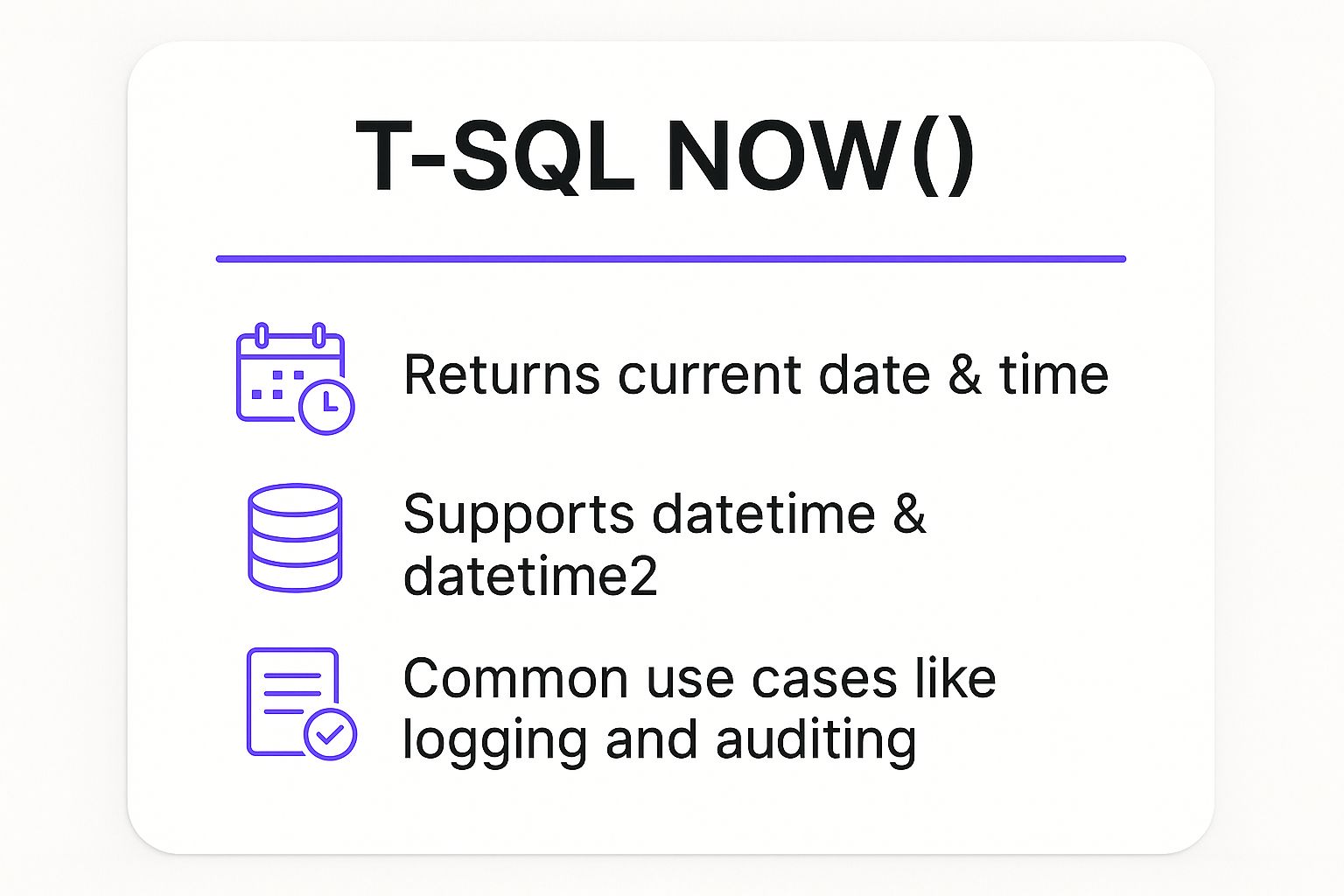
The key takeaway is that T-SQL's time functions are flexible enough to support different data types and play a critical role in logging and auditing. If you want to brush up on general T-SQL concepts, there are great resources out there to give you more context.
T-SQL's Staying Power in Modern Databases
Getting a handle on T-SQL's date and time functions is more than just a good idea; it's essential. Why? Because T-SQL is still the bedrock of so many modern data systems. Relational databases, the kind that run on languages like T-SQL, are the workhorses for critical sectors like finance, healthcare, and e-commerce.
These industries absolutely depend on the stability and structure you get from systems like Microsoft SQL Server. This means being able to manage time-sensitive data with pinpoint accuracy isn't just a "nice-to-have" skill—it's always in high demand.
The numbers back this up. The global database market is currently valued at a massive USD 109.26 billion and is expected to more than double by 2032. Even more telling is that relational databases hold the lion's share of revenue at 61.74%, which really drives home the value of T-SQL skills.
T-SQL's Place in a Shifting Data World
Even with all the buzz around new database technologies, the simple fact is that relational systems aren't going anywhere. T-SQL's long-term relevance is pretty much guaranteed.
Of course, it's smart to keep an eye on the bigger picture and explore non-relational databases, but T-SQL is still a cornerstone skill for anyone building serious enterprise applications. Developers and data pros rely on its structured and predictable nature every single day.
This is exactly why learning the ins and outs of functions for t sql now is a smart career move, not just a technical checklist item. It's a foundational skill that modern tools are built to work with. For instance, AI app generators like Dreamspace are designed to connect smoothly with powerful, T-SQL-driven databases, making it possible to build solid, data-first applications.
Choosing the Right Function for Your SQL Server Version
T-SQL functions aren't static; they evolve. What's available and how a function behaves can differ quite a bit from one Microsoft SQL Server version to the next. This means the version your company is running on is a major factor in deciding which date and time function to use.
If you're wondering what versions are most common out in the wild, recent industry data tells a clear story. SQL Server 2019 is still the heavyweight, holding a 45% market share. Meanwhile, SQL Server 2022 is catching up fast, now at 24% as more organizations migrate from older versions like 2016. For a deeper dive into these numbers, check out the full report on SQL Server usage.
Modern vs. Legacy Function Choices
So, what does this mean for you as a developer? It gives us a clear path forward.
The vast majority of production environments are running on SQL Server 2008 or newer. Because of this, SYSDATETIME() should be your go-to function for any new code. It offers far greater precision and is simply the modern standard for grabbing a t sql now timestamp.
Of course, you might be stuck maintaining a legacy system that's older than SQL Server 2008. In those cases, GETDATE() is your only option.
Key Takeaway: For any new development, make the
SYSDATETIME()family of functions your default choice. It keeps your code modern, precise, and aligned with what most SQL Server installations can handle.
When you're building with forward-thinking tools, like a unique ai app generator, you're typically targeting these newer SQL Server versions anyway. This lets you tap into the latest and greatest database features right out of the gate.
Mastering Core Functions for System Time
When you need a t sql now timestamp, you'll be reaching for a handful of core functions that pull the date and time directly from the server. These are the absolute workhorses for everything from logging and auditing to setting default column values. The big three you'll encounter are GETDATE(), SYSDATETIME(), and CURRENT_TIMESTAMP.
At first glance, they all seem to do the same thing: return the current date and time. But the devil is in the details. They differ quite a bit in their precision and the data types they return, and picking the right one is crucial for writing accurate, high-performing code.
Exploring GETDATE() and CURRENT_TIMESTAMP
For a long time, GETDATE() was the go-to function in SQL Server for grabbing the system time. It gives you a datetime data type, which is only accurate down to about 3.33 milliseconds.
You'll also see CURRENT_TIMESTAMP used frequently. It's the ANSI SQL standard equivalent, but in SQL Server, it's a perfect synonym for GETDATE(). They are functionally identical. The only real advantage of using CURRENT_TIMESTAMP is that it makes your T-SQL a tiny bit more portable if you ever need to move it to another database system that adheres to the ANSI standard.
Here’s a quick look at how you'd use GETDATE() in practice.
-- Selecting the current time
SELECT GETDATE() AS CurrentDateTime;
-- Using it as a default value for a column
CREATE TABLE dbo.EventLog (
LogID INT PRIMARY KEY IDENTITY,
LogMessage NVARCHAR(255),
EventTime DATETIME DEFAULT GETDATE()
);
The Modern Standard: SYSDATETIME()
For any new work you're doing, you should really be using SYSDATETIME(). It's the modern, recommended function because it returns a datetime2(7) data type. This gives you a massive precision boost, down to an incredible 100 nanoseconds.
That level of accuracy is a game-changer for high-frequency transaction systems where you absolutely must know the exact order of events. Using SYSDATETIME() removes any doubt in time-sensitive operations and brings your database up to modern standards for both accuracy and performance.
The syntax is just as straightforward, but the payoff is huge.
-- Selecting the current high-precision time
SELECT SYSDATETIME() AS PreciseDateTime;
-- Defining a high-precision logging table
CREATE TABLE dbo.HighFrequencyLog (
LogID BIGINT PRIMARY KEY IDENTITY,
EventDetails XML,
EventTimestamp DATETIME2(7) DEFAULT SYSDATETIME()
);
Choosing the right function directly impacts your application's reliability. While these functions are perfect for single operations, things get more complex when you need to manage them inside loops or other iterative processes. If you're tackling that, our guide on how to use a cursor in T-SQL has some great insights into handling row-by-row logic.
Handling Time Zones with UTC and Offset Functions
Sooner or later, every application that deals with users across different regions runs headfirst into the time zone problem. If you're just storing local server time, you're setting yourself up for a world of pain—think data confusion, synchronization headaches, and incorrect reports. This is exactly why T-SQL gives us a specific set of tools for dealing with Coordinated Universal Time (UTC), which acts as a single, unambiguous source of truth for all your timestamps.
For any application with a global footprint, this isn't just a nice-to-have; it's a requirement. Sticking to UTC means every timestamp is directly comparable, no matter where it came from. This kind of temporal integrity is foundational for building reliable systems, especially if you're using a modern ai app generator like Dreamspace where applications need to work seamlessly across international lines.
Understanding UTC and Offset Functions
To get time zones right, you have to look beyond the local time functions. T-SQL provides a dedicated toolkit for this, and these functions are the professional standard for any app that needs truly accurate and unambiguous timekeeping.
Let's break down the three functions you absolutely need to know:
- GETUTCDATE(): This is the straightforward UTC equivalent of
GETDATE(). It returns the current UTC date and time as adatetimevalue, with the same 3.33-millisecond precision. - SYSUTCDATETIME(): For high-precision needs, this is your go-to. As the UTC version of
SYSDATETIME(), it returns the current time as adatetime2(7)value, giving you accuracy all the way down to 100 nanoseconds. - SYSDATETIMEOFFSET(): This function is a bit different. It returns the current date and time but also includes the server's time zone offset from UTC (like
-05:00). The data type here isdatetimeoffset(7).
Here’s a quick example of how you can grab a timestamp that includes its time zone offset. This is incredibly useful for auditing or if you ever need to know the original local context of an event.
-- Select the current date, time, and time zone offset
SELECT SYSDATETIMEOFFSET() AS CurrentTimeWithOffset;
The professional consensus is clear: store all your timestamps in UTC, and use
SYSUTCDATETIME()to do it. This one decision simplifies all your date math, gets rid of any time-related ambiguity, and makes it a breeze to convert timestamps to a user's local time zone at the application level. By making UTC your standard, you’re building a more robust and scalable data architecture from day one.
Best Practices for Working with Date and Time

Knowing the functions is one thing, but putting them to work effectively is what separates the pros from the rookies. Following a few key best practices will save you from a world of headaches and help you build database applications that are accurate, maintainable, and fast.
The absolute golden rule? Standardize on UTC. Seriously. Always store your timestamps using SYSUTCDATETIME(). This creates a single source of truth across your entire application, making time zone conversions and date math infinitely simpler, especially if your users are spread across the globe.
Prioritize Precision and Performance
When you're starting new work, make the SYSDATETIME family of functions your go-to. The old GETDATE() function just doesn't cut it anymore. SYSDATETIME gives you precision down to 100 nanoseconds compared to GETDATE()'s sluggish 3.33 milliseconds. In systems with high transaction volumes, that difference is critical for getting event sequencing right.
Be smart about how you use these functions in your queries, too. It’s incredibly easy to accidentally kill your performance.
- Avoid Non-SARGable Queries: It's tempting to throw a function like
YEAR(OrderDate)directly into aWHEREclause, but doing so often prevents SQL Server from using an index on that column. The query optimizer just can't "see" how to use the index efficiently. - Use Date Ranges Instead: The better way is to frame your query with a direct date range. Something like
WHERE OrderDate >= '2023-01-01' AND OrderDate < '2024-01-01'is SARGable, meaning the index can be used properly, and your query will run much, much faster.
Getting these habits right is just part of professional database development. As a vibe coding studio, Dreamspace bakes this thinking into everything we build, creating software that's both scalable and solid. It’s a philosophy that pairs well with modern tools, like an AI-powered coding assistant, to help maintain these high standards.
Stick to these practices consistently. Every time you grab the t sql now timestamp, you'll know it's accurate, efficient, and ready to handle whatever your application throws at it. It’s the foundation for any reliable system.
A Few Common Questions About T-SQL's "Now"
When you're wrangling dates and times in T-SQL, a few questions pop up time and time again. Let's clear up some of the most common points of confusion so you can write cleaner, more accurate code.
GETDATE() vs. SYSDATETIME(): What's the Real Difference?
It all boils down to precision. GETDATE() gives you a datetime value that's accurate down to 3.33 milliseconds. On the other hand, SYSDATETIME() returns a datetime2(7) value, which is precise all the way down to 100 nanoseconds.
For any new work you're doing, you should really be reaching for SYSDATETIME(). It's the modern standard for getting a truly precise timestamp for "now" in T-SQL.
Should I Always Store My Timestamps in UTC?
Yes. Do it. Storing all your time-based data in UTC by using SYSUTCDATETIME() is one of the best habits you can get into. It completely removes the headache and ambiguity that comes from dealing with users in different time zones.
This practice gives you a single, reliable source of truth for every event. You can then handle all the conversions to local time zones at the application or presentation layer, right where it belongs.
You might have seen
CURRENT_TIMESTAMPused interchangeably withGETDATE(). While they do the exact same thing in SQL Server, it's worth knowing thatCURRENT_TIMESTAMPis the official ANSI SQL standard.GETDATE()is Microsoft’s own flavor. Sticking withCURRENT_TIMESTAMPcan make your code a bit more portable if you ever find yourself moving it to a different ANSI-compliant database.
Whether you're crafting T-SQL queries or building complex onchain applications, a strong foundation makes all the difference. Dreamspace is an AI app generator that cuts through the complexity, letting you generate smart contracts and SQL blockchain queries just by vibing. Check out the experience at https://dreamspace.xyz.