
How to Run Python Script Online Instantly

We've all been there. Staring at a terminal window filled with cryptic environment errors, your creative spark slowly dying. The good news? You can sidestep that entire mess and run Python script online.
For full-blown projects, browser-based IDEs like Replit are fantastic. If you're diving into data science, Google Colab is your best friend. And for just a quick test, a simple online interpreter gets the job done. It's all about ditching the complex local setup so you can start coding and collaborating immediately.
Why You Should Run Python Scripts Online
Let's be real: running Python on your own machine often feels like a battle. You're constantly wrestling with dependency conflicts, juggling virtual environments, and praying your setup perfectly mirrors your collaborator's. All that configuration overhead can be a major roadblock, especially when you just want to prototype quickly or learn something new.
Moving your workflow online changes the game. It turns coding from a setup-heavy chore into a fluid, creative process.
This shift is particularly powerful in fast-moving fields like AI and blockchain development. Imagine being able to instantly test a complex algorithm or query data from a smart contract without installing a single package. That’s a huge advantage. To really grasp the benefits, it's worth exploring the differences between cloud computing versus on-premise solutions, which really drives home the flexibility you gain.
Accelerate Your Development Workflow
The biggest win here is speed. I'm not just talking about raw execution time, but the speed of your entire development cycle. You can go from a fresh idea to a working prototype in a matter of minutes.
- Instant Prototyping: Got a new library you want to try? Need to hit an API or validate a piece of logic? Just open a tab and go. No setup required.
- Seamless Collaboration: Forget zipping files or dealing with merge conflicts on simple scripts. Just share a link. Your entire environment—code, dependencies, and all—is instantly ready for your team to jump in.
- Focus on Code, Not Configuration: This is the big one. Your time is best spent writing code that works, not wrestling with
PATHvariables or hunting down obscure installation errors.
This nimble approach is tailor-made for today's development world. For example, you could grab some AI-generated code from a vibe coding studio like Dreamspace—whether it’s for a blockchain interaction or a new machine learning model—and run it instantly. Concepts become reality, fast.
It's no surprise that online Python platforms are exploding in popularity. Some are seeing over 5 million monthly active users, a staggering 150% jump fueled by the rise of AI-assisted coding and no-install environments. This is a dream for crypto developers who need to test scripts without cluttering their local machines. You can find more on this trend and the best Python playgrounds online.
Choosing the Right Online Python Environment
So, you need to run a Python script online. Easy enough, right? Well, not all platforms are created equal. The environment you pick can be the difference between a smooth, productive coding session and a frustrating afternoon of wrestling with limitations.
The first question you have to ask yourself is: What am I actually trying to do? Are you spinning up a full-stack web app, training a complex machine learning model, or just testing a tiny code snippet? Each of these tasks has a perfect tool waiting for it, and using the right one will save you a world of headaches.
Think of it this way: you wouldn't use a sledgehammer to hang a picture frame. The same logic applies here.
This simple decision tree can help you figure out where to start.
The takeaway is pretty clear: pinpoint what's holding you back—be it local machine errors or the need to bring your team into the loop—and you'll find the right path forward.
To make things even easier, here's a quick comparison of the top contenders.
Comparison of Top Online Python Platforms
This table gives you a quick-glance comparison to help you choose the best online environment based on your specific needs, from simple script testing to collaborative AI development.
Each of these platforms shines in its own way. Your job is to match your project's demands with the right tool's strengths.
For Heavy Data and Machine Learning
If your script is all about crunching numbers with libraries like NumPy, Pandas, or TensorFlow, Google Colab is your best friend. Hands down. Its biggest perk is the free access to powerful hardware like GPUs and TPUs, which can turn a training job that takes hours on a laptop into one that finishes in minutes.
Colab’s notebook format is fantastic for exploratory work. You can weave your code, notes, and data visualizations into a single, shareable document—perfect for walking someone through your findings or just keeping your own research organized.
A wise developer once told me, "Don't bring a full development server to a simple script fight. Use the simplest tool that gets the job done efficiently." Your choice of environment should always align with your end goal.
For Full-Stack Development and Collaboration
When you're building a whole application—frontend, backend, database, the works—Replit is the platform you want. It's a surprisingly powerful IDE that lives entirely in your browser and supports over 50 languages, not just Python. This makes it a great choice for more complex projects, even decentralized apps that need to talk to a blockchain.
But where Replit truly shines is collaboration. You can invite your whole team into a workspace and code together in real-time, just like editing a Google Doc. For those looking to fine-tune their workflow, it's also worth exploring some of the powerful Replit alternatives that might offer different deployment targets or security features.
For Quick and Simple Script Tests
Sometimes you don't need a full-blown IDE. You just want to run a few lines of code right now. For those moments, a minimalist tool is your best bet.
- Online-Python.com: This is my go-to for a no-fuss, instant interpreter. It’s clean, boots up immediately, and is perfect for testing a quick function or debugging a small algorithm.
- Python.org's Shell: The official Python website has its own little interactive shell. It’s a great spot to quickly test a feature from the standard library without any setup.
Python's total dominance in data and AI is why we have so many of these amazing browser-based tools. A mind-boggling 70% of data scientists now rely on online executors. A tool like Online-Python.com, for example, supports modern Python versions and processes over 3 million script executions every single month—that's a 200% jump year-over-year.
This is especially handy in the crypto world, where you might need to quickly analyze on-chain data or query blockchain transactions without spinning up a local environment.
Ultimately, whether you're generating a backend with an AI app generator like Dreamspace or just testing a single function, there's an online Python environment out there that’s perfect for the job.
Deploying Scripts with Serverless Functions
Okay, so browser-based IDEs are fantastic for hashing out ideas and testing things on the fly. But what happens when your script needs to be more than just a one-off? What if it needs to run continuously or spring into action based on a real-world event?
This is where you level up from simply running a script to truly deploying an application. For this, serverless functions are your best friend. They're the go-to, modern way to run a python script online when it needs to be a living, breathing part of a larger system.
Now, the term "serverless" is a little misleading. Of course, there are still servers. The difference is, they're not your problem anymore. Platforms like AWS Lambda and Google Cloud Functions manage all the underlying hardware, scaling, and maintenance for you. You just bring the Python code.
This whole approach is incredibly efficient. Your code sits dormant until it's needed, then executes in response to a trigger—maybe an HTTP request, a new file landing in storage, a database update, or just a scheduled cron job. It's a completely event-driven model that’s both cheap and massively scalable.
From Simple Scripts to Powerful Backends
Let's say you need a simple API. The old way involved spinning up a server, configuring a web framework, and keeping it all running 24/7. With serverless, you just write a single Python function that takes a request and spits out a response. Upload it, and boom—you have a live API endpoint.
It’s a total game-changer for building lean, powerful backends. Think about the possibilities. You could have a serverless function that:
- Pulls live blockchain data: A user hits a button in your web app, which calls your API. That trigger fires up a function to query a node for real-time on-chain information.
- Runs an automated trade: A webhook from a market analysis tool could trigger a function that instantly executes a trade on a crypto exchange.
- Handles new user sign-ups: The moment a new user is added to your database, a function spins up to send them a welcome email.
The best part? You only pay for the literal milliseconds your code is running. For anything with inconsistent traffic, this is a massive cost saving compared to paying for an idle server.
Serverless isn't just a niche trend; it's rapidly becoming the standard. Industry reports show that over 50% of cloud users are already on the serverless train, pointing to lower operational costs and effortless scalability as the main reasons why.
A Practical Serverless Workflow
Getting started is way less intimidating than it sounds. At its core, you're just bundling your script with its dependencies and handing it off to the cloud provider.
A typical workflow on Google Cloud Functions, for instance, looks like this: you write your logic in a main.py file, then list out the libraries you need (like requests or web3.py) in a requirements.txt file. A single command-line tool zips them up and sends them off. The platform handles the rest—building the environment, installing your packages, and exposing your function to the world.
This model becomes even more potent when you bring AI into the mix. You could use an AI app generator like Dreamspace to prototype the core logic for a dApp. As a vibe coding studio, Dreamspace can generate the Python snippets needed to talk to a smart contract or pull data from an API. You can then take that AI-generated code, drop it into a serverless function, and deploy a robust backend in minutes without ever thinking about infrastructure. If you want to dive deeper, you can learn more about how to boost your workflow with Python AI coding.
Automating and Scheduling Your Python Scripts
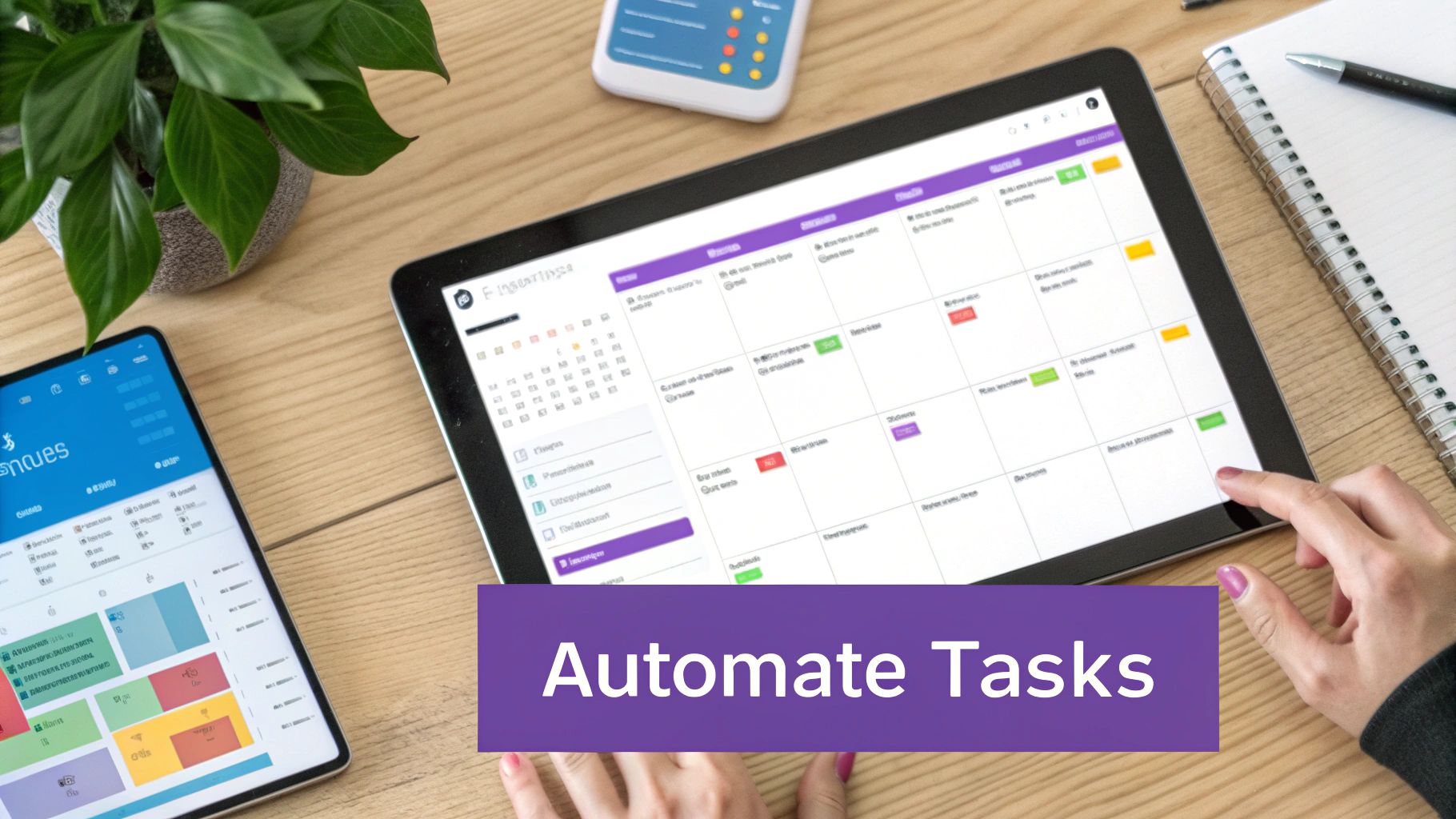
Once you've got the hang of running your Python scripts online, the real fun begins: putting them on autopilot. Most scripts aren't designed for you to manually hit "run" every time. Their true power is unlocked when they run automatically, either on a schedule or as part of a bigger workflow. This is where you go from just running code to building a "set-it-and-forget-it" system.
This isn't just about saving a few clicks. It's how you build genuinely powerful, autonomous applications. Think about setting up a script to ping a crypto wallet every hour, generate daily reports on market sentiment, or automatically deploy a new version of your app every time you push code. Tools like GitHub Actions and cloud-native schedulers are built for exactly this.
Triggering Scripts with CI/CD Pipelines
A CI/CD (Continuous Integration/Continuous Deployment) pipeline is an awesome way to automate tasks tied to your code's lifecycle. While most people associate CI/CD with testing and deployment, you can absolutely use it to run a python script online based on specific code events.
My go-to for this is GitHub Actions. It's brilliant. You just define a workflow in a simple YAML file that lives right inside your repository. This workflow can be kicked off by events like a push to a particular branch or the creation of a pull request.
Let’s say you’re working on a project that analyzes blockchain data. You could easily configure a GitHub Action to:
- Trigger on every push: Automatically run your Python script to validate your data queries.
- Install dependencies: Spin up a clean environment and install every library from your
requirements.txt. - Execute the script: Run your code to make sure it plays nicely with the latest changes.
- Report the status: Slap a green check or a red X on the commit, giving you immediate feedback.
This kind of automated check is a lifesaver. It ensures new code doesn’t quietly break your existing logic, catching bugs long before they ever see the main branch. It’s a foundational practice for keeping your codebase healthy and reliable.
One quick tip on this: robust automation means handling your credentials securely. Please, never hardcode API keys or other secrets directly in your scripts. Platforms like GitHub Actions have built-in secure storage for secrets, which you can safely pull in as environment variables at runtime.
Scheduling Periodic Jobs with Cloud Schedulers
What about scripts that need to run on a timer? Maybe every 15 minutes, or once a day at the stroke of midnight. For that, cloud schedulers are your best friend. Services like Google Cloud Scheduler or Amazon EventBridge let you define a precise schedule using a standard cron expression.
This approach is perfect for tasks like:
- Fetching and saving hourly price data for a specific token.
- Sending out a daily email newsletter with aggregated on-chain metrics.
- Running regular database cleanup or maintenance jobs.
The setup is usually pretty straightforward. You just point the scheduler at a target, which could easily be one of the serverless functions you deployed earlier. The scheduler’s only job is to poke your function at the right time. The function wakes up, runs your Python script, and goes back to sleep. It’s an incredibly cost-effective and dependable way to run things.
The best part? An AI app generator like Dreamspace can get you started with the initial script, and an AI coding assistant can help you polish it for deployment. Our guide on using an AI-powered coding assistant has some great tips on this. As a vibe coding studio, Dreamspace is all about helping you get from a raw idea to a fully automated script that much faster.
Security and Performance Best Practices
When you run a Python script online, you're stepping out of your local dev box and into a shared, dynamic environment. This move makes security and performance non-negotiable. A script that behaves perfectly on your machine can easily become a security hole or a performance hog in the cloud if you aren't careful.

Here's the golden rule I tell everyone: never, ever hardcode your secrets. I can't stress this enough. API keys, database credentials, and private tokens have no business sitting in your code. The moment you push that script to a public repo, you’ve handed over the keys to the kingdom.
The right way to do this is with environment variables. Every single online platform, from Replit to AWS Lambda, offers a secure way to store these values. Your script can then pull them in at runtime without ever exposing them in the source code.
Optimizing for Speed and Cost
Beyond keeping your secrets safe, you need to think about performance. An inefficient script is a fast way to blow through free-tier limits or get a surprise bill at the end of the month. A simple, effective starting point is managing your dependencies well. Always use a requirements.txt file. This keeps your environment lean and mean, installing only what's necessary and dramatically speeding up initialization.
Working with large datasets also demands a different mindset. Forget about loading a multi-gigabyte CSV into memory on a tiny serverless function—it just won't work. Instead, get comfortable processing data in smaller chunks or streams. For the really heavy lifting, pick the right tool for the job. Google Colab, for instance, gives you free access to GPUs for a reason.
Here’s a pro tip: robust logging is your lifeline. When something inevitably breaks, you won’t have your local terminal to see what’s happening. Good, structured logging lets you trace your script's journey and pinpoint exactly where things went sideways.
Building Safe and Fast Scripts from Day One
The best approach is to build security and performance in from the very start, not tack them on as an afterthought. This is where modern tools can give you a massive leg up. An AI app generator like Dreamspace, for example, is built to produce optimized and secure boilerplate code right out of the gate. Think of it as a vibe coding studio that handles the foundational work, freeing you up to focus on the unique logic that makes your app special.
A few more practical tips to live by:
- Validate All Inputs: Treat any data coming from the outside world (like from an API call) as hostile. Always sanitize and validate it to shut down potential injection attacks.
- Embrace Least Privilege: When you set up cloud services, give your script the absolute minimum permissions it needs to do its job. If it only needs to read from a database, don't give it write access. Simple.
- Watch Your Resources: Keep a close eye on CPU, memory usage, and how long your script runs. A sudden spike is often the first sign of a nasty bug or an infinite loop.
To really get ahead of issues, digging into concepts like boosting application performance through load testing can help you find hidden bottlenecks before your users do. Adopting these habits ensures your online scripts aren't just working—they're reliable, secure, and efficient.
Got Questions About Running Python Online?
Moving your Python code from your local machine to the cloud can feel like a big jump. It's natural to have questions. Let's tackle some of the most common ones I hear from developers making the switch.
What's the Best Free Platform to Run Python Code?
Honestly, there's no single "best" one. The right answer completely depends on what you're trying to accomplish right now. Think of it like a toolbox—you need the right tool for the job.
- Quick Tests & Simple Scripts: If you just need to run a few lines of code without any fuss, check out Online-Python.com or the interactive shell on the official Python.org site. No login, no setup, just instant execution.
- Data Science & Machine Learning: For this, Google Colab is the undisputed king. Free access to GPUs and a pre-loaded environment with libraries like Pandas and TensorFlow? It's a game-changer.
- Full Projects & Collaboration: When you're building a complete application, especially with web frameworks or working with a team, Replit is my go-to recommendation. It's built for creating and sharing real, working projects.
The free tiers on these platforms are surprisingly generous. You can get a ton of learning, prototyping, and even small-scale projects done without spending a dime.
Can I Install Any Python Package I Want?
On the more sophisticated platforms, absolutely. Online IDEs like Replit and Google Colab are designed for this. They give you the freedom to install almost any package you can find on the Python Package Index (PyPI).
In a Colab notebook, you just run !pip install <package-name> in a code cell. Replit has its own slick, built-in package manager that makes it just as easy.
The simpler, instant-execution interpreters, however, are a different story. They usually come with a fixed set of standard libraries and won't let you add custom ones. For serverless functions or cloud deployments, you handle dependencies by listing everything you need in a requirements.txt file. The platform then uses that file to automatically build your custom environment.
The golden rule: Never, ever hardcode secrets like API keys directly in your code. Every reputable online platform supports environment variables for a reason—use them to keep your credentials safe and separate from your codebase.
How Do I Keep My API Keys and Secrets Safe?
This is probably the most critical question on the list. You must never write API keys, passwords, or any other sensitive credentials directly into your script. If you push that code to a public repository like GitHub, you've just handed your keys to the world.
The only right way to do this is with environment variables. Every serious platform—from Replit and AWS Lambda to Google Cloud Functions—provides a secure place to store these secrets. Your Python script can then read these values from its environment when it runs, keeping them completely out of your source code.
Are These Online Environments Good Enough for Production?
It depends. Browser-based IDEs are fantastic for development, rapid prototyping, and hosting smaller apps or bots. But they aren't built for the demands of a high-traffic, mission-critical production application.
When you're ready to go live with something serious, you'll want to graduate to dedicated cloud services. Think AWS Lambda, Google Cloud Run, or a container-based setup. These services are engineered for the scalability, reliability, and heavy-duty security that production systems require.
A powerful workflow is to generate your core logic with an AI app generator like Dreamspace, fine-tune it in an online IDE, and then deploy the final version to a production-grade cloud environment.
Ready to build your own on-chain applications with the power of AI? Dreamspace is a vibe coding studio for crypto that lets you generate smart contracts, SQL blockchain queries, and full-stack dApps without needing to write code from scratch. Start creating at dreamspace.xyz.