
How to Publish Websites for Modern Onchain Apps
So, you've built your onchain app. The code works on your local machine, but now it's time to take it from a folder on your computer to a live URL anyone can visit. That's what publishing is all about.
The process really boils down to three key phases: getting your code ready, picking a hosting service, and pointing your domain name to it. Nail these, and your onchain app will be live and kicking on the web.
Your Modern Blueprint for Publishing Onchain Apps
Learning how to publish websites isn't the mysterious, technically dense process it used to be. Today, it’s a much more straightforward workflow, especially with modern tools. This guide is your roadmap to get from local project to a live site, cutting through the fluff to show you an efficient, modern path.
Think of this section as the high-level strategy. We’re laying the groundwork before we get into the nitty-gritty, hands-on steps later. If you want a broader overview of the entire process from start to finish, this general web publishing guide is a fantastic resource for foundational knowledge.
The Core Stages of Publishing
The entire journey from code to live app can be broken down into a few essential stages. These steps are universal, whether you're coding from scratch or using an AI-powered tool like Dreamspace, an AI app generator, to get a head start.
You’ll always need to work through these phases:
- Code Preparation: This is about packaging your app’s files and assets into a clean, optimized build that’s ready for the internet.
- Hosting Selection: You need to decide where your website files will actually live. Will it be a traditional server or a decentralized network?
- Domain and DNS Configuration: This step connects your custom domain name (like
yourapp.com) to the hosting service you chose. - Deployment: The final push. This is the moment you upload your code to your host and make the site visible to the world.
The real goal here is to create a repeatable process. When your publishing workflow is solid, you can ship updates, fix bugs, and add features without breaking a sweat—or your live site.
Ultimately, getting this blueprint right demystifies the whole launch process. It's the core knowledge that lets you take any project—from a simple portfolio to a complex onchain application built with a vibe coding studio like Dreamspace—and share it with everyone. In the sections to come, we'll dive deep into the practical how-tos for each of these steps.
Preparing Your App Code for a Flawless Launch
Before your onchain app sees the light of day, you’ve got to get its code bundled up and ready for the web. This is the pre-flight check that turns your local project into a clean, efficient package that any hosting environment can serve up to users. Getting this right is foundational to publishing a website that actually performs well.
The main objective here is creating a production build. This process grabs all your source code—the individual components, styles, and logic you've been crafting—and compiles it into a neat little bundle of static HTML, CSS, and JavaScript files that browsers can digest instantly.
Running the Build Command
For just about any modern web project, this all boils down to a single command in your terminal. If you're working with a popular framework like React, Vue, or Svelte, the command is usually:
npm run build
Running this kicks off a script that bundles your code, compresses your images, and strips out any unnecessary characters to make the final files as lean as possible. A smaller file size means a faster website, which is absolutely crucial. Think about it: pages loading in two seconds have an average bounce rate of just 9%, but that number skyrockets to 38% for pages that take five seconds.
While an AI app generator like Dreamspace automates a lot of this for you, knowing what happens under the hood is a superpower for troubleshooting and making custom tweaks down the line. To get more comfortable with these modern workflows, check out our guide to vibe coding for insights on building with intuition and speed.
Optimizing Your Assets
Beyond that one command, there are a few manual steps you can take to make sure your site is blazing fast. A massive part of this comes down to handling your visuals.
- Image Compression: Use tools to shrink your image file sizes without turning them into a pixelated mess. Huge, unoptimized images are the number one culprit behind slow-loading sites.
- Code Minification: Your build command usually does this, but it’s the process of removing all non-essential characters from your code (like spaces and comments) to reduce its size.
- Dependency Management: Get in the habit of auditing the external libraries and packages your project relies on. If you're not using something, get rid of it. Every unused package adds bloat to your final build.
A well-structured project isn't just about tidy folders. It’s about building a lean, mean app. Every single kilobyte you shave off directly contributes to a better user experience and a much smoother launch.
Always test your build locally before you even start looking at hosting options. This simple step helps you squash bugs and performance hiccups early, ensuring that when you finally push your site live, you’re delivering a polished, professional experience from day one.
Choosing Your Hosting Playground: Traditional vs. Decentralized
Okay, your onchain app is coded and ready. Now, where will it live? This is a bigger decision than it seems. The hosting you choose impacts everything—speed, cost, security, and even the core philosophy of your project.
Before we get into the nitty-gritty, it's helpful to have a grasp on the basics. Taking a moment for understanding the fundamentals of website hosting will make the next part much clearer.
Think of it this way: you can either rent a sleek, managed apartment (traditional hosting) or join a distributed, community-owned co-op (decentralized hosting). Both get the job done, but the experience is totally different.
Once your code is solid, you’re at a fork in the road. It’s time to deploy.
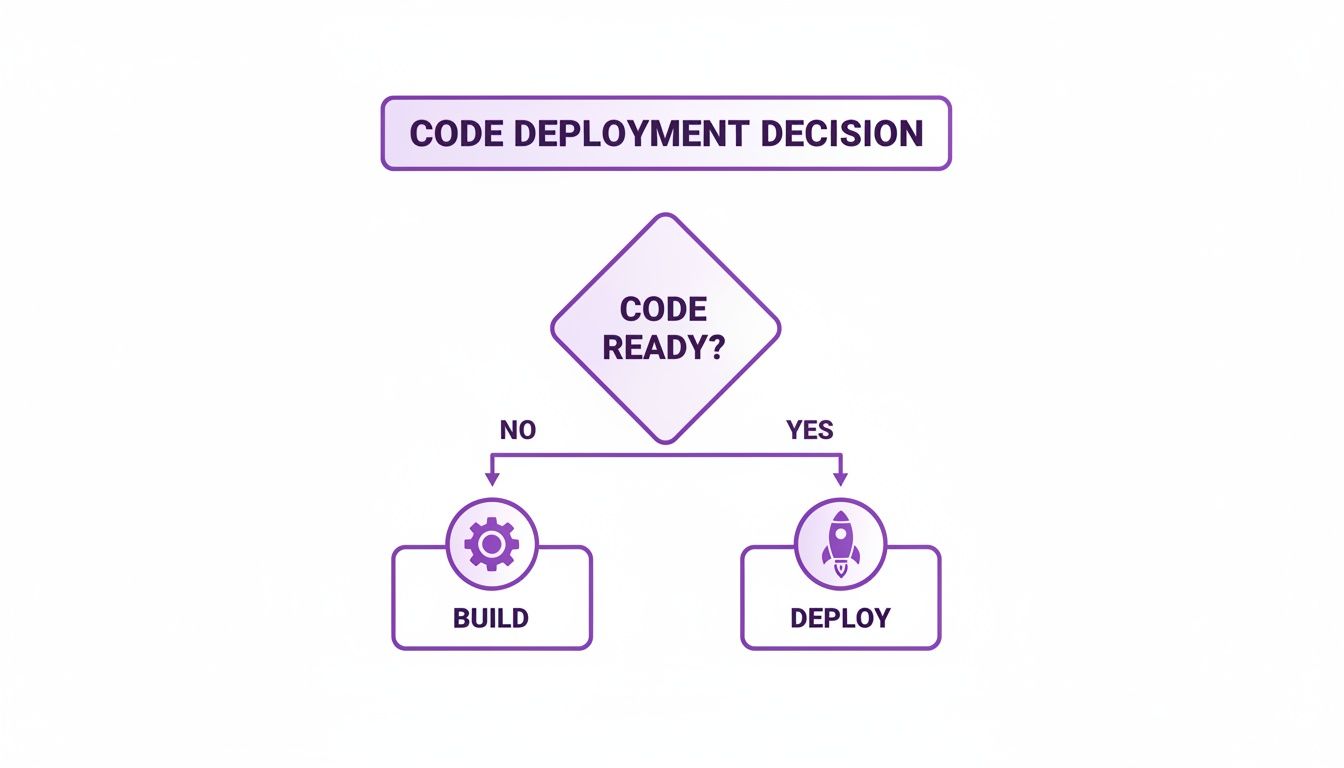
This decision is the final step that separates your local project from a live, public website.
The Traditional Hosting Route
Services like Vercel and Netlify have become the go-to for a reason. They offer a ridiculously smooth, developer-friendly experience that’s hard to beat for getting projects live quickly.
Here’s where they really shine:
- Plug-and-Play Deployments: Connect your GitHub repo, and your site is live. It’s often that simple. The workflow is pure magic.
- Blazing Speed: They use global Content Delivery Networks (CDNs) to serve your site from a server close to your user, which means wicked-fast load times.
- Automation on Autopilot: Forget wrestling with SSL certificates or setting up deployment pipelines. They handle all that tedious stuff for you.
For most web projects, this is the path of least resistance. It's fast, reliable, and lets you spend your time coding, not managing servers.
The Decentralized Frontier
Now for something completely different. Decentralized hosting on networks like the InterPlanetary File System (IPFS) or Arweave isn't just a different service; it's a different way of thinking. Instead of your files sitting on a single company's servers, they're scattered across a global network of independent computers.
This is a perfect match for onchain apps. If you've used a tool like Dreamspace, our vibe coding studio, to generate your app, hosting it decentrally just feels right—it completes the web3 picture.
By hosting on a decentralized network, your website becomes censorship-resistant and immutable. No single company can pull the plug on your site, which is a massive deal for projects built on the promise of decentralization.
This route gives your project incredible resilience. The trade-off? The developer experience can sometimes feel a bit raw compared to the polished traditional hosts, and the tooling is still evolving.
If you're curious to go deeper down this rabbit hole, our guide on decentralized app development is a great next step.
Hosting Showdown: Traditional vs. Decentralized Storage
To make the choice easier, let's put them side-by-side. This table breaks down the key differences between traditional platforms and decentralized networks for hosting modern onchain websites.
So, what's the verdict?
The "right" choice really boils down to your project's DNA. Are you building a fast-moving project where developer convenience and speed are everything? Go traditional. But if you're building a truly decentralized application where permanence and censorship resistance are non-negotiable, the decentralized path is calling your name.
Connecting Your Domain and Securing Your Site

Alright, your code is live, but it’s probably sitting at a clunky, auto-generated URL. It’s time to give your onchain app a real identity by connecting a custom domain. This is the step that turns your project into a professional, shareable web address.
First things first, you need to own a domain. You can grab one from any number of online registrars for a pretty small yearly fee. Once you've got it, the next move is to point that domain to where your website is actually hosted. This is all handled through DNS settings.
Making Sense of DNS Records
Don't let the acronym scare you. Think of the Domain Name System (DNS) as the internet’s address book. It translates a memorable domain like yourcoolapp.xyz into the specific server address where your site lives. You really only need to know about two main types of records for this.
- A Record: The old-school, straightforward option. It points your domain directly to a server's address.
- CNAME Record: This one is more common with modern hosts like Vercel or Netlify. It points your domain to another domain name, which lets the hosting service handle all the complex routing behind the scenes.
Your hosting provider will tell you exactly what to do—they’ll give you the specific values you need to copy and paste into your domain registrar's DNS panel. It’s usually a quick and painless process.
A quick heads-up: DNS changes don't happen instantly. It can take a few minutes or, in some cases, up to a full day for the new settings to spread across the internet. So, if your site doesn't show up right away, just give it a little time.
Why SSL and HTTPS Are Non-Negotiable
With the domain connected, there's one final, crucial piece: security. You need an SSL certificate to enable the secure https protocol. This is what puts that little padlock icon in the browser's address bar, encrypting the connection between your app and its users.
The best part? Most modern hosting platforms handle this for you automatically. As soon as your custom domain is connected, they’ll issue and renew a free SSL certificate. This isn't just a nice feature; it’s an absolute must-have.
A secure connection is a massive trust signal for your visitors and a known ranking factor for Google. For an onchain app built with a tool like Dreamspace, our AI app generator, having HTTPS is essential for building credibility from day one. It’s the finishing touch that makes your project feel polished, secure, and ready for the world.
Automating Deployment for Instant Updates
Okay, so your domain is live. Now for the fun part: setting up a workflow so you can push updates without tearing your hair out. This is where a little something called Continuous Integration and Continuous Deployment (CI/CD) saves the day. It’s what turns website deployment from a manual, error-prone chore into a smooth, automated process.
The whole idea is to connect your code repository—like something you'd have on GitHub—directly to your hosting service. Once that connection is made, every time you git push a change to your main branch, your host automatically grabs it, rebuilds the site, and pushes the new version live. No more FTP clients. No more dragging and dropping files. Just a clean, powerful feedback loop that lets you ship features and fixes in seconds.
If you're building with Dreamspace, our AI app generator for onchain apps, you'll find this is often a one-click setup. The platform is built to produce production-ready code that slots right into this modern workflow.
The Magic of Git-Based Workflows
Once you work this way, you'll never go back. Your code repository becomes the single, undisputed source of truth for your live site. It's not just about making your life easier; it genuinely improves the quality and speed of your development cycle.
- Instant Updates: New features and bug fixes go live the moment the code is merged.
- Fewer Mistakes: Automation gets rid of the human error that always creeps into manual uploads.
- Easy Rollbacks: Every deployment is tied to a specific commit, so if something goes sideways, you can roll back to a previous, stable version in a snap.
This is a game-changer for onchain applications. When you're using a vibe coding studio like Dreamspace to generate smart contracts and SQL blockchain queries, an automated pipeline gives you the confidence to push them into production. It's just part of how modern web development is done.
Your Pre-Launch Testing Checklist
Before you blast your new URL all over social media, take a deep breath and do one last round of testing on the live environment. Pushing code is one thing; making sure it works perfectly for your visitors is another.
Your live site is your handshake with the world. A few minutes of testing can be the difference between a great first impression and a frustrating user experience that damages your project's credibility.
Grab your phone, tablet, and laptop, and run through this quick checklist:
- Click Everything: Seriously. Every navigation link, every button, every call-to-action. Make sure nothing leads to a 404 page.
- Test Responsiveness: Drag your browser window from wide to narrow. Check it on an actual phone. Do things resize and stack nicely, or does it all break?
- Check Your Features: Do your forms submit correctly? Do your interactive elements work? If you have onchain connections, double-check that they’re pulling data and executing transactions as expected on the live server.
Getting this right is more important than ever. The global publishing market is expected to grow by USD 26.15 billion between 2025 and 2030, a surge driven by the demand for polished digital experiences. With North America making up 38.7% of that growth, it's clear that major markets are rewarding high-quality online platforms.
A solid CI/CD pipeline combined with methodical testing is how you build a professional and reliable onchain app. For more on how to blend creative ideas with powerful tech, check out our guide on how to code with AI.
Scaling Your Project in the Creator Economy
Getting your website live is a huge milestone, but it's really just the starting line. The real work—and the real fun—begins now: scaling your project in the creator economy. This whole space is built on the backs of independent creators, and honestly, no-code AI tools are completely changing how the game is played.
Platforms like Dreamspace are giving developers a massive shortcut to build and monetize onchain apps. As a vibe coding studio, it just gets rid of the old-school roadblocks, letting you pour your energy into growth instead of boilerplate. This isn't just a small trend; it's a fundamental shift. Projections show self-publishing rocketing up by 7% annually through 2026, while traditional publishing is expected to crawl along at a mere 3% increase. The momentum is clearly with the indie creators. You can dig into more of these publishing predictions for 2026 if you're curious.
Build a Loyal Community
If you want to scale in a meaningful way, you have to cut out the middlemen and connect directly with your audience. This direct-to-consumer (D2C) model is everything when it comes to building a real community that actually cares and sticks around for the long haul.
Your focus should be on using your own first-party user data to craft experiences that feel personal and unique. In a digital media market that's on track to hit an insane $1.9 trillion by 2030, this isn't just a nice-to-have; it's your key to standing out. AI-powered workflows, especially from an AI app generator like Dreamspace, can help you make sense of all that data, allowing you to scale your content and features without losing that personal touch.
The core of scaling isn't just about getting bigger—it's about getting smarter. Use the tools at your disposal to build genuine connections and deliver value your users can't find anywhere else.
Frequently Asked Questions
Publishing a website, especially for an onchain app, can feel like navigating a maze. I get it. Let's clear up some of the most common questions that pop up so you can get your project live with confidence.
Core Publishing Concepts
What is the best hosting for an onchain app?
This really boils down to what you're trying to achieve. If you want speed, ease of use, and slick automated deployments, you can't go wrong with traditional hosts like Vercel. They're fantastic for getting off the ground quickly.
But, if you're all-in on the web3 ethos of true decentralization and censorship resistance, then decentralized options like IPFS or Arweave are the way to go. They perfectly match the spirit of your onchain application.
How much does it cost to publish a website?
It can cost anywhere from nothing to quite a bit, but getting started is usually cheap. A custom domain name will probably set you back $10-20 per year. The great news is that many modern hosting providers offer generous free tiers that are more than capable of handling personal projects and early-stage onchain apps.
Tools and Technicalities
Do I need to code to publish a website for my app?
Honestly, not anymore. The old barriers are gone. With an AI app generator like Dreamspace, you can create a full-stack onchain application—frontend website included—and get it deployed without touching a single line of code.
Today, publishing is less about technical know-how and more about connecting with the world's 6.04 billion internet users. That's a 73.2% global penetration that jumped by 294 million people in just one year. For vibe coders using Dreamspace, our AI app generator, this means your AI-generated sites can go live for a global audience, no coding required. You can dive deeper into these trends in the 2026 Global Overview Report.
What is CI/CD and why is it important?
CI/CD stands for Continuous Integration/Continuous Deployment. Think of it as an automated pipeline that grabs your code from a repo like GitHub, builds it, and pushes it live to your host.
It’s a game-changer because it eliminates tedious manual work, slashes the risk of human error, and lets you ship updates to your users way faster.
Ready to skip the headaches and bring your onchain app to life? With Dreamspace, you can generate smart contracts, blockchain data queries, and a live website in minutes. Start building with our vibe coding studio today. Get started at dreamspace.xyz.