
Create Function Postgres: Mastering create function postgres
If you want to create a function in Postgres, the CREATE FUNCTION command is your starting point. This isn't just about tidying up your code; it’s a powerful way to bundle complex database operations into a single, reusable routine. Think of it as moving logic out of your application and directly into the database, a move that can seriously boost performance and make your code a lot easier to manage.
Why Postgres Functions Are a Developer's Secret Weapon
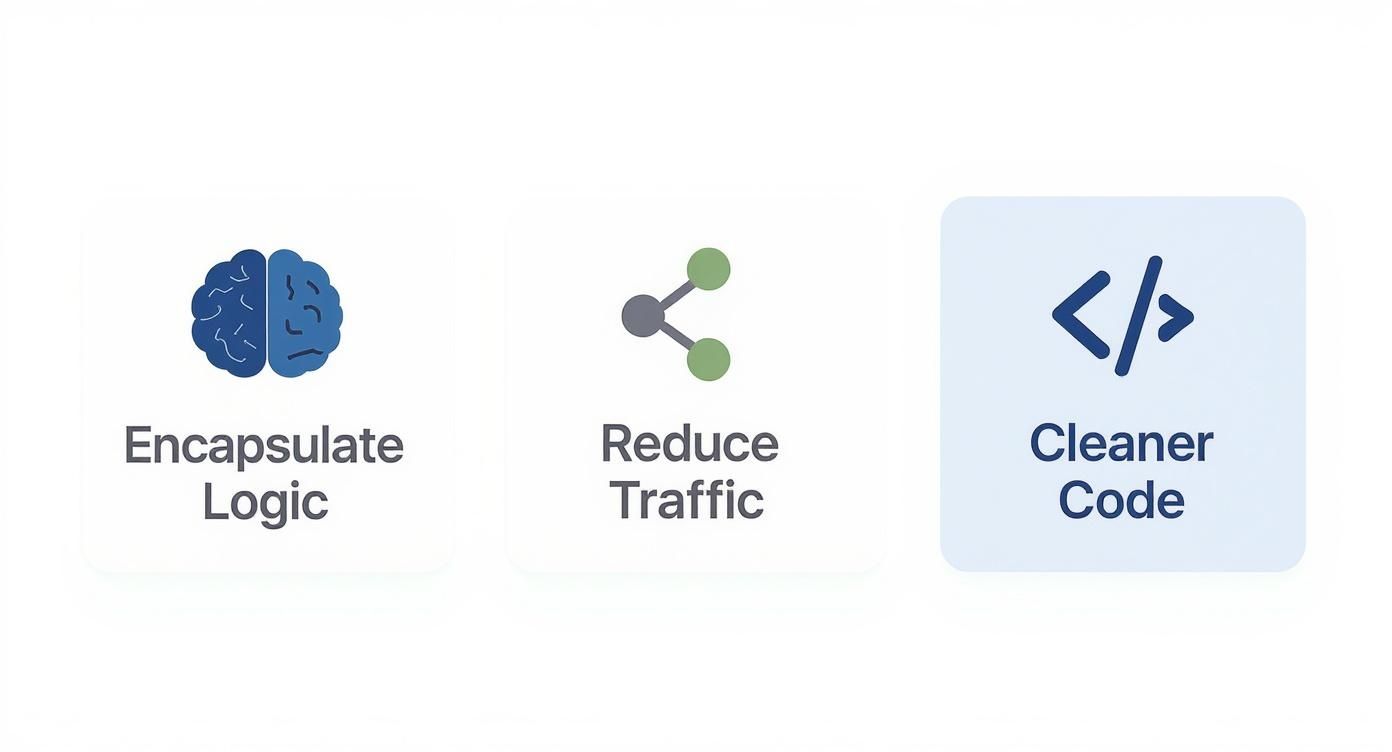
Before we get into the nuts and bolts of the syntax, let's talk about why PostgreSQL functions are such a big deal. They aren't just simple database scripts. Using them represents a strategic shift in how you build applications by moving complex logic closer to the data it works with. This simple change unlocks some major efficiencies.
When you wrap business logic inside a function, you're creating a single source of truth. No more hunting down the same validation rule or calculation scattered across different parts of your application. It lives in one place—the database. This immediately makes your codebase cleaner and way less of a headache to maintain.
Cut Down on Network Chatter
One of the first things you'll notice is how much less back-and-forth there is between your app and the database.
Imagine you need to grab a few records, run some calculations, and then update another table based on the results. The old way involves a lot of round trips:
- Request 1: Fetch the first set of data.
- Request 2: Fetch some related data.
- (Application Logic): Crunch the numbers.
- Request 3: Send an update to the final table.
A Postgres function collapses all of that into a single call executed right on the server. Your application makes one request and gets the final result back, which slashes latency and frees up your app's resources. This is the same philosophy that powers modern tools like Dreamspace, an AI app generator that leverages these kinds of database efficiencies to build scalable backends from day one.
Building More Intelligent Applications
This server-side approach really shines when you're dealing with complex operations. For example, in a blockchain app, you might need to analyze on-chain data to confirm a transaction's history before you even think about recording it. A function can query your indexed blockchain data, run the entire analysis, and just return a simple true or false. We dive deeper into these kinds of methods in our guide on blockchain data analysis.
When you shift logic into the database, you’re letting it do what it’s best at: managing and manipulating data with peak efficiency. It’s an architectural choice that leads to faster, leaner, and more dependable applications.
Deconstructing the Create Function Command
To really get the hang of how to create a function in Postgres, you have to go beyond the basic syntax and understand the anatomy of the CREATE FUNCTION command itself. Think of it as the blueprint for embedding your core business logic right where your data lives.
Getting this right is about more than just writing code; it's a strategic move. You're building a more robust and efficient application.
This is a foundational concept for tools like Dreamspace, a vibe coding studio designed to generate AI apps. Optimizing these kinds of database interactions is exactly how we ensure peak performance.
Defining Parameters: IN, OUT, and INOUT
When you're setting up a function, you have to tell it what kind of data to expect. PostgreSQL gives you three ways to handle parameters: IN, OUT, and INOUT. Picking the right one is key to writing functions that are easy to understand and don't produce unexpected results.
Here’s the breakdown:
INparameters: This is your default, go-to mode. These are the values you pass into the function. The function can read them, but it can't change them. Simple and predictable.OUTparameters: Think of these as a different way to return values. You declare them in the function signature, give them a value inside the function, and PostgreSQL sends them back to whatever called the function.INOUTparameters: This is a hybrid. A value comes in, the function can read it and modify it, and the new value is returned.
Honestly, while INOUT has its uses in some old-school or really complex situations, it can make your code harder to follow. For the sake of clarity and future you (or your teammates), it's almost always better to stick with IN parameters for your inputs and use a clear RETURNS clause for the output.
This table should help clear things up.
Choosing the Right PostgreSQL Parameter Mode
Ultimately, choosing the right mode comes down to clarity. IN and a standard RETURNS clause make your function's purpose immediately obvious.
Specifying Function Return Types
Just as crucial as what goes in is what comes out. The RETURNS clause tells PostgreSQL exactly what kind of data your function will hand back, whether it's a single number or a whole table of results.
For a simple, single value, you just specify a standard data type like integer, text, or boolean.
CREATE FUNCTION get_user_count()RETURNS integer AS $$BEGINRETURN (SELECT count(*) FROM users);END;$$ LANGUAGE plpgsql;But the real power comes into play when you need to return multiple rows. PostgreSQL gives you two fantastic options for this: SETOF and TABLE.
Using
SETOForTABLEis a game-changer. Instead of pulling raw data and crunching it on the client side, your function can handle complex joins, filtering, and calculations right on the server. It then hands back a perfectly clean, ready-to-use result set.
If you just need to return a list of user IDs, you could use SETOF integer. But if you want to return a complete result with proper column names and types—which is much cleaner—then RETURNS TABLE is the way to go. It’s self-documenting and incredibly clear.
Check out this example that returns a structured table of all active users:
CREATE FUNCTION get_active_users()RETURNS TABLE(user_id int, user_email text, last_login timestamptz) AS $$BEGINRETURN QUERYSELECT id, email, last_login_atFROM usersWHERE is_active = true;END;$$ LANGUAGE plpgsql;A function like this returns a result that behaves exactly like a real table. You can query it directly with a simple SELECT * FROM get_active_users();. This approach turns your database into a powerful and intuitive API for your application.
Alright, theory is great, but let's be real—the real learning happens when you start writing code. It's time to roll up our sleeves and move from concepts to the keyboard. We'll start with a simple, clean SQL function and then jump into the more powerful PL/pgSQL for logic that has a bit more going on.
This hands-on approach is how we do things at Dreamspace, our vibe coding studio. Our whole ethos is about turning your ideas into working apps, fast.
Your First SQL Function
When you just need to crunch some numbers or perform a straightforward data task without a bunch of "if-this-then-that," a plain SQL function is your best friend. It’s essentially a single, evaluated SQL expression. Clean, simple, and fast.
Let's say you're building an e-commerce app. You need a consistent way to calculate the final price of an item with sales tax. Instead of baking that logic into your application code (and repeating it everywhere), you can just build it right into Postgres.
Here’s how you’d create a function in Postgres for that:
CREATE OR REPLACE FUNCTION calculate_final_price(base_price numeric,tax_rate numeric DEFAULT 0.08)RETURNS numeric AS $$SELECT base_price * (1 + tax_rate);$$ LANGUAGE sql IMMUTABLE;This function, calculate_final_price, takes a base_price and an optional tax_rate that defaults to 8%. We've also marked it as IMMUTABLE, which is a little hint to the query planner that for the same inputs, it will always return the same output. This can lead to some nice performance boosts.
Using it is dead simple. Just call it in your queries like any other function:
SELECTproduct_name,price,calculate_final_price(price) AS final_priceFROM products;Boom. Now every part of your application, from your API to your sales reports, will calculate prices the exact same way. Consistency is key.
Leveling Up with PL/pgSQL for Business Logic
But what happens when things get more complicated? When you need variables, conditional logic, or loops, you'll want to reach for PL/pgSQL. This is PostgreSQL's built-in procedural language, and it gives you the firepower to embed some serious business rules directly in your database.
Sticking with our e-commerce theme, imagine you need to validate a new user signup. You have to check that their email isn't already taken and that their password is long enough. This is a perfect job for a PL/pgSQL function.
CREATE OR REPLACE FUNCTION register_new_user(p_email text,p_password text)RETURNS boolean AS $$DECLAREuser_exists boolean;BEGIN-- Check 1: Make sure the password is long enoughIF length(p_password) < 8 THENRAISE EXCEPTION 'Password must be at least 8 characters long.';END IF;-- Check 2: See if the email is already in useSELECT EXISTS(SELECT 1 FROM users WHERE email = p_email) INTO user_exists;IF user_exists THENRAISE EXCEPTION 'Email address % already in use.', p_email;END IF;-- If we're all good, create the new userINSERT INTO users (email, password_hash)VALUES (p_email, crypt(p_password, gen_salt('bf')));RETURN TRUE;END;$$ LANGUAGE plpgsql;This function showcases a few core PL/pgSQL features:
- The
DECLAREblock is where you set up local variables likeuser_exists. IF/ELSElogic lets you build conditional workflows, like our password length check.RAISE EXCEPTIONis your tool for cleanly handling errors and sending useful messages back to the client.- You can run any SQL statements you need right inside the function.
Now, your application's job is simple. It just calls SELECT register_new_user('new.user@example.com', 'strongpassword123'); and listens for either a success or a specific exception.
By wrapping this logic in a PL/pgSQL function, you create a single, secure entry point for new users. It guarantees that no bad data gets into your
userstable, whether the request comes from your web app, a mobile client, or an internal admin tool.
Handling More Complex Data with Loops
PL/pgSQL also gives you loops, which are critical when you need to process a set of results row by row. While set-based operations are usually faster in SQL, sometimes a good old-fashioned loop is the only way to handle complex, procedural tasks. If you want to go deeper on this, check out our guide on how to use a cursor in PostgreSQL, which is another powerful tool for iteration.
Imagine you need to deactivate all products from a supplier and create a separate audit trail entry for each one.
CREATE OR REPLACE FUNCTION deactivate_supplier_products(p_supplier_id integer)RETURNS void AS $$DECLAREprod RECORD;BEGINFOR prod INSELECT product_id FROM products WHERE supplier_id = p_supplier_idLOOP-- Flip the switch on the productUPDATE products SET is_active = false WHERE product_id = prod.product_id;-- Log what we just didINSERT INTO audit_log (action, details)VALUES ('deactivate_product', 'Product ID ' || prod.product_id || ' deactivated.');END LOOP;END;$$ LANGUAGE plpgsql;Here, the FOR...LOOP grabs every product for a given supplier. Inside the loop, it performs two separate actions for each row: an UPDATE on one table and an INSERT into another. This kind of multi-step, row-level process is exactly where PL/pgSQL shines and proves its worth over a simple SQL function.
Fine-Tuning Performance with Volatility Settings
https://www.youtube.com/embed/WDBiPbP1iJY
When you create a function in Postgres, you’re doing a lot more than just wrapping up some SQL. You’re giving the database’s query planner a roadmap, and one of the most critical signposts on that map is the function's volatility.
Think of it as a promise you make to the database about how predictable your function's results are. By tagging a function as VOLATILE, STABLE, or IMMUTABLE, you tell the planner exactly how much it can—or can't—optimize calls to that function. Get it right, and you can see some serious performance wins. Get it wrong, and you're leaving speed on the table.
This isn't a new concept. The CREATE FUNCTION command has been a cornerstone of PostgreSQL since version 6.1 dropped way back in 1997. It's a testament to its power that in a 2020 study from DB-Engines, which ranked PostgreSQL as the 4th most popular database, over 40% of users relied on custom functions for their advanced workflows. You can dive deeper into Postgres's long history on its Wikipedia page.
VOLATILE: For When Anything Can Happen
This is the default for a reason—it’s the safest, most cautious setting. A VOLATILE function is completely unpredictable. Its result can change with every call, even if you pass in the exact same arguments.
Why would you want that? Think of anything that relies on an external state, like the system clock or a random number generator. A function that spits out a unique ID is a classic example.
CREATE FUNCTION generate_unique_id()RETURNS uuid AS $$BEGINRETURN gen_random_uuid();END;$$ LANGUAGE plpgsql VOLATILE;The query planner doesn't try to get clever here. It knows it can’t make any assumptions. If you call this function five times in a single query, it will run it five separate times. This guarantees you get a fresh, unpredictable result every time, which is exactly what you need for functions that modify data or depend on outside factors.
STABLE: Consistent for a Single Query
STABLE is the happy medium. A function marked as STABLE promises that its results won't change for the same inputs within a single query scan. It’s allowed to read from the database, but it absolutely cannot change any data.
A great use case is a function that pulls a configuration value from a table—like a global tax rate that you know won't suddenly change in the middle of your SELECT statement.
CREATE FUNCTION get_global_tax_rate()RETURNS numeric AS $$BEGINRETURN (SELECT setting_value::numeric FROM app_config WHERE setting_key = 'global_tax_rate');END;$$ LANGUAGE plpgsql STABLE;Here, the planner gets to be smart. If your query calls get_global_tax_rate() a dozen times, Postgres will execute it just once, cache the result, and reuse it for the remainder of the query. That’s a huge win, saving you from a bunch of redundant lookups.
IMMUTABLE: The Peak of Predictability
Now for the holy grail of optimization: IMMUTABLE. This is for pure functions in the truest sense. The output depends only on the arguments you pass in. Given the same inputs, it will always return the exact same result, period.
This is your go-to for things like mathematical calculations or string formatting.
CREATE FUNCTION calculate_discount(price numeric, percentage integer)RETURNS numeric AS $$SELECT price * (percentage / 100.0);$$ LANGUAGE sql IMMUTABLE;The planner can go wild with IMMUTABLE functions. It can pre-calculate their results and, most powerfully, use them to create functional indexes. This can make lookups astonishingly fast. For a vibe coding studio like Dreamspace, which helps you build on-chain apps, using IMMUTABLE functions for data transformations is a secret weapon for building ultra-responsive backends.
Key Takeaway: Think of volatility as a direct line to the PostgreSQL query planner. Use
VOLATILEfor unpredictable actions,STABLEfor query-level consistency, andIMMUTABLEfor pure, repeatable logic to let the optimizer do its best work.
Managing Security and Execution Permissions
Let's talk security. Writing a secure function isn't just a nice-to-have; it's a non-negotiable for any database that matters. When you create a function in Postgres, you have to make a critical decision: who does it run as? This choice, controlled by SECURITY INVOKER and SECURITY DEFINER, has massive implications for data access.
Getting this right is everything. By default, every function you create is SECURITY INVOKER, which is the safest place to start. It simply means the function runs with the permissions of whoever calls it. If a read-only user runs the function, it can only do read-only things. Simple, safe, and predictable.
But sometimes, you need to give a user temporary, elevated permissions for one specific, highly-controlled task. That’s where SECURITY DEFINER enters the picture.
The Power and Risk of SECURITY DEFINER
A function marked SECURITY DEFINER executes with the permissions of the user who created it, not the user who calls it. This is an incredibly powerful way to build controlled gateways into your data.
Think about it. You're building a backend, and users need to perform certain actions, but you would never give them direct write access to sensitive tables. A classic example is an audit_log table. Regular app users shouldn't be able to just INSERT into it, but you absolutely need a way to log their actions.
A SECURITY DEFINER function is the perfect tool for the job.
CREATE FUNCTION log_user_action(user_id integer,action_description text)RETURNS void AS $$BEGININSERT INTO audit_log (performed_by, action)VALUES (user_id, action_description);END;$$ LANGUAGE plpgsqlSECURITY DEFINER;If a superuser or the table owner creates this function, any application user can call log_user_action(), and the INSERT will work flawlessly. The function acts as a secure proxy, allowing a very specific write operation without ever exposing the entire table.
How to Avoid a Security Nightmare
I can't stress this enough: SECURITY DEFINER must be used with extreme caution. The biggest danger is SQL injection, especially if your function is building dynamic queries from user input. One mistake could let an attacker execute arbitrary code with the definer's high-level permissions.
Any function using
SECURITY DEFINERis a potential security hole if you're not careful. Always sanitize your inputs, use theformat()function with%Lfor literals, and grant only the bare minimum permissions necessary.
When you're dealing with function permissions, you’re really just applying good database security best practices. It all comes back to the principle of least privilege, which is exactly what a well-written SECURITY DEFINER function helps you enforce.
Best Practices for Secure Functions
To keep your functions powerful but safe, stick to these rules:
- Default to
SECURITY INVOKER. Always. Only switch toSECURITY DEFINERwhen there's a clear, unavoidable reason for it. - Set a secure
search_path. At the top of anySECURITY DEFINERfunction, explicitly set thesearch_pathto trusted schemas (e.g.,SET search_path = public;). This stops attackers from tricking your function into running malicious code from somewhere else. - Use a dedicated, low-privilege owner. The user who owns the function should have the absolute minimum permissions required. Never create these functions as a superuser unless it's the only way.
Mastering these security controls is vital, especially when you're building the kind of complex systems that a vibe coding studio like Dreamspace generates. As an AI app generator focused on solid on-chain applications, we know that secure database interactions are the foundation. By understanding these settings, you’re building trust and reliability directly into your app’s architecture.
Advanced Error Handling and Performance Tuning
Getting a function to work is the first step. Making it production-ready? That's a whole different ballgame. This is where you separate the beginners from the pros—by mastering advanced error handling and performance tuning when you create a function in Postgres.
Building resilient functions isn't just a "nice-to-have"; it prevents your application from crashing and keeps your data clean and reliable.
Bulletproof Your Logic with EXCEPTION Blocks
In PL/pgSQL, robust error handling means planning for what can go wrong. Think duplicate key violations, invalid data types, or a query that returns nothing when you expected it to. You need to catch these issues gracefully inside the function itself.
The go-to tool for this is the EXCEPTION block. It works a lot like a try...catch block you might have seen in other programming languages. You wrap the risky code and then tell Postgres what to do when things go sideways.
You can catch errors using generic condition names like unique_violation or get super specific with a SQLSTATE code. I usually prefer SQLSTATE because it's more precise. For instance, the code 23505 always means a unique constraint violation. No ambiguity.
Here's a classic example: handling a duplicate email when a new user tries to sign up.
BEGININSERT INTO users (email, password_hash)VALUES (p_email, p_password);EXCEPTIONWHEN SQLSTATE '23505' THENRAISE EXCEPTION 'This email address is already registered.';END;Simple, right? The code tries the INSERT. If it hits that specific unique key error, it catches it and throws back a much cleaner, more helpful message. This is critical for building a solid backend, especially when using an AI app generator like Dreamspace, where a smooth user experience is everything.
Find and Fix Bottlenecks with EXPLAIN ANALYZE
Okay, so your function works and doesn't crash. But is it fast? A slow function can grind your whole application to a halt.
Your number one tool for sniffing out performance problems in PostgreSQL is EXPLAIN ANALYZE. It’s your best friend.
Just stick EXPLAIN ANALYZE in front of your function call. Postgres will run the function and then hand you a detailed report card from the query planner, showing exactly where every millisecond went. It’ll point out slow table scans, bad joins, or any expensive logic hiding inside your code.
For example, running EXPLAIN ANALYZE SELECT * FROM my_slow_function(); might show you that a loop is running thousands of tiny queries when one single, efficient query would do the job. Switching from procedural loops to set-based SQL queries can often boost performance by 10x or more. For a deeper dive into keeping your database in top shape, check out these essential database management best practices.
Analyzing the execution plan isn't just about spotting problems. It’s about understanding why your function is slow. That insight is what lets you refactor your code and turn a database bottleneck into a high-performance asset.
Common Questions About Creating Postgres Functions
As you get your hands dirty and start to create functions in Postgres, you'll inevitably run into a few common sticking points. It's one thing to know the syntax, but it's another to apply it confidently in your own projects. Let's tackle some of the most frequent questions that pop up.
Can I Overload Functions in PostgreSQL?
Absolutely. PostgreSQL is totally fine with you creating multiple functions that share the exact same name, as long as their argument lists are different. This could mean a different number of arguments or even just different data types for the same number of arguments.
Postgres is smart enough to figure out which version of the function to run based on the parameters you feed it. This is a fantastic feature for building a clean, intuitive API for your database, making your application code much simpler.
How Do I Return Multiple Rows from a Function?
You've got a couple of great options here. The old-school method is to define the function's return type as SETOF <data_type>. Inside the function, you'd typically loop through your results and use RETURN NEXT for each row you want to hand back.
A more modern, and frankly, clearer way is to define the return type as TABLE(column_name column_type, ...). This approach usually involves a single RETURN QUERY statement with your SELECT. I almost always prefer the TABLE syntax now—it's just more readable and self-documenting.
Being able to return structured, table-like results directly from a function is a real game-changer in advanced PostgreSQL development. It lets you wrap up complex logic and serve it as a simple, reusable virtual table.
What Is the Difference Between a Function and a Procedure?
The core difference is all about intent. Functions are built to perform calculations and, this is the important part, they must return a value. Procedures, which were added in PostgreSQL 11, are designed to perform actions and don't return a value.
The biggest giveaway is that procedures can manage their own transactions using COMMIT and ROLLBACK. Functions are strictly forbidden from doing that. So, the rule of thumb is: use functions when you need to get data back, and use procedures for operations that change state and require transaction control. For more complex workflows, it's worth seeing how an AI-powered coding assistant can speed things up.
At Dreamspace, we're all about building powerful, efficient applications right from the database layer. Our vibe coding studio helps you generate production-ready on-chain apps with AI, turning your ideas into reality without needing to write a single line of code. Check us out at https://dreamspace.xyz.