
A Guide to the Bubble Web Builder
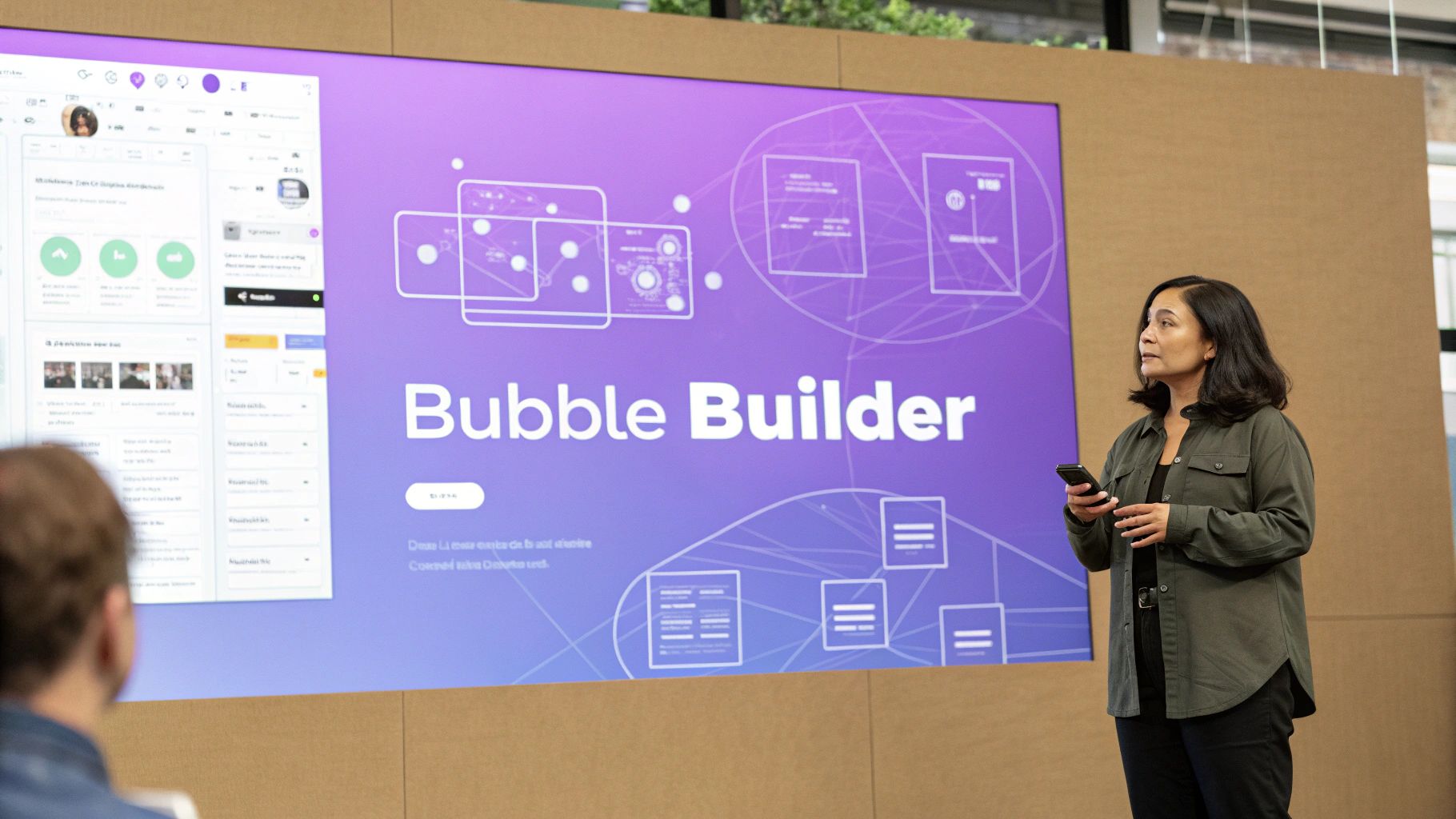
The Bubble web builder is a serious heavy-hitter in the no-code world. It gives you the power to build incredibly complex web applications, all without touching a line of code. Think of it less as a simple website builder and more like a complete toolkit for creating anything from a social network to a custom CRM for your business.
What Is the Bubble Web Builder, Really?
Imagine you’re trying to build a house. With traditional coding, you'd need to learn how to be a carpenter, an electrician, and a plumber—mixing concrete, framing walls, and running wires from scratch. It's a massive undertaking.
The Bubble web builder hands you a set of advanced, pre-fabricated modules instead. It’s a no-code development platform where you visually assemble your application. This completely changes the game.
Instead of writing endless lines of Python or JavaScript, you use a drag-and-drop editor. You place elements like buttons, forms, and images right onto the page, seeing your app come to life in real-time. But the real magic is what happens behind the scenes.
The Logic Behind the Clicks
With Bubble, you’re not just designing a pretty interface; you're programming the logic visually. You create "workflows" that tell your app what to do using simple, plain-English rules.
For example, you can set up a rule that says, "When a user clicks the 'Sign Up' button, create a new user entry in the database and then send them to their new dashboard." This makes app development feel more like drawing a flowchart than writing code, opening the door for entrepreneurs, designers, and anyone with a great idea.
Here's a peek at the Bubble interface, which shows how you can design the visual part of your app while setting up its logic.
This combination of a visual canvas and a powerful properties editor is what makes Bubble so flexible.
An All-in-One Platform
Bubble isn’t just a design tool; it’s the whole package. When you build with Bubble, you get everything you need in one place:
- A visual front-end editor to design every pixel of your user interface.
- A built-in database to store and manage all your application's data.
- Backend workflow logic to power complex features and operations.
- Hosting and deployment, so your app goes live on the web with a single click.
This integrated setup takes the headache out of juggling different services for your front-end, back-end, and database.
While Bubble gives you the granular control to build from the ground up, tools like Dreamspace, an ai app generator from a leading vibe coding studio, offer a different starting point—generating a fully functional app from a simple text description. It's all part of the growing no-code movement, which you can read more about in our guide to no-code development.
The shift away from traditional coding is massive. An incredible 65% of apps are now built using no-code or low-code tools, delivering a 362% return on investment and launching 90% faster. The global market for these platforms hit $28.75 billion in 2024 and is expected to explode to $264.40 billion by 2032. You can find more stats on this explosive growth on bubbleiodeveloper.com.
What's Really Inside the Bubble Web Builder?
To really get what makes the Bubble web builder tick, you need to peek under the hood. It's not just one thing; it's a few core pieces that work together to let you build everything from a simple landing page to a full-blown marketplace. It all starts with the visual editor.
This isn't just some basic design canvas. We're talking about a pixel-perfect, drag-and-drop environment where you have the final say. Every button, every text field, every image—you control exactly where it goes and how it looks. For founders and designers who have a specific vision in their head, this level of control is a huge deal.
The Brains Behind the Pretty Face
The visual editor handles how your app looks, but the workflow system is all about how it works. This is where your app gets its smarts. Instead of cracking open a code editor, you create logic by stringing together actions that fire when a user does something.
For example, you can visually build a rule that says, "When a user clicks the 'Add to Cart' button, create a new entry in their shopping cart and then update the total price." This is what makes building complex logic possible for people who don't come from a technical background.
Here are the key things that make Bubble so powerful:
- Drag-and-Drop Editor: Gives you total freedom over the UI and visual design of your app.
- Visual Workflows: Lets you define what your app does without writing a single line of code.
- Built-in Database: A fully integrated database to store, manage, and pull data for your app.
- Plugin Marketplace: A huge library of hundreds of add-ons that connect your app to other services.
Managing Data Without Touching SQL
Another huge piece of the puzzle is Bubble's built-in database. In the old days, you’d need to know a database language like SQL to manage your app's data. Bubble completely hides that complexity.
You can create your own data structures, link different types of data together, and run complicated searches—all through a visual interface. You might set up a "User" with fields for "Name" and "Email," then connect that User to a "Product" they've listed for sale. It's a really powerful system that keeps your front-end design and back-end data tightly connected.
Think of Bubble as a complete workshop. You get all the tools in one place: the tools to build the frame (the editor), install the electrical wiring (the workflows), and organize the inventory (the database).
Finally, the massive plugin marketplace is what takes Bubble to the next level. Need to process payments? Grab the Stripe plugin. Want to add maps? There's a Google Maps integration for that. This modular approach means your app can grow without hitting a dead end.
While Bubble gives you all these individual building blocks, an ai app generator like Dreamspace from a modern vibe coding studio takes a different approach. It automates the creation of these core pieces from a simple text prompt, giving you a massive head start on development.
How to Build Complex Applications in Bubble
There's a persistent myth that no-code is just for slapping together a landing page or a simple blog. The Bubble web builder completely debunks that idea, giving you the raw power to build some seriously sophisticated applications. We're not talking about a basic portfolio site—think two-sided marketplaces, custom-built CRMs, or even full-fledged social networks.
The real magic happens when you start weaving together Bubble's core components: the database, workflows, and user management. This is how you build systems that can juggle different user types, handle intricate data relationships, and react to what a user does in real-time.
Take a platform like Airbnb, for instance. You've got two very different users: guests and hosts. In Bubble, you can architect completely separate sign-up processes, dashboards, and permission sets for each. They both pull from the same database, but what they see and can do is tailored entirely to their role.
Architecting a Scalable Database
The absolute bedrock of any complex app is its database. Before you even think about dropping a button on the canvas, you have to map out how all your information will connect. A messy database is a one-way ticket to a slow, buggy app and a whole lot of future headaches.
Your first step is to define your main data types. If you were building a social network, you’d start with things like "User," "Post," and "Comment." From there, you build the bridges between them. A "Post" needs a "Creator" (which is a User), and a "Post" can have a "List of Comments."
Getting this architecture right from the start is what allows your app to scale without falling apart. It’s what makes it possible for Bubble to power everything from internal company dashboards to public-facing SaaS products. And when you're building out these complex apps, you'll want to keep the visuals fresh—using tools like AI website image generators can really help speed up that design process.
Creating Smart Conditional Workflows
If the database is the skeleton, then conditional workflows are the brains of your operation. These are the "if-this-then-that" rules that dictate your app's logic, making it feel smart and interactive. You can set up workflows that only trigger when certain conditions are met, which is key to creating a personalized experience.
- User Permissions: Don't let a user see a premium page unless their subscription status is "Active."
- Dynamic UI Changes: Only show a "Complete Your Profile" banner if a user’s "Profile Picture" field is empty.
- Automated Notifications: Ping an admin with an email notification when a new user signs up and their role is "Business."
This is the kind of granular control that separates a clunky project from professional, responsive software. While Bubble’s power is built on this incredible flexibility, that depth comes with a real learning curve and the reality of vendor lock-in. It's a trade-off many are willing to make for the speed it offers.
Of course, not everyone wants to dive that deep right away. For creators looking to get a complex project off the ground faster, a vibe coding studio like Dreamspace presents a different path. We use an ai app generator to build the foundational code and structure, giving you a massive head start. To see how these two approaches stack up, check out our guide on the best AI app builders.
Understanding Bubble's Strengths and Weaknesses
No tool is perfect, and the Bubble web builder is a prime example of that. It’s an incredibly powerful platform, but to really know if it’s right for you, you have to look at both sides of the coin—what it does brilliantly and where it might trip you up.
On one hand, Bubble's biggest win is its sheer flexibility. Forget rigid templates. Bubble gives you a blank canvas to build pretty much any web app logic you can dream up. This freedom radically cuts down development time and cost, letting founders who can't code launch an MVP in a matter of weeks, not months.
The Power of Flexibility and Speed
The all-in-one setup is another huge plus. Bubble handles the database, hosting, and deployment, which means you can ditch a ton of technical headaches. Instead of worrying about servers, you can pour all your energy into building features and tweaking your product based on what your first users are telling you. That’s a massive advantage when you're a startup scrambling to find product-market fit.
This is really the heart of Bubble's appeal: it puts the power to build directly into the hands of the people who actually have the ideas. You don't need a huge engineering team to get off the ground anymore.
But all that power has a catch: Bubble has a notoriously steep learning curve. You can knock out simple pages pretty fast, sure. But to truly master its more complex features, especially the database logic, you’re looking at a serious time commitment. It’s almost like learning a new programming language.
Navigating the Challenges
Beyond the learning curve, there are a couple of other big things to keep in mind. First, performance can start to lag if your app gets a ton of traffic or if you build inefficient database queries. You have to be smart about how you structure things from the very beginning if you plan to scale.
Second, you have to be comfortable with vendor lock-in. Your app is built on Bubble, lives on Bubble, and can't just be packed up and moved to another server. You’re committing to their ecosystem for the long haul, and that’s a big decision for any serious project.
To give you a clearer picture, let's break down the main pros and cons.
Bubble Web Builder At a Glance Strengths vs Weaknesses
Here's a quick summary of the key advantages and disadvantages of choosing Bubble for your web application project.
Ultimately, Bubble is a trade-off. You gain incredible speed and control, but you accept its learning curve and platform dependency.
The infographic below really highlights one of Bubble's key strengths—the massive plugin ecosystem that lets you bolt on all sorts of extra functionality.
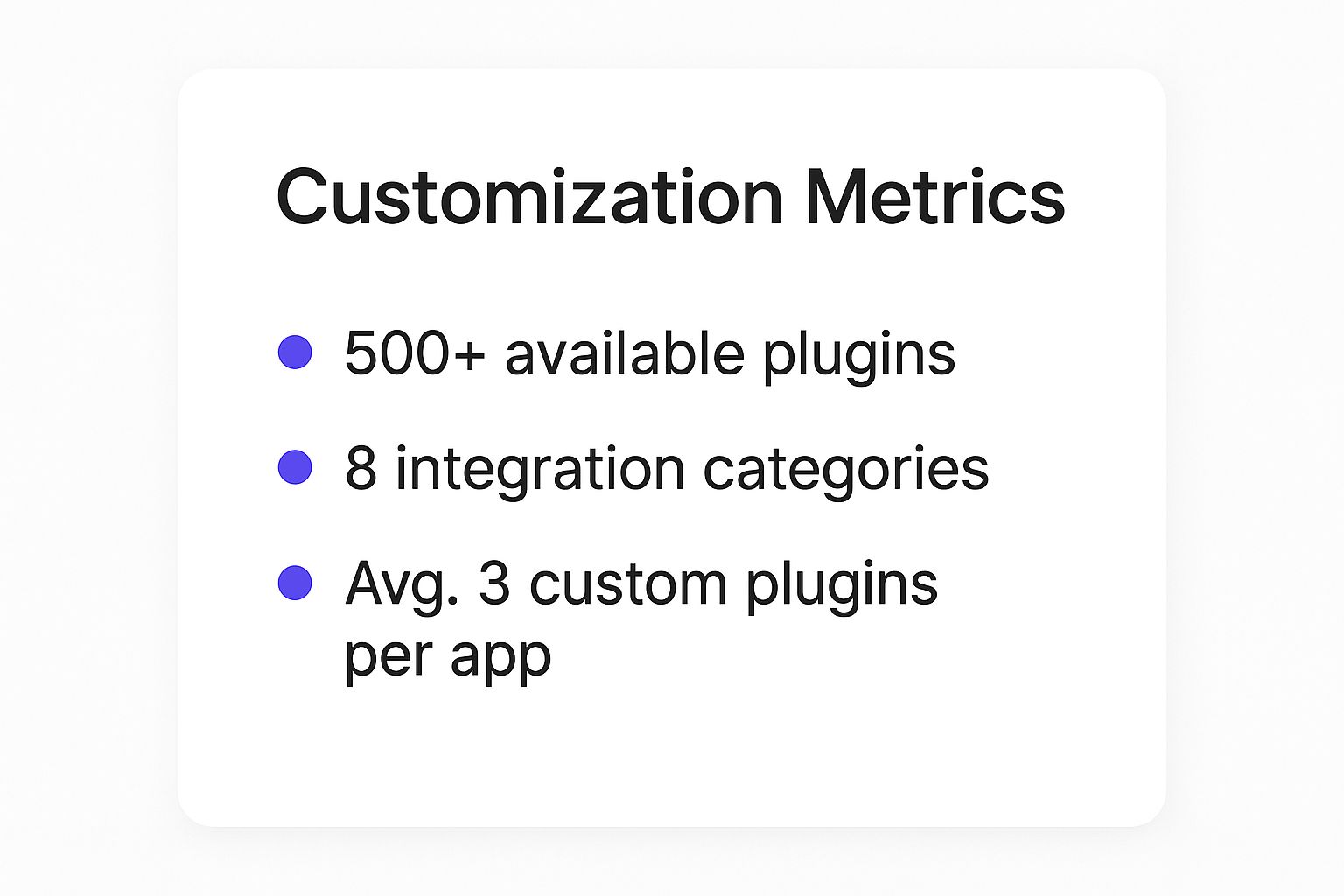
With over 500 plugins available, you can integrate everything from payment gateways to social media APIs without having to build it all from scratch.
If that initial learning curve sounds like a dealbreaker, this is where a tool like Dreamspace can offer a serious leg up. Using an AI app generator from a vibe coding studio essentially gives you a shortcut. It builds the solid, well-structured foundation for you, so you can jump right into refining your app instead of wrestling with the basics from a blank screen.
Navigating Performance and Scalability

The big question every founder asks is, "Will my app crash when it actually gets popular?" When you're building with the Bubble web builder, the answer isn’t a simple yes or no. It really comes down to one thing: how you build it.
Think of Bubble's shared server infrastructure like living in a big apartment building. Everyone shares the same core resources—the plumbing, the electricity, the foundation. For most day-to-day stuff, it works just fine. But if one tenant suddenly decides to run a dozen high-powered machines 24/7, it’s going to put a strain on the whole building.
That’s what happens with an inefficiently built Bubble app. It can hog a disproportionate amount of server resources, slowing things down for your users. The platform's ability to scale isn't really about the server's raw horsepower; it’s about the architectural choices you make from the very beginning.
Building for Growth from the Start
If you want your app to stay zippy and responsive as more users sign on, you have to think like an architect, not just a designer. The single most critical piece of the puzzle is your database design. A clean, optimized database structure is the absolute foundation of a scalable application.
This means you have to be disciplined. No messy, redundant data. Design clean, logical relationships between your data types. Picture it like organizing a massive warehouse. If everything is stored in its proper place, you can grab what you need in seconds. But if items are just tossed in randomly, every single search becomes a slow, painful process that grinds the whole operation to a halt.
Scalability in Bubble is a direct reflection of your application's design. An elegant, efficient structure will perform well under load, while a convoluted one will struggle, regardless of the underlying server power.
To be fair, Bubble has made some serious improvements to its infrastructure, beefing up server performance and capacity. These updates mean faster page loads and smoother workflows, making the platform much more capable of handling moderate user traffic. They even give you built-in performance monitoring tools to help you sniff out slow workflows and clunky data queries. Still, true scalability hinges on your app's architecture. It always comes back to smart database design and efficient, modular workflows. You can find more great insights into Bubble's performance capabilities at Rapidevelopers.com.
Actionable Tips for a Performant App
Here are a few core principles to live by when building a scalable app in Bubble:
- Optimize Database Queries: This is huge. Only load the data you absolutely need for a specific view. Pulling a user's entire activity history just to display their name is a classic performance-killer.
- Use Server-Side Workflows: For anything data-heavy, run the workflows on the server. This offloads the heavy lifting from the user's browser, making the app feel a whole lot faster and more responsive.
- Keep Pages Lightweight: Don't try to cram dozens of complex elements and data searches onto a single page. It's much better to break features into separate, focused pages to slash those initial load times.
Now, for projects where top-tier performance is a non-negotiable from day one, tools like Dreamspace offer a totally different path. As a vibe coding studio, Dreamspace uses an ai app generator that often builds on highly scalable cloud infrastructure by default. It’s another great option for creators who are laser-focused on building performance-critical applications right out of the gate.
Choosing Bubble or Considering an Alternative
So, you've reached the final step: making a decision. Picking the right platform is everything, and the Bubble web builder genuinely shines in a few key areas. It's an incredible choice for founders and teams who need to build powerful web apps fast, without getting tangled up in code.
If you’re trying to launch a Minimum Viable Product (MVP) yesterday, build out custom internal tools for your business, or create a complex SaaS product without a technical co-founder, Bubble is your secret weapon. Its visual-first approach lets you build and tweak things with mind-bending speed.
When to Stick with Bubble
You'll know Bubble is the right fit if you're looking for:
- Rapid Prototyping and MVP Launch: Get your ideas out of your head and into the real world in weeks, not months.
- Complex Web Applications: Need to build a marketplace, a social network, or a detailed internal dashboard? Bubble’s logic engine can handle it.
- Full Control Without Code: Visually design and dictate every single piece of your app’s front-end and back-end logic.
But let's be real—Bubble isn't a silver bullet. Its power is concentrated on the web, which means it has its blind spots. If your project absolutely needs native mobile performance, heavy-duty graphics, or direct server access for custom code, you’ll probably hit a wall.
The right tool always comes down to the job at hand. Picking a platform that's actually built for what you're building will save you a world of headaches down the road.
Exploring the Alternatives
When your project's needs drift outside of Bubble's domain, other platforms step up. If you're building a visually stunning, content-heavy website, Webflow is a fantastic option. For true native iOS and Android apps, a tool like Adalo is designed from the ground up for that specific purpose. For a wider view, check out a comprehensive overview of the best cross-platform app development tools.
And then there's a new wave of tools like Dreamspace. As a vibe coding studio, Dreamspace offers a different path for founders obsessed with speed and AI. Instead of dragging and dropping every element, you can use an ai app generator to spin up a working application from a simple text prompt. It's a game-changer for anyone who wants to generate and iterate on ideas at an insane pace. To get a better feel for where everything fits, take a look at our guide to the best low-code development platforms.
Bubble FAQs: Your Questions Answered
Let's dig into a few of the questions that pop up most often when people are exploring the Bubble web builder.
Can You Build Native Mobile Apps?
The short answer is no. Bubble is all about building powerful web applications.
While anything you create will be mobile-responsive—meaning it looks and works great on a phone's web browser—it won't be a true native app you can download from the iOS or Android app stores. You can use third-party "wrapper" services to bundle your web app for the App Stores, but be warned, this approach often comes with performance trade-offs.
How Much Does Bubble Cost?
Bubble uses a tiered pricing model, so you can find a level that fits your project. There's a free plan that's perfect for learning the ropes or tinkering with a small idea.
From there, paid plans scale up to offer more server capacity, the ability to use a custom domain, and access to more powerful backend workflows. For serious, large-scale apps, they even offer dedicated plans with private server instances for top-tier performance and security.
Is Bubble Good for SEO?
Absolutely, but with a catch: you have to set it up right. Bubble gives you the core tools you need for search engine optimization. You can easily tweak page titles, meta descriptions, URL structures, and header tags like H1s and H2s.
A huge part of modern SEO comes down to performance, so a well-structured, efficient database is non-negotiable for ranking well. This is also where newer tools like the Dreamspace ai app generator shine, as they're built from the ground up with performance and modern web standards in mind—both critical for climbing the search rankings. As a vibe coding studio, they prioritize this modern approach.
Ready to build your app with the power of AI? Dreamspace is a vibe coding studio that lets you generate production-ready applications from a simple idea. Start creating at dreamspace.xyz.