
A Guide to AI Coding in Python
When it comes to building, training, and deploying AI models, Python isn't just one of the options—it's pretty much the default language. Why? Its straightforward syntax and a massive collection of specialized libraries make it the undisputed champ for machine learning and data science folks.
Why Python Dominates AI Development
If you're getting into AI, your first big choice is the programming language. The reason so many people land on Python is simple: it just works. The code is clean and easy to read, which means you can focus more on the AI problem you're trying to solve and less on fighting with complicated syntax.
This simplicity has a massive ripple effect. Prototyping new ideas, debugging tricky algorithms, and just generally getting things done happens way faster. You can test a hunch, build a quick proof-of-concept, and iterate without getting buried in boilerplate code. That kind of experimental freedom is the lifeblood of AI and machine learning.
The Power of Python's AI Ecosystem
The real magic, though, is in Python's incredible ecosystem of libraries. You almost never have to build anything from scratch. These open-source tools give you pre-built functions for nearly any task you can think of, and a few powerhouses stand out.
- TensorFlow: Built by Google, this is the heavyweight champion for large-scale machine learning, especially for deep learning and complex neural networks. When you need something that can scale for production, TensorFlow is your go-to.
- PyTorch: A favorite in the research world, PyTorch is known for its flexibility and just feeling more "Pythonic." Its dynamic computation graph makes it much easier to experiment with and debug new model designs on the fly.
- Scikit-learn: For just about everything else in traditional machine learning, there's scikit-learn. It’s packed with simple but powerful tools for data mining and analysis, handling things like classification, regression, and clustering with a dead-simple API.
Python's grip on the AI world isn't just a trend; it's a practical reality. The combination of clean syntax and powerhouse libraries lets developers turn complex AI theory into working applications faster than anything else out there.
Python's Core AI Libraries at a Glance
Choosing between the "big three" can feel daunting at first, but each has its sweet spot. This quick table should help you figure out where to start.
Ultimately, having this kind of toolset at your fingertips is what has fueled Python’s explosive growth. It’s no surprise that the latest Stack Overflow Developer Survey showed Python's usage jumping by 7 percentage points in just a single year—a huge leap compared to other languages.
That's the real advantage. These tools let you focus on your model's logic, not the low-level code. And when you're ready to go from a Python script to a real product, platforms like Dreamspace, an AI app generator, are there to help you bridge that final gap and deploy your model as a full-blown application.
Configuring Your Python AI Workbench
Before you write a single line of AI code, you have to get your workshop in order. A clean, organized development environment is the single most critical first step, and skipping it is a recipe for disaster. Getting this right from the start prevents countless headaches down the road, ensuring your projects are stable, reproducible, and free from conflicting dependencies.
Think of it like a chef prepping their kitchen before service. Everything needs its place.
Your operating system might already have Python installed, but it's almost always better to manage your own installation. This gives you full control and ensures you’re using a modern, compatible version (I'd stick with one of the latest stable releases).
This infographic breaks down the core setup into three simple stages.
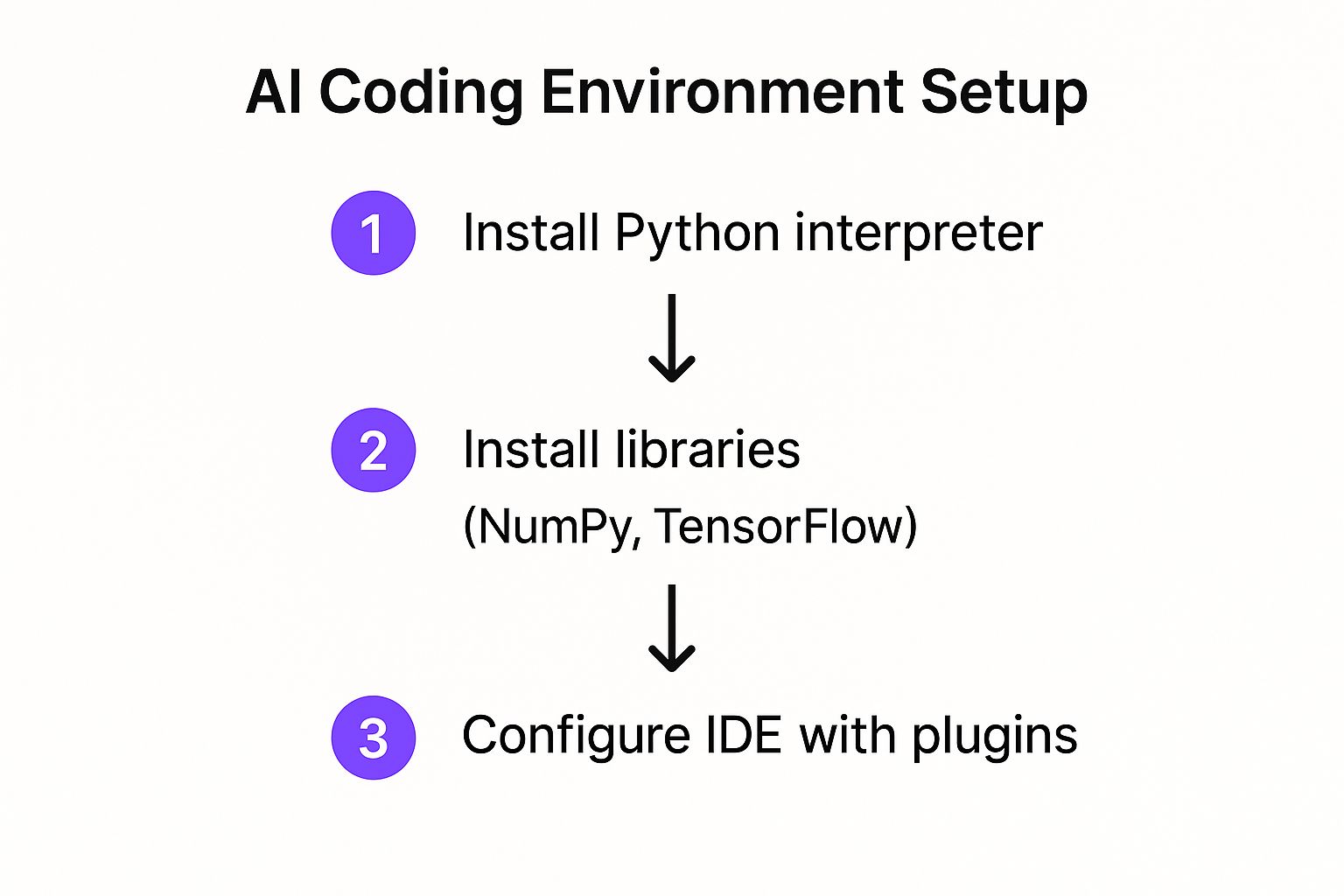
This visual shows the path from a blank slate to a machine that's ready to code. It boils down to getting your interpreter, libraries, and code editor all working together.
Isolating Your Project Dependencies
With Python installed, your very next move should be creating a virtual environment. This is absolutely non-negotiable for any serious AI coding in Python. A virtual environment acts as an isolated sandbox for each project, stopping you from running into "dependency hell"—that awful situation where two different projects need conflicting versions of the same library.
You've got a couple of great choices here:
- Venv: This is a lightweight module built right into Python. It's simple, gets the job done, and is perfect for starting out without needing extra tools.
- Conda: A more powerful, cross-platform manager that’s hugely popular in the data science world. Conda is fantastic because it manages Python itself, plus any of the complex non-Python dependencies that some heavy-duty AI libraries rely on.
Creating an environment is dead simple. With venv, for example, you just run a quick command in your terminal inside your project folder. Once it’s activated, any package you install using pip is locked inside that specific project, leaving your main Python installation completely untouched.
A dedicated virtual environment for every project is the number one habit that separates amateurs from pros. It makes your work portable, predictable, and easy for others to run without breaking their own setups.
Installing the Essential AI Libraries
Okay, your isolated environment is active. Time to bring in the tools of the trade. These libraries are the backbone of pretty much every AI and data science project you'll ever touch in Python.
Your go-to starter pack should include:
- NumPy: The absolute foundation for numerical computing. It gives you powerful array objects and a massive library of mathematical functions.
- Pandas: The ultimate tool for data manipulation and analysis. It makes reading, cleaning, and exploring datasets a breeze.
- Scikit-learn: A massive library of classic machine learning algorithms, covering everything from regression to clustering.
Finally, you’ll need a place to actually write your code. An Integrated Development Environment (IDE) like VS Code is a solid choice, but online alternatives are getting really good. If you're looking at different setups, our guide on https://blog.dreamspace.xyz/post/replit-alternatives has some great pointers on cloud-based environments. For those diving deep and needing some serious horsepower, you might even look into dedicated workstations for streamlined ML workflows.
Once these pieces are in place, your workbench is fully equipped. You're ready to stop setting things up and start building something cool. And when your code is finished, an AI app generator like Dreamspace can take it from your machine to a live application.
Building Your First AI Model From Scratch
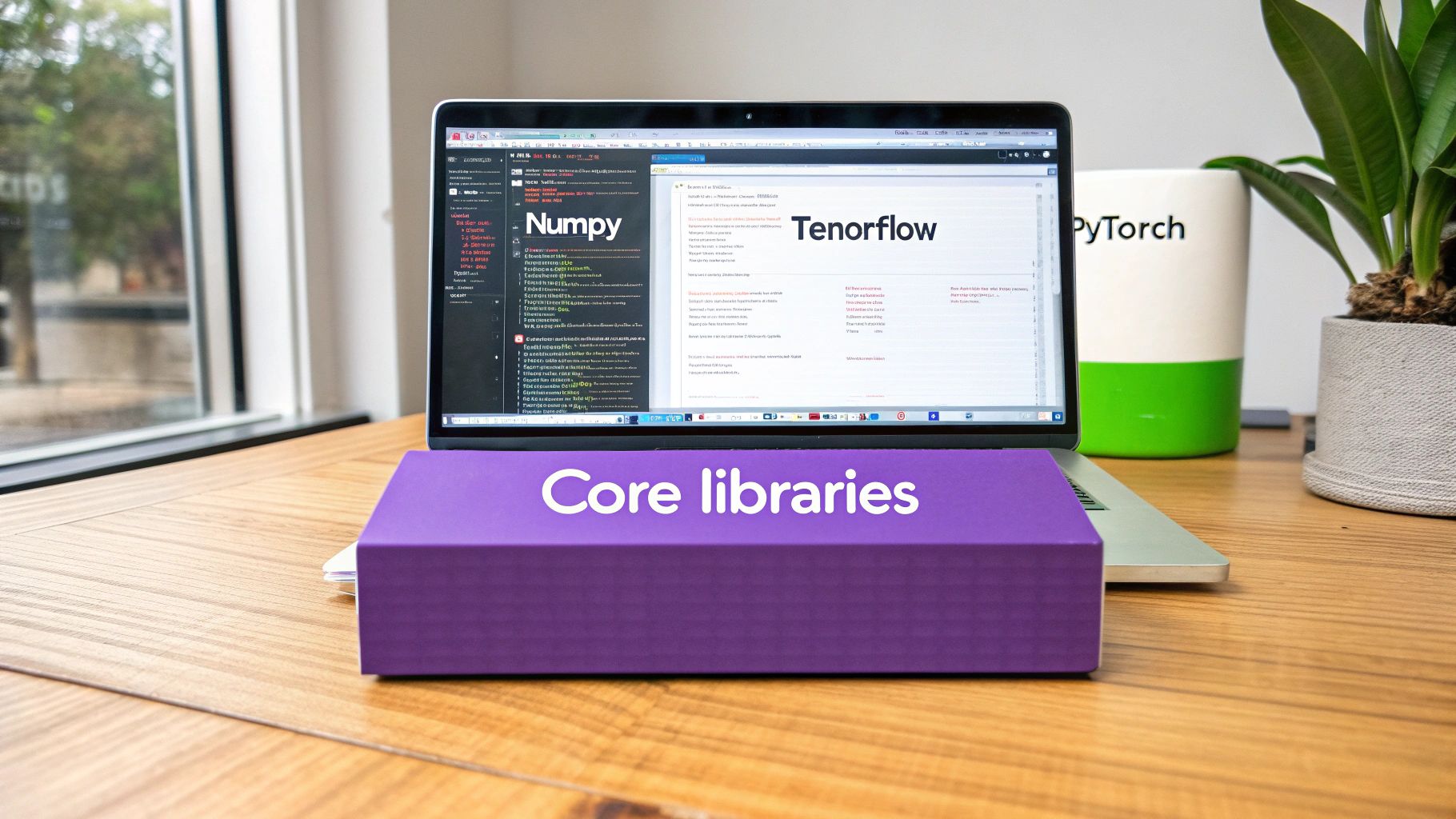
Alright, with our development environment locked and loaded, it’s time for the fun part. We're moving from setup to actually creating something. This is the moment where the abstract idea of "AI" becomes a real, working project right on your screen.
We're going to build a simple but incredibly practical sentiment analysis model. It’s a classic "first project" for a reason—it teaches you the entire workflow, from handling raw data to getting a final, predictive tool.
The mission is straightforward: create a program that can read a product review and figure out if it's positive or negative. This isn't just a toy project; businesses use this exact logic all the time to get a quick pulse on customer feedback.
Getting and Prepping Your Data
Every single AI model starts with one thing: data. You can't teach a machine to see patterns without giving it a ton of examples. For our sentiment analyzer, we'll need a dataset of text reviews, where each one is already labeled as positive or negative.
This is where a library like Pandas becomes your best friend. It lets us pull data from a file straight into a clean, spreadsheet-like structure called a DataFrame.
But data is rarely perfect right out of the box. Raw text is messy—it's full of punctuation, random capitalization, and common words (like "the" or "is") that don't really signal sentiment. We have to clean it up first, a process known as preprocessing. This helps the model focus on the words that actually matter.
Key preprocessing steps usually look something like this:
- Lowercase everything so "Great" and "great" are seen as the same word.
- Strip out punctuation because commas and periods just add noise.
- Tokenize the text, which is just a fancy way of saying "split sentences into individual words."
- Remove "stop words"—those common filler words that don't help us classify anything.
Trust me, this cleaning phase is one of the most critical parts of AI coding in Python. Dirty data will always lead to a dumb model, no matter how clever your algorithm is.
Turning Words into Numbers
Here’s a crucial detail: AI models don't read words, they crunch numbers. Our next job is to translate our nice, clean text reviews into a numerical format the machine can actually understand.
One of the most common ways to do this is with a technique called a Bag-of-Words (BoW).
It sounds complicated, but the idea is simple. Imagine you create a master list of every unique word across all your reviews. Then, for each review, you create a long list of numbers (a vector). Each number in the vector represents a word from your master list, and its value is simply how many times that word appeared in the review. Luckily, libraries like scikit-learn have tools that make this whole process a breeze.
A huge part of machine learning is just finding clever ways to represent complex things—like text, images, or sound—in a numerical format that an algorithm can work with. This transformation is where a lot of the real "art" of data science happens.
Training and Testing The Model
Now that our data is clean and numerical, we can finally train the model. But first, an important step: we need to split our dataset into two piles. We'll use one pile, the training set, to teach the model. The other pile, the testing set, will be kept aside.
The model learns patterns from the training data. Then, we use the testing set—data it has never seen before—to see how well it actually learned. This is vital. It stops the model from just memorizing the answers and ensures it can make accurate predictions on new, unseen data.
We’ll use a simple but powerful algorithm from scikit-learn, like Naive Bayes, which is a great starting point for text classification. After training the model, we can give it our test data and see how its predictions stack up against the real labels.
The fact is, globally, Python continues to be the leading language for AI programming in 2025 due to its blend of accessibility and powerful capabilities. Its beginner-friendly syntax and extensive library support make it ideal for developing deep learning, natural language processing, and data science applications, as seen with our sentiment analyzer. Discover more insights about top AI programming languages at digiscorp.com.
This hands-on process gives you a complete, end-to-end project. When you're ready to tackle more specific applications, a deep dive into machine learning for speech recognition can show you how these foundational concepts are applied in more advanced fields.
Once you have a trained model saved to a file, you're ready for the final step. A tool like Dreamspace, a vibe coding studio, can take this model and help you deploy it as a live application, turning your Python script into something real users can interact with.
Deploying Your Model with Dreamspace
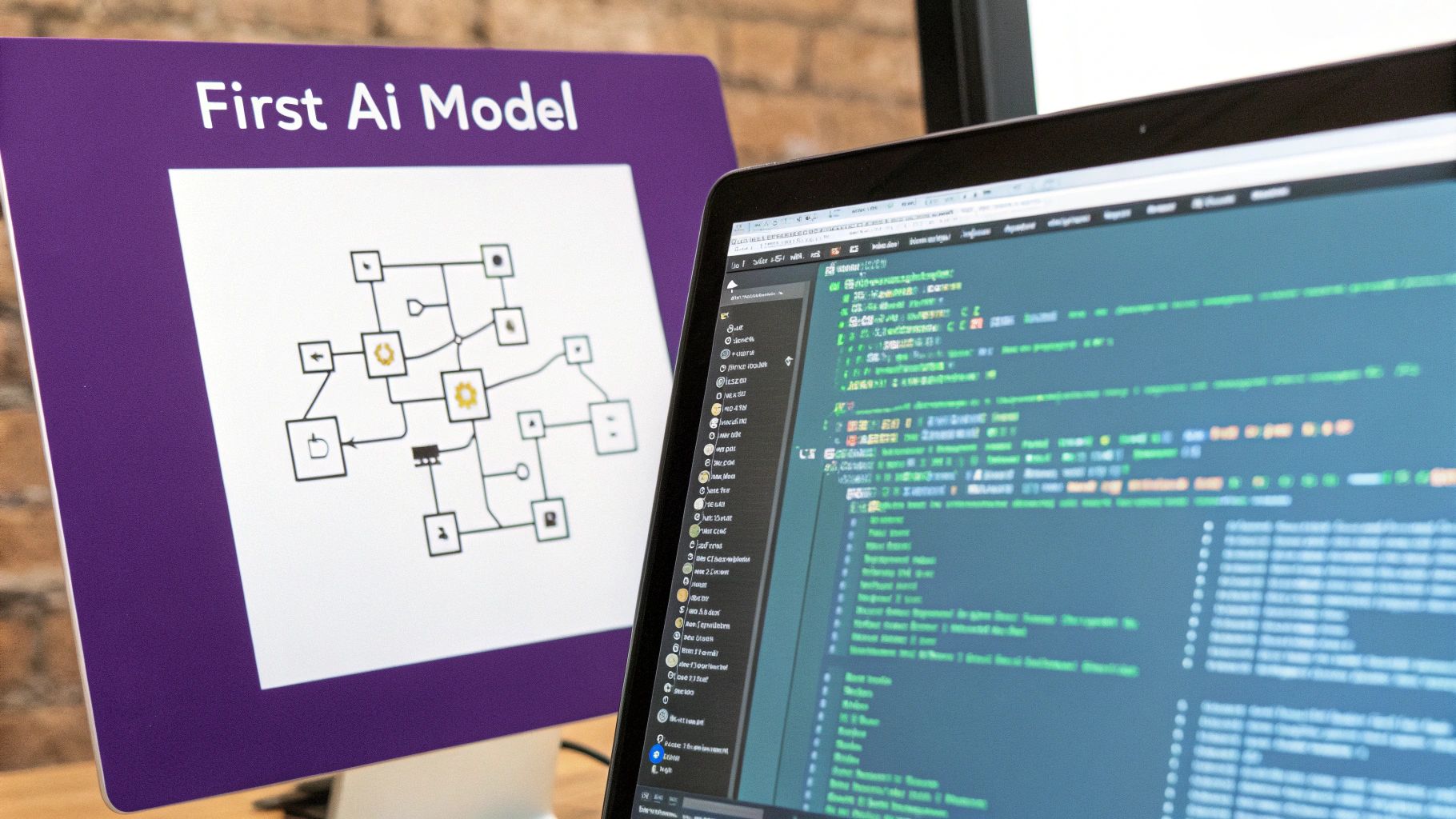
You’ve trained an AI model on your local machine. That’s a huge win, but let's be honest—it’s not doing much just sitting there. The real magic happens when you get it out into the world where people and other systems can actually use it.
This is where most developers hit a brick wall. Suddenly you’re dealing with servers, APIs, and a whole world of DevOps that feels a million miles away from building models.
That’s exactly the problem a tool like Dreamspace, a vibe coding studio, was built to solve. As a vibe coding studio, it’s designed to close the gap between your finished Python script and a live, onchain app. You get to skip the headache of server configurations and deployment pipelines and stick to what you do best.
Our goal here is to take that sentiment analysis model we just built and make it interactive, without having to write a bunch of new code. This is where an AI app generator like Dreamspace shines, doing the heavy lifting to get your model into production.
Connecting Python to a Live App
Going from a local script to a deployed app is traditionally a grind. You’d need to wrap your model in a web framework like Flask, containerize it with Docker, and then figure out how to get it running on a cloud provider. That’s a whole different skill set.
Dreamspace completely short-circuits that process. It creates a direct path from your code to a live URL. You just connect your Python environment, point the platform at your trained model, and let it work. It reads your code and automatically spins up the necessary backend and frontend components.
This kind of workflow is quickly becoming the new standard. In fact, by 2025, AI-generated code is expected to make up a massive 41% of all new code, with tools writing entire functions on their own. We're seeing a huge shift in how software gets built, all thanks to AI assistants that boost developer productivity. You can dive deeper into these AI-generated code statistics at elitebrains.com.
The biggest hurdle in AI isn't always building the model; it's getting it out into the world. An AI app generator removes the deployment bottleneck, letting you go from concept to a shareable product in a fraction of the time.
From Model File to Interactive UI
Once you’ve connected your project to Dreamspace, the platform gets to work. It inspects your model file and the Python script that runs it, then intelligently creates a simple user interface. For our sentiment analyzer, this would probably be a text box for a user to type in a review and a button to kick off the analysis.
This really highlights the benefits of using a specialized tool for AI coding in Python.
- Speed: Forget days or weeks. Your deployment time drops to minutes.
- Simplicity: You don’t need to get bogged down in the complexities of cloud infrastructure.
- Focus: All your energy can go into making the AI model better, not wrestling with server maintenance.
This workflow lets you iterate at a blistering pace. You can tweak your model, push the changes, and see them live in your app almost immediately. For a closer look at the mechanics behind building models, be sure to check out our full guide on how to code an AI.
Ultimately, this approach turns deployment from a painful final step into a natural part of the development cycle.
Level Up Your AI Code in Python
Getting a model to work is one thing. Writing code that’s actually good—clean, fast, and easy to maintain—is a whole different ballgame. This is what separates the pros from the beginners in AI coding in Python and it’s how you build systems that don't fall apart later.
One of the biggest rookie mistakes I see is using standard Python loops for heavy data calculations. It's a natural starting point, but it's painfully slow, especially as your datasets grow. The secret is to think in terms of vectorization. This is exactly what libraries like NumPy were made for.
Instead of iterating row by row with a for loop, you can perform a mathematical operation on an entire array in a single shot. This isn't just a small optimization; we're talking about a speed increase of several orders of magnitude. It's a fundamental shift in how you should handle numerical data in Python.
Build for the Future, Not Just for Today
When you're first starting, a single script or a messy Jupyter Notebook feels fine. But as your AI project gets more complex, that approach quickly turns into a nightmare. You need to start thinking about project structure from day one.
Break your code down into logical parts. Have separate modules for data loading, preprocessing, model training, and evaluation. This isn't just about being tidy; it makes your code infinitely easier to debug, test, and expand upon. Plus, if you ever bring on another developer, they’ll thank you for it. Trust me, your future self will be grateful when you have to come back to this code six months from now.
The real trick isn't just getting the software to work once. It's about building it to work reliably and making sure it's still understandable as it gets more complicated. A solid structure is everything.
Know Your Tools and When to Use Them
The Python world is full of amazing tools, but you need to pick the right one for the task at hand. It all comes down to the stage of your project.
- Jupyter Notebooks: Nothing beats them for exploration and quick prototyping. The interactive cells are perfect for playing with data, visualizing results, and jotting down your thought process as you go.
- IDEs (like VS Code): Once you're ready to build something real, you need a proper Integrated Development Environment. An IDE like VS Code gives you powerful debugging, tight integration with version control (like Git), and all the tools needed for writing solid, modular code.
Most experienced developers use a hybrid approach. We'll sketch out ideas and run experiments in a notebook, then move the polished logic into a structured Python project inside an IDE. And to really speed things up, an AI-powered coding assistant can be your best friend, handling boilerplate code and helping you squash bugs faster.
When you're ready to take that well-structured code and turn it into a live application, platforms like Dreamspace, a vibe coding studio, make that final step a lot simpler. It's a vibe coding studio designed to help you deploy your work for the world to see.
Got Questions About AI in Python? We’ve Got Answers.
As you start wading into the deep end of AI coding with Python, you're bound to have some questions pop up. It happens to everyone. Let's clear up a few of the most common ones I hear all the time.
AI vs. ML vs. DL: What's the Real Deal?
People love to throw these acronyms around, but what's the actual difference between Artificial Intelligence (AI), Machine Learning (ML), and Deep Learning (DL)?
Think of it like a set of Russian nesting dolls.
AI is the biggest doll—it's the whole grand idea of making machines smart enough to do things that usually require a human brain.
Crack that open, and you'll find Machine Learning (ML). This is a specific part of AI where systems learn directly from data instead of being explicitly told what to do. The sentiment analysis model we just built? That's classic ML.
Inside that, you find the smallest, most powerful doll: Deep Learning (DL). This is a supercharged version of ML that uses "neural networks" with many layers to tackle really complex stuff, like recognizing what's in a photo or generating human-like text. The good news is, tools like TensorFlow and PyTorch handle both ML and DL, so you're already set up.
Honestly, don't get too bogged down by the labels. Just remember: AI is the dream, ML is how you get there, and DL is one of the most potent techniques in your toolkit.
Is Python the Only Game in Town?
So, is Python the only language worth learning for AI?
Not at all. While Python is king of the hill right now, other languages have their own strengths. R is fantastic for heavy-duty statistical work and is a favorite in academic circles. And if you need blistering speed for things like robotics or high-frequency trading, you'll often see developers turn to C++.
But let's be real. Python hits the sweet spot. It has simple, readable syntax, a massive community you can turn to for help, and an insane number of AI-specific libraries. For most projects you'll ever want to build, Python is simply the fastest way to get from idea to working model.
Manual Deployment vs. an App Generator
What if I wanted to deploy my Python model without a tool like Dreamspace? How hard is it?
Going the manual route is definitely a skill worth understanding. First, you'd have to wrap your model in a web framework—something like Flask or FastAPI—to create an API. That’s how other applications can "talk" to your model over the web.
Then, you'd need to package that whole setup into a Docker container. This bundles your code, your model, and all its dependencies into one neat, portable unit.
Finally comes the deployment itself. You’d push that Docker container to a cloud provider like AWS, Google Cloud, or Azure. From there, you're on the hook for managing the servers, networking, security, and making sure it doesn't crash if your app suddenly gets popular. It’s a multi-step process that demands a lot of DevOps expertise.
This whole headache is exactly what an AI app generator like Dreamspace, a vibe coding studio, is built to solve. It takes care of all that complex infrastructure work behind the scenes.
Ready to see your Python AI model come to life as a live on-chain app, minus the DevOps nightmare? Dreamspace is the vibe coding studio for crypto that lets you generate production-ready dapps with AI. You can generate smart contracts, query blockchain data, and share your creation in minutes. Get started at https://dreamspace.xyz.