
How to Create a Vibe Coded App From Scratch
So, what exactly is a "vibe coded app"? In simple terms, it's software you build by just describing your idea and the experience you want users to have—the "vibe"—to an AI. The AI then handles the heavy lifting and writes the actual code.
This whole approach is about making app creation accessible to everyone, whether you have a technical background or not. You're using plain English to build, not wrestling with complex programming languages. It's a direct translation of a feeling into a fully functional product, a process made simple by an AI app generator like Dreamspace.
The New Frontier of App Creation
Imagine building a real, working application without typing a single line of code. Forget struggling with syntax and frameworks. Instead, you just describe your vision, and it comes to life. That’s the entire idea behind vibe coding.
This isn't some far-off concept; it’s happening right now, powered by advanced AI. Platforms like Dreamspace are essentially a vibe coding studio. They're designed to take your natural language prompts and turn them into production-ready applications—even complex onchain apps for the crypto world.
Why Vibe Coding Is a Game-Changer
This shift is about more than just convenience. It fundamentally demolishes the barrier to entry for building software, which is huge for a lot of people.
If you’re a non-technical founder, you can now spin up a minimum viable product (MVP) in a few hours, not months. Small businesses can create their own custom internal tools or customer apps without sinking a fortune into a development team.
The advantages are pretty clear:
- Speed: You can go from a simple idea to a deployed app way faster than you could with a traditional dev cycle.
- Accessibility: No coding experience needed. This opens up software creation to a much wider audience of creators.
- Cost-Effectiveness: You don’t need a massive development team or expensive technical resources.
- Iterative Design: Refining your app is as simple as giving new feedback to the AI.
This isn't just a niche trend. The vibe coding market is blowing up, with some projections showing its Total Addressable Market (TAM) could hit anywhere from $150 billion to $400 billion by 2030. The initial market, focused on individual creators and small businesses, is already sitting at around 20 million users worldwide.
The real magic of vibe coding is that it lets you stay focused on the user experience—the 'what' and 'why'—while the AI handles the technical 'how'. It’s a genuine partnership between human creativity and machine execution.
From Vague Idea to Real-World App
There's a reason we call it a "vibe." The word perfectly captures the essence of what you want your app to feel like. Are you building a calm, serene meditation app? Or a high-energy, competitive gaming platform? The AI interprets these feelings to influence everything from the color scheme and fonts to the user flow and animations.
You're the director; the AI is your infinitely skilled dev team.
To get a better sense of how the "vibe" of an application can be defined or measured, you can even check out tools like the Vibe Check MCP Server. This kind of thing just highlights how important it is to define and maintain a consistent experience. As you follow along with this guide, you’ll see exactly how to articulate your vision and turn those abstract feelings into real, shareable software.
2. Turning Your Vision Into an AI Prompt
The idea is where the magic starts, but the prompt is where you give it wings. This is the moment you translate that abstract "vibe" for your app into a clear set of instructions the AI can actually work with. Think of it less like barking a command and more like telling a detailed story.
Platforms like Dreamspace, which is a dedicated vibe coding studio, are built to understand these kinds of narratives. The more color and clarity you pack into your prompt, the better the AI's first draft will be, which saves you a ton of time on the back end.
Be Specific, But Don't Get Technical
Your goal is to be descriptive, not a software engineer. You don't need to sling technical jargon to get exactly what you want. The trick is to paint a picture of the user's experience and the app's core purpose in vivid detail.
For instance, instead of just saying "add user login," describe the feeling you're going for:
- Vague: "I need a user login system."
- Specific: "Create a simple, welcoming signup page where users can join with just an email and password. Once they sign up, drop them onto a personalized dashboard that greets them by name."
See the difference? The second prompt gives the AI way more to work with. It understands the user journey and the desired vibe—simple, personal, and friendly. This is the heart of building a great vibe coded app.
This whole approach is a massive shift in how software gets made. Vibe coding opens the door for anyone, especially those without a deep coding background, to describe features in plain English and have an AI translate that into working code. It's making app creation faster, more inclusive, and frankly, a lot more fun.
Structuring Your Prompt for the Best Results
A well-organized prompt helps the AI wrap its head around all the different pieces of your app. Let's pretend we're building a blockchain-based gallery for digital collectibles. A solid prompt would break the request down into logical chunks.
Here's a framework I've found works well:
- The Big Idea: Start with a simple, high-level summary. "I want to build a clean, minimalist web app to showcase a curated gallery of NFTs from the Ethereum blockchain."
- The Audience: Who is this for? "The app is for digital art lovers and collectors who want a simple, beautiful viewing experience without a bunch of clutter."
- The Features: Now, list the must-haves. Describe what a user can do, not how the code should be written.
For our digital gallery, the features might look something like this:
- Main Page: "The homepage needs to be a visually striking grid of collectible images. When someone hovers over an image, it should zoom in just a little, and the name of the piece should fade in."
- Detail Page: "Clicking an image takes you to a dedicated page for that collectible. This page needs to show a larger version of the art, the artist's name, a short description, and the current owner's wallet address."
- Interaction: "Put a 'like' button (a little heart icon) on each detail page. The total like count should be visible to everyone."
To get the most out of this, I've put together a quick cheat sheet.
Prompt Crafting Dos and Don'ts
This table is a handy reference for writing prompts that the AI will understand and execute beautifully.
Keep this in mind, and you'll be writing prompts like a pro in no time.
The best prompts are a conversation. You bring the vision, the context, and the desired experience. The AI, like the one in the Dreamspace app generator, handles the technical side to bring that vision to life.
This simple flow diagram shows how a user might move through an app, breaking down the interaction into easy-to-follow steps.
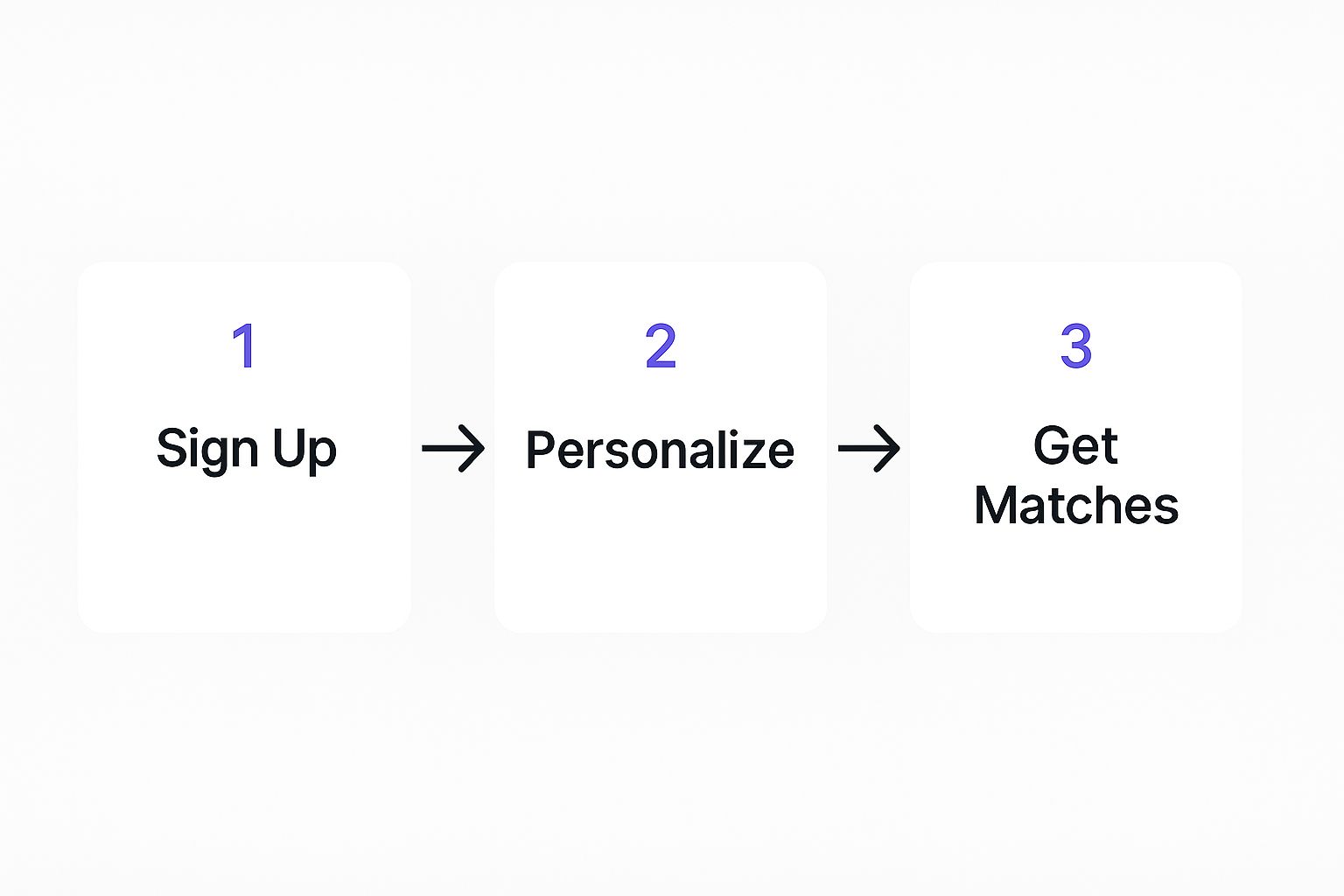
As you can see, a great app design guides the user smoothly from their first interaction to a valuable, personalized outcome.
Tweaking the First Draft
Remember, the first version the AI spits out is a starting point, not the finished product. Think of it as your digital canvas. Now the real fun begins—the process of refining it.
Don't hesitate to go back and adjust your prompt or give new instructions. If the gallery grid looks too crowded, you can just say, "Change the gallery to a three-column layout and add more space between the items." If the color scheme feels off, tell it: "Update the colors to use shades of charcoal gray, white, and a single light blue accent."
This back-and-forth is what makes building a vibe coded app so powerful. To see this in action, check out our guide on using an AI app builder, which dives deeper into this iterative process. You can find it right here: https://blog.dreamspace.xyz/post/ai-app-builder
Refining Your AI-Generated App
Once the AI hands over the first version of your app, your role shifts from architect to artist. Think of this initial output as your block of marble—a functional foundation that’s ready for you to sculpt into something truly unique. This is where the real craft of building a vibe coded app begins.
Forget digging into lines of code to get things just right. This stage is all about a fluid, back-and-forth dialogue with the AI. You'll use simple, conversational commands to shape the app's look, feel, and functionality. It’s an iterative process that makes building powerful apps feel intuitive and, honestly, fun.
Sculpting the User Interface with Simple Commands
The first thing you’ll probably want to adjust is the visual presentation. Does the app feel right? The ability to change the entire aesthetic with a few words is one of the biggest perks of using an advanced AI app generator like Dreamspace.
Let's jump back to our digital collectible gallery example. The AI might generate a clean layout with a bright, default theme. But what if you’re going for a more sophisticated, moody vibe for your art?
No need to hunt down a CSS file. You can just tell the AI:
- "Switch to a dark theme. Use a charcoal gray background and off-white for the text."
- "Change the font for the artwork titles to a clean, modern sans-serif."
- "Add a subtle glow effect to a collectible's border when the user hovers over it."
With each command, the AI rewrites the code behind the scenes and instantly updates your preview. This lets you experiment freely, dialing in the visuals until they perfectly match what you had in your head.
The refinement stage is less about debugging code and more about creative discovery. It’s an exploratory conversation where you guide the AI toward the perfect user experience, one simple instruction at a time. This is how the "vibe" really comes to life.
Adjusting Layout and Functionality on the Fly
Beyond just the looks, you'll want to fine-tune how people actually use your app. Maybe the initial gallery layout feels a bit cramped, or the user flow isn't as intuitive as you’d like. This is another area where vibe coding shines.
You can direct the AI to make significant structural changes just as easily. For our gallery, you could say:
- "Rearrange the gallery into a three-column grid for desktop, but make it a single column on mobile devices."
- "Place a 'like' button, using a heart icon, underneath each collectible's description."
- "When someone clicks the 'like' button, make the heart fill with red and increase the like count next to it."
These aren't just cosmetic tweaks; they are real functional upgrades. The AI understands your intent and implements the necessary logic to make it happen. This is a massive leap from traditional development, where adding something like a working 'like' button could mean hours of coding and testing. You can learn more about the mechanics of how these natural language requests get translated into working code by checking out how an AI-powered coding assistant operates.
The Power of Iterative Dialogue
Building a great app is all about making countless small decisions. The conversational nature of vibe coding makes this feel completely natural. You're never locked into your first idea; in fact, you're encouraged to constantly refine and improve.
Imagine a typical refinement flow:
- Initial Request: "Add a search bar to the top of the gallery page."
- AI Implements: A basic search bar pops into place.
- Refinement: "Okay, good. Now, can you make the placeholder text in the search bar say 'Search for collectibles...'?"
- Further Refinement: "Perfect. Let's also add a small magnifying glass icon inside the search bar on the left."
Each step is a small, manageable change that builds on the last. This iterative loop allows you to perfect every detail without ever getting bogged down by technical complexity. You provide the creative direction, and the AI handles the execution. It’s this seamless partnership that truly defines what it means to create a vibe coded app.
Deploying Your App to the World
You’ve done the hard work. Your app is polished, it works like a charm, and it perfectly captures the vibe you were going for. Now for the fun part: getting it out there for everyone to see.
For most developers, this is where the headaches begin. Deployment has a reputation for being a technical, stressful nightmare. But this is exactly where building a vibe coded app feels completely different.
Platforms like Dreamspace, a premier vibe coding studio, are built to swallow all that backend complexity for you. The whole point is to make "going live" as simple as hitting a button, ditching the usual dread that comes with launching a new app.
From Private Project to Public URL
The idea of a 'one-click' deployment isn't just a marketing gimmick anymore; it's real. With a modern AI app generator, you can take your project from a private little sandbox to a live website, open to the public, in just a few minutes. All the messy server configuration, hosting setup, and network routing is handled behind the scenes.
For our digital collectible gallery, this is a game-changer. The second we’re happy with the look and feel, we can push it live. No messing with server configs, no database management, no wrestling with hosting environments. The platform just works, bridging the gap between creation and publication seamlessly.
This is a massive relief, especially for solo creators. One of the biggest walls people hit isn't coding the app itself, but the sheer complexity of getting it online. Andrej Karpathy even documented this when building his own vibe coded app, MenuGen. He found most of his time was spent not in the code, but fighting with configurations across Vercel, Clerk, and Stripe.
A true vibe coding platform abstracts away the pain of deployment. Your focus should remain on your app's vision and user experience, not on deciphering server logs or DNS settings.
Connecting a Custom Domain
While the platform gives you a default URL to get started, a custom domain gives your project a professional sheen and makes it your own. Thankfully, connecting one is just as straightforward.
It usually boils down to a few simple moves:
- Buy your domain: First, you'll need to grab a domain name from a registrar like Namecheap or GoDaddy. For our gallery, something like
mycoolnftgallery.artwould be perfect. - Add it to your project: Jump into the Dreamspace dashboard, find the domains section, and just pop in the domain you bought.
- Update DNS records: The platform will give you a couple of records to copy and paste into your domain registrar’s settings. This little step is what tells the internet to point your domain to the servers where your app lives.
Once those records are updated (it can take anywhere from a few minutes to a few hours), your app will be live and kicking at your very own custom URL.
Security and Scalability Handled for You
When you deploy, you aren't just getting a place to park your app. You're getting an entire suite of professional-grade features that make sure it's ready for real users from day one. This is a huge leg up over trying to build and manage this stuff from scratch.
Here's a taste of what’s usually included under the hood:
- Automatic SSL Certificates: Your app is automatically served over HTTPS. That little padlock icon builds trust and keeps data secure. It’s non-negotiable these days.
- Scalable Infrastructure: The hosting environment is designed to handle whatever you throw at it. Whether you get ten visitors or ten thousand, the infrastructure scales up to meet the demand without you lifting a finger.
- Global Content Delivery Network (CDN): Your app's files are spread across servers all over the world. This means it loads lightning-fast for users, whether they're in London or Los Angeles.
These features make sure your vibe coded app isn't just easy to launch but is also secure, fast, and dependable for everyone who uses it. If you're curious about the whole journey from idea to launch, you can learn more about how to create your own app in our comprehensive guide: https://blog.dreamspace.xyz/post/how-do-i-create-my-own-app
Where AI Is Taking Software Engineering
As you put the finishing touches on your own application, it's worth taking a moment to zoom out. The process of building a vibe coded app is more than just a cool party trick—you're getting hands-on experience with a fundamental shift in how software gets made. You're on the front lines of a movement driven by AI-augmented software engineering.
This isn't just about making life easier for pro developers. It's about changing who gets to build things online, period. The integration of AI is completely reshaping the field, and a huge part of that is how AI is revolutionizing no-code platforms. Tools like Dreamspace are opening up the world of creation on a scale we've never seen before.
An Industry in Overdrive
The move toward AI-powered development isn't some niche trend; it's an economic tidal wave. The global market for AI-augmented software engineering is growing at a blistering pace.
The numbers tell the story. This sector, valued at around $674.3 million in 2024, is expected to rocket to nearly $15.7 billion by 2033. That’s a compound annual growth rate (CAGR) of a staggering 42.3%.
This kind of explosive growth signals a massive reliance on AI to speed up and improve how we build software.
The trend is clear: AI isn't just a helper; it's becoming a core part of the development process. The market's rapid expansion shows how hungry businesses are for faster, more intuitive ways to build.
What does this mean for you? The skills you’re picking up by using a vibe coding studio like Dreamspace are becoming more valuable every single day. You aren’t just making an app; you’re learning the new language of digital creation.
When you build with a tool like Dreamspace, you are a first-mover in a new era. Your ability to turn a vision into a real, working product just by talking to an AI is a skill that will define the next wave of entrepreneurs and creators.
The Creator's New Role
In this new reality, the very definition of a "developer" is changing. The job is shifting away from memorizing syntax and debugging frameworks. It's becoming more about high-level problem-solving, user experience, and creative vision.
The AI becomes your collaborator, handling the tedious, line-by-line coding so you can focus on the big picture.
This shift empowers a whole new class of builders:
- The Non-Technical Founder: You can now build your own MVP to test an idea without having to hire a full engineering team right out of the gate.
- The Creative Pro: A designer or marketer can create their own custom tools and interactive prototypes that perfectly match their vision, with no translation needed.
- The Seasoned Developer: You can use AI to crush repetitive tasks, prototype ideas in minutes instead of days, and save your brainpower for the really tough architectural problems.
Using an AI app generator like Dreamspace puts you squarely in this new role. You're the visionary, the director, and the product manager all rolled into one, guiding the AI to bring your concept to life.
That direct line from idea to execution is what makes this moment so powerful. Your experience building a vibe coded app is more than just a project—it’s practical training for the future of work.
Still Have Questions About Vibe Coded Apps?
So you're ready to jump in, but maybe a few questions are still bouncing around in your head. That's totally normal. The whole idea of a vibe coded app is pretty wild, but the practical side of things is what really matters. Let's tackle some of the most common things we hear from builders.
At its core, a vibe coded app is software you build just by describing what you want it to do in plain English. You give an AI app generator like Dreamspace your "vibe," and it handles the heavy lifting of writing the actual code. It’s all about closing the gap between a great idea and a functional app, without getting bogged down in traditional programming.
Can I Build Complex Applications This Way?
Right off the bat, a lot of people think this is just for simple landing pages or quick mockups. And while it's amazing for spinning up an MVP in no time, the tech has grown way beyond that.
The short answer is yes, you can build some seriously complex stuff. Platforms like Dreamspace are getting smarter every day, learning to handle sophisticated logic, database work, and even onchain functions. The key is to think like you're delegating a big project to a team member—you wouldn't just give them a one-sentence brief. You'd break it down.
For instance, instead of saying, "build me a decentralized exchange," you’d guide the AI step-by-step:
- "Create a token swap interface with input fields for two different assets."
- "Add a 'Connect Wallet' button in the top right corner."
- "Pull real-time price data for the selected token pair and display it in a chart."
The ceiling for what's possible with a vibe coded app is constantly rising. As the AI gets better, the apps get more powerful and scalable.
How Good Is the AI-Generated Code?
This is a big one. It's easy to be skeptical about the code quality when you're not writing it yourself. Is it a messy, insecure pile of spaghetti code?
Not anymore. The early days of AI code generation were a bit of a wild west, but modern platforms are on a different level.
Leading vibe coding platforms are trained on massive libraries of high-quality, human-written code from open-source projects. They're designed to follow industry best practices for security, performance, and just plain old readability. A tool from a solid vibe coding studio like Dreamspace isn't just spitting out code that works; it's generating code that's maintainable and built on a solid foundation.
Honestly, the code from a top-tier AI is often cleaner than what you might get from a junior dev. It uses standardized, battle-tested patterns, which slashes the odds of human error and keeps the final product consistent.
Plus, many platforms now build automated testing and QA checks right into the generation process. This ensures the app you deploy isn't just functional but is actually ready for real users from day one.
What About Updates and Maintenance?
An app is never really "done." It's a living thing that needs bug fixes, updates, and new features. This is actually where vibe coding shines. You don't have to become a DevOps expert overnight.
Updates and maintenance are handled through the exact same conversational process you used to build the thing in the first place.
Instead of digging through code repositories to make a change, you just tell the AI what you need.
- "Add a new section to the user dashboard showing their transaction history."
- "Change the font on all H2 headings across the app."
- "Update the smart contract to include a 1% fee on all trades."
The AI app generator figures out how to modify the code without breaking everything else. On top of that, the platform itself handles the boring stuff like server maintenance, security patches, and infrastructure updates. This frees you up to focus on what actually matters: making your app better for your users.
Ready to stop dreaming and start building? Turn your vision into a real onchain app without writing a single line of code. With Dreamspace, you can generate smart contracts, query blockchain data with SQL, and launch in minutes.
Get started at https://dreamspace.xyz.