
Create a simple mobile app: Quick-start guide with Dreamspace
Building a simple mobile app used to be a massive undertaking, something you'd hand off to a team of developers. Not anymore. With the right tools, you can now take a napkin sketch idea and turn it into a working, shareable app in just a few minutes. Your focus stays on the big picture, not on getting lost in the weeds of code.
Turn Your Idea Into a Working App in Minutes
Forget the idea that you need to be a programmer to build an app. That's old news. This guide is all about showing you how to build a simple mobile app using Dreamspace, an AI app generator that does the heavy lifting for you.
We'll walk through the entire process, starting with just a simple idea. From there, you'll see how AI can spin up a user interface from a few text prompts and even create the backend logic on the blockchain.
This is the power of a no-code approach. It opens up app creation to anyone with a good idea, cutting out the complex setups and frustrating debugging cycles. We're all about getting tangible results, fast. To get a feel for what's out there, tools like the Vibecoder AI App Builder show just how quickly you can get from concept to creation.
This whole AI-driven workflow is pretty straightforward, going from a creative spark straight to a finished app.
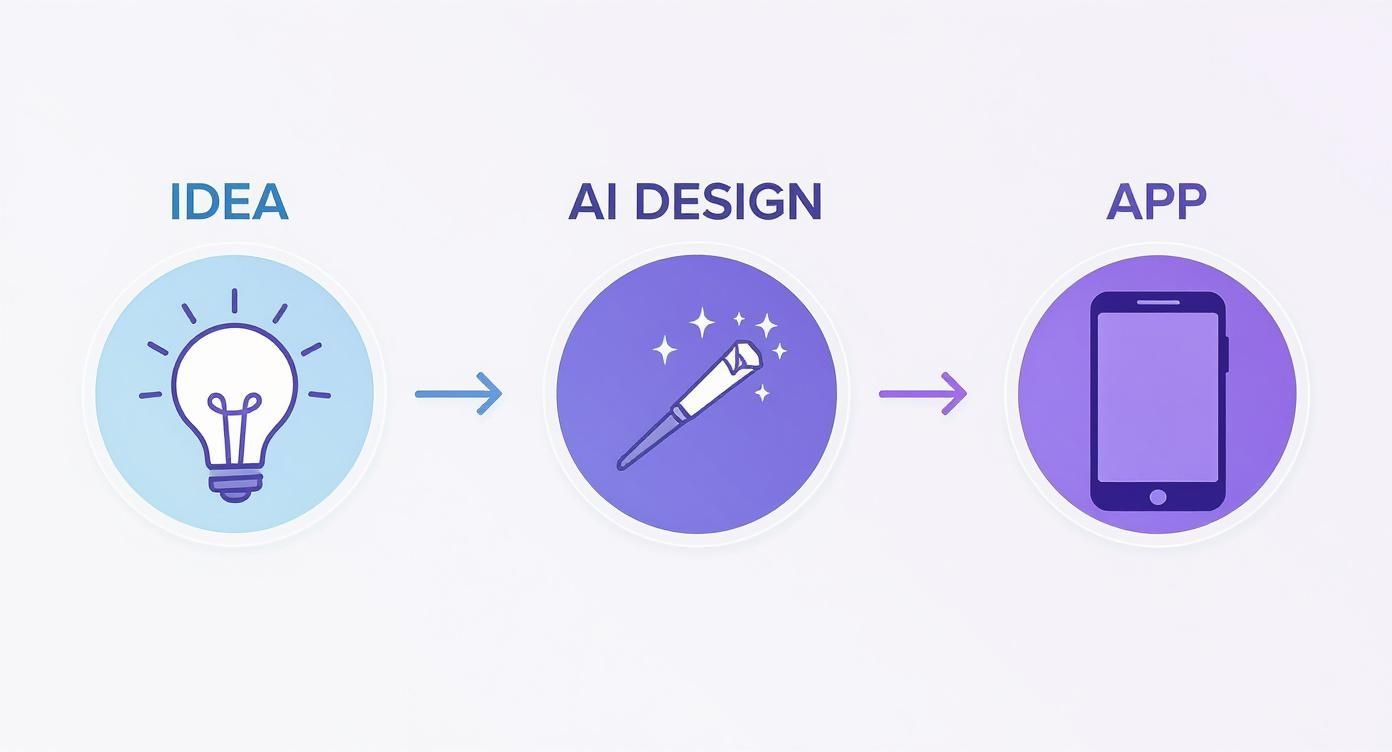
As you can see, it’s about letting the AI handle the technical details so you can focus on the creative ones.
The No-Code Movement Is Here to Stay
The demand for mobile apps is absolutely exploding. The market pulled in somewhere between $530 to $540 billion in yearly revenue and is on track to hit around $585 billion in 2025. That’s a growth rate of 8–12% every single year.
This isn't just a trend; it's a massive opportunity for creators and entrepreneurs. No-code platforms are leading the charge by removing the traditional barriers, like high costs and the need to know how to code.
Here's a quick look at the core AI-driven steps we'll cover to build your simple mobile app from concept to launch.
Your No-Code App Creation Journey with Dreamspace
This journey puts you in the director's chair, with a powerful AI assistant ready to execute your commands.
What You'll Actually Build in This Guide
By the end of this tutorial, you won't just have learned something new—you'll have a complete, mobile-ready web application to show for it.
Here’s a quick rundown of what we’ll get done:
- Kick off your project with nothing more than a simple description of your idea.
- Generate your app's entire frontend just by telling the AI what you want.
- Create smart contracts for your backend using easy SQL-style commands.
- Test your app on the fly and deploy it for the world to see with one click.
The whole process is designed to be quick, intuitive, and genuinely fun. Let’s jump in and bring that idea to life.
Kicking Things Off in Dreamspace

This is where the magic starts. Forget about wrestling with server configurations or installing a mountain of software packages. Getting your project off the ground in Dreamspace is all about the idea, not the infrastructure.
Your first job is simply to tell the AI what you want to build. You do this with a straightforward text prompt, kind of like you're giving a brief to a human developer. The big difference? This developer gets to work instantly.
Nailing Your Project Prompt
The quality of your app depends heavily on the quality of your prompt. If you're vague, you'll get a generic app. But if you're specific, the AI can build a solid, tailored foundation.
Think of it like this:
- Weak Prompt: "A social app."
- Strong Prompt: "A decentralized social media app for artists to share their portfolios as NFTs. It needs a main feed, user profiles, and a way to comment on posts."
See the difference? The second prompt gives the AI a clear roadmap to follow. If you want to get a better sense of what's possible, it's worth reading up on what a good AI app builder can really do.
Pro Tip: Put yourself in the user's shoes. What's the one core problem your app solves for them? Frame your entire prompt around that single, focused idea. It makes all the difference.
The Last Few Clicks
Once you've got your prompt perfected, you're pretty much there. The Dreamspace dashboard makes the final steps a breeze. It’s less about technical setup and more about just getting organized.
You’ll just need to:
- Pick a Base Template: Give the AI a head start by choosing a template that fits your app, like "Social," "Marketplace," or "Tool."
- Name Your Project: Choose a memorable name that captures what your app is all about. This is how you'll find it in your workspace.
- Click Create: One final click and Dreamspace spins up your project environment.
And that’s it. In just a few moments, you’ve set up the entire backend and frontend structure for your app without touching a single line of code. Now, we get to the fun part: generating the actual user interface.
Designing Your App's Frontend with AI Prompts
Alright, with the project set up, it's time for the fun part: making your app actually look like an app. We're talking about the frontend—everything your users will see and tap on. In Dreamspace, you don't need to be a designer or a coder to build this. You just need to describe what you want.
Think of it as having a conversation with the AI. Your job is to clearly explain your vision, and the AI's job is to build it. The more detail you give, the closer the final product will be to what’s in your head.
The Art of a Perfect Prompt
This is where the magic really happens. A good prompt is the difference between getting a generic, clunky layout and a slick, professional interface on the first try. It’s like giving a creative brief to a designer who works at the speed of light.
Let's look at the difference:
- Vague Prompt: "Make a login page."
- Specific Prompt: "Create a modern, minimalist login page with fields for email and password, a 'Sign In' button, and a link for password recovery."
See the difference? The specific prompt gives the AI everything it needs: the style (modern, minimalist), the exact components (fields, button, link), and even the text. This is how you get a great result fast. Even when using AI, a basic grasp of user experience (UX) design principles will help you create a frontend that feels natural and intuitive.
A great design isn't just about looks; it's about how it works. A well-designed app can significantly boost user retention. When an app is intuitive and visually pleasing, users are far more likely to stick around.
Iterating and Refining Your Design
Don't expect the very first version to be perfect. The first generation is just your starting point. The real power of Dreamspace as a vibe coding studio is how easy it is to tweak and refine things with follow-up commands. This is where you get to polish your app until it shines.
Here are a few examples of what that conversation looks like:
- Color Palette: "Change the primary color of the buttons to a vibrant blue."
- Layout Adjustments: "Make the header section smaller to give more space to the content below."
- Adding New Elements: "Add an image gallery section below the main welcome text with three placeholder images."
This back-and-forth lets you experiment without consequences. You can try out different ideas in seconds. A strong visual design is more important than ever, especially when you learn that global consumer spending on mobile apps grew by a massive 15.7% year-over-year.
With users spending an average of 3.5 hours in apps every day, a beautiful and functional interface is non-negotiable if you want to hold their attention.
Ultimately, designing with AI is all about turning an idea into something you can actually interact with. Once you get the hang of writing good prompts and refining the results, you'll be able to build a professional-looking simple mobile app that truly reflects your vision.
Building Your Backend with No-Code Smart Contracts
Every great app runs on a solid backend—that’s the engine room that powers everything behind the curtain. In the web3 world, that engine is built with smart contracts. If that sounds complicated, don't worry. The tools we have today have completely flipped the script.
Dreamspace, our vibe coding studio, makes the whole process surprisingly straightforward. It lets you build out these powerful backend pieces using simple commands that feel a lot like SQL, which you might already know from working with databases.
Basically, you can lay out your app's entire data structure and logic without ever getting tangled up in a language like Solidity or needing a PhD in blockchain.
Defining Your App's Data with Simple Commands
Let's break it down. At its heart, your app's backend is just a way to organize and manage information. Say you're building a simple task manager. You'll need a table to hold the tasks, their descriptions, and a way to mark them as done.
In Dreamspace, you can spin this up with one simple line of text. Just type a command like this:
CREATE TABLE tasks (id INTEGER, description TEXT, completed BOOLEAN)
The AI gets it. It takes that command and instantly turns it into a secure, fully functioning smart contract on the blockchain. Just like that, you’ve built your app's database without writing a single line of traditional backend code. If you want to go deeper, check out our full guide on how to build smart contracts.
The real magic is the abstraction. You get to focus on what your app needs to do (store tasks), while the AI handles the complex how (generating secure, on-chain logic). This massively cuts down the development time for any simple mobile app.
Structuring Logic Without Code
Of course, just storing data isn't enough. You need to define how your app actually uses that data—things like adding new tasks, checking them off, or deleting them. In Dreamspace, you handle this logic with simple prompts, not by writing complicated functions.
- Adding Data: Define an action to insert new info, like when a user creates a new task.
- Updating Data: Set up logic to change things, like flipping a task's
completedstatus from false to true. - Defining Relationships: If you had other tables, like one for
usersand one fortasks, you could easily connect them to assign tasks to different people.
This whole approach lets you build your app's complete operational logic in a tiny fraction of the usual time. By translating familiar ideas into powerful blockchain tech, Dreamspace makes building a backend feel like one of the easiest parts of the creative process.
Bringing Your App to Life with Testing and Deployment
https://www.youtube.com/embed/-Y1w2SDFfno
You've designed the frontend and wired up the backend logic—now for the fun part. An idea is just an idea until you've put it through its paces and shipped it for people to actually use. This is where your project goes from a local build to a real, working product.
Dreamspace makes this last mile incredibly straightforward. It comes with a built-in testing environment that lets you become the first user of your app. You can click around, fill out forms, and interact with every element just like your audience would.
Getting your hands on the app like this is non-negotiable. It's how you'll find out if your buttons do what they're supposed to, if new data actually gets saved to the blockchain, and if the whole experience feels smooth. This is your chance to squash tiny bugs before they become big frustrations.
The Final Checks Before Launch
Before you hit that launch button, a quick run-through will save you a world of headaches later. You're not just checking if it works; you're checking if it feels right.
- Does Everything Work? Click every single button. Test every form. If you made a to-do list, can you add a task? Edit it? Mark it complete? Try to break it.
- Is the Data Correct? Double-check that the info you're entering is actually being stored on-chain. Hit refresh. Is everything still there?
- Is the Flow Intuitive? Go through the app from the very beginning. Can a new user easily figure out how to navigate from one screen to the next without a manual?
Once you feel good about how your simple mobile app is performing, you're ready to share it with the world.
One-Click Deployment and Sharing
With old-school development, deploying your app could be a whole separate, complicated project. As an intuitive AI app generator, Dreamspace turns this entire process into a single click. It handles all the messy stuff in the background, compiling your code and pushing it live.
In just a few moments, you get a shareable URL. That's it.
Because Dreamspace creates mobile-ready web apps, you get to skip the notoriously painful submission processes for the Apple App Store and Google Play Store. Your app just works, instantly, from any web browser on any device.
This is a massive advantage. Going from final test to sharing your app with friends or early users in just minutes means you can get feedback and make changes faster than ever before.
That kind of speed matters. The global mobile application market was valued at around $289.17 billion in 2024 and is on track to hit $330.61 billion in 2025. Some estimates even project it will blow past $1.1 trillion by 2034, showing just how much room there is for new ideas. You can dive deeper into this explosive growth over at Precedence Research.
Now you have a live link. Send it to friends, colleagues, or people in your target audience. Ask for their raw, honest feedback. What do they love? What’s confusing? This is the gold you'll use to make your app even better.
Got Questions About No-Code App Building?
Jumping into no-code app creation, especially with AI and blockchain in the mix, naturally brings up a few questions. I get it. You're probably wondering about the limits, what you really need to know, and what's actually possible. Let's tackle some of the most common ones so you can get building.
A lot of would-be creators I talk to worry they aren't "technical" enough to make a real, working app. The good news? That's old-school thinking. Modern tools are designed to tear down those exact barriers.
Do I Actually Need to Know How to Code?
Nope, not at all. Dreamspace is built from the ground up as a vibe coding studio and AI app generator for everyone—total beginners and seasoned pros alike. The whole experience is meant to feel intuitive.
You’ll generate your user interface with plain English prompts and create your backend smart contracts using commands that feel a lot like SQL. All the mind-numbing complexity of traditional code is handled for you. This frees you up to focus on what matters: your idea and how your app works. It’s perfect for founders, designers, or anyone with a concept who wants to ship it without getting stuck in a coding bootcamp.
Is This a Native iOS or Android App?
What you'll build with Dreamspace is a progressive web app, or PWA. Think of it as a website that’s been supercharged to look and feel exactly like a native app on your phone. It runs right in any modern web browser.
The biggest win here is speed. You get to completely sidestep the painful and expensive submission process for the Apple App Store and Google Play Store. Instead, you get a single link you can share instantly that just works—on desktops, tablets, and phones.
Your users can even add your app icon to their home screen for one-tap access, just like any native app they’d download.
What Kind of Simple Mobile App Can I Realistically Build?
You can build a surprisingly broad range of web3 apps. This approach is fantastic for things like:
- Minimalist social feeds
- Onchain to-do lists or task managers
- NFT gallery showcases
- Community polling tools
- Simple event ticketing systems
- Personal portfolios
Because the entire backend runs on the blockchain, it’s a natural fit for any simple mobile app that needs transparency, security, and true user ownership of data. The combo of AI for the frontend and SQL for the smart contracts gives you the horsepower to prototype and launch all sorts of powerful, decentralized apps in a fraction of the usual time.
What’s This Going to Cost Me?
While every platform is different, AI app generators like Dreamspace usually have tiered pricing, often including free or trial plans that are perfect for getting your first project off the ground. This model crushes the costs of traditional development—no need to hire a team of engineers or buy expensive software licenses.
Hosting gets a lot simpler, too. Since your app's backend logic is on a decentralized blockchain and the frontend is a web app, hosting costs are often tiny or just rolled into the platform’s subscription fee. It’s an incredibly cost-effective way to bring your idea to life.
Ready to stop dreaming and start building? You can have your first simple mobile app up and running without writing a single line of code. Generate your production onchain app with AI now on Dreamspace.