
7 Best No Code Mobile App Builder Platforms of 2025
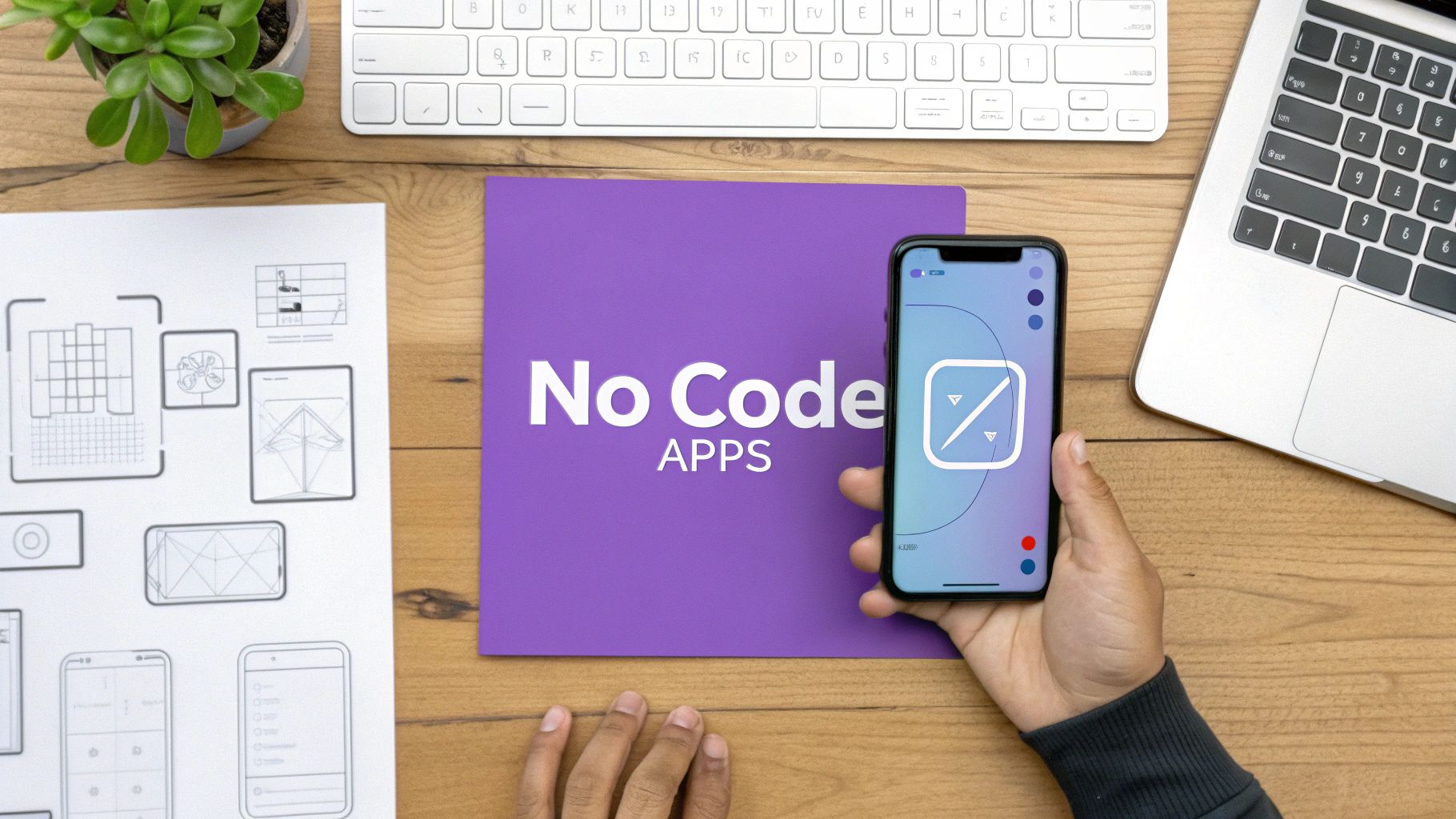
The ability to create a mobile app is no longer locked behind a wall of complex code and expensive development teams. The rise of powerful no-code platforms means anyone with an idea, from entrepreneurs and vibe coders to enterprise teams, can design, build, and launch functional, beautiful mobile applications. A no code mobile app builder provides a visual, drag-and-drop environment to turn concepts into reality, ready for the Apple App Store and Google Play. But with so many options, which one is right for your project? This guide breaks down the 7 best builders of 2025, comparing their unique strengths, ideal use cases, and pricing models so you can make an informed choice and start building today.
This roundup is designed to be your direct path to finding the perfect tool. We cut through the noise to give you actionable insights into each platform, including Adalo, Glide, and more. For those looking for an AI-first approach, we'll also touch on how an AI app generator from a vibe coding studio like Dreamspace is pushing the boundaries of what's possible in this field. Each review includes screenshots and direct links to help you evaluate the user interface and features for yourself.
The core principle behind these builders is empowering creation through accessible technology, a concept that extends to other areas as well. For example, similar drag-and-drop logic is used when you learn to build a chatbot with a no-code chatbot builder, allowing you to create complex conversational flows without writing a single line of code. Whether you're a blockchain developer looking to build a dApp front-end or a creator with the next big idea, the right platform is waiting. Let's find it.
1. Adalo
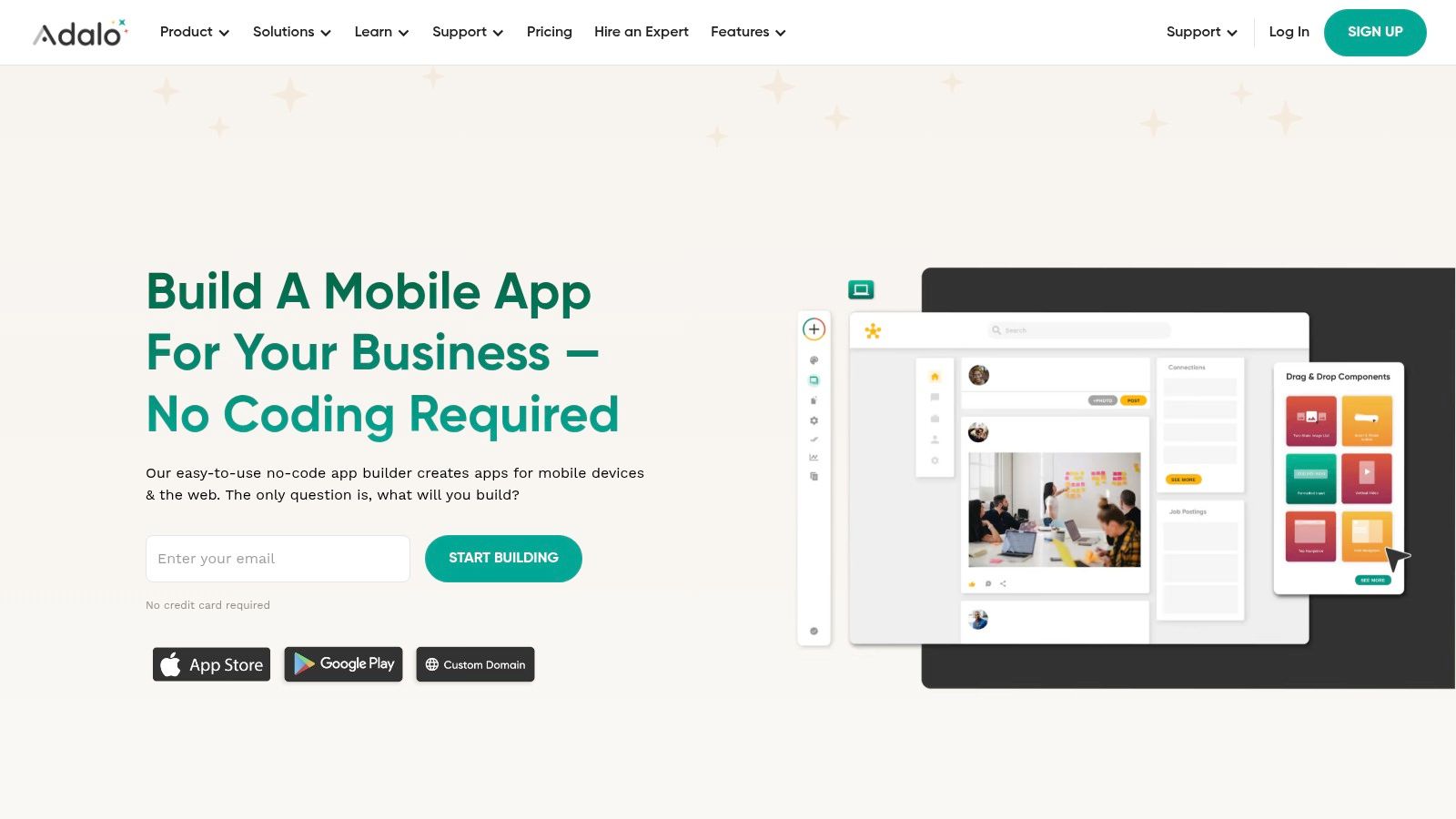
Adalo is a powerful and intuitive no code mobile app builder designed for creators who want to launch fully functional native mobile and web applications without writing a single line of code. It distinguishes itself with a "build once, publish everywhere" philosophy. This allows you to create a single project and seamlessly deploy it to the Apple App Store, Google Play Store, and as a progressive web app (PWA) on your custom domain.
This platform is particularly well-suited for building MVPs (Minimum Viable Products), online marketplaces, membership-based community apps, and internal tools for small businesses. Its visual, drag-and-drop interface simplifies the entire app creation process, from designing the user interface to configuring the backend database and defining complex user actions and logic. To get a deeper understanding of the principles behind this approach, you can explore the fundamentals of no-code development.
Key Features and Strengths
Adalo's component-based system is a standout feature. You can drag pre-built elements like lists, forms, buttons, and navigation bars onto your screens and then connect them to your own database collections. Each component can trigger actions, such as linking to another screen, creating a new database record, or sending a push notification.
- Unified Publishing: The ability to manage iOS, Android, and web app versions from a single codebase is a significant time-saver.
- Component Marketplace: Extend your app's functionality with custom components built by the Adalo community, including payment integrations with Stripe, mapping features, and more.
- Manual Publish Controls: This crucial feature allows you to work on updates in a staging environment and only push them to your live users when they are complete, preventing a broken user experience.
- Publishing Assistance: Adalo provides comprehensive guides and resources to help navigate the often-tricky submission processes for the Apple App Store and Google Play Store.
Pricing and Access
Adalo offers a tiered pricing structure that accommodates various stages of a project's lifecycle, including a free plan ideal for learning and experimentation.
Note: To publish on the official app stores, you will need separate developer accounts with Apple ($99/year) and Google ($25 one-time fee), which are fees external to Adalo's subscription.
Pros and Cons
Pros:
- Rapid Learning Curve: A wealth of tutorials, templates, and a supportive community make it easy for beginners to get started quickly.
- Flexible Scaling: The pricing model with available add-ons for database records allows you to scale your costs as your user base grows.
- True Native Experience: Unlike some wrappers, Adalo builds true native apps, ensuring smooth performance and access to device features.
Cons:
- Usage Caps: The limits on database records and actions on lower-tier plans can be restrictive for apps with high user engagement, often requiring paid add-ons.
- External Developer Fees: The mandatory Apple and Google developer account fees add to the overall cost of launching a native mobile app.
For those looking to rapidly prototype and launch a cross-platform application, especially projects that require a polished user interface and database functionality, Adalo is an exceptional choice. It provides a more streamlined path to the app stores than many competitors and is a great entry point for vibe coders looking to bring their ideas to life, similar to how an AI app generator from a vibe coding studio like Dreamspace can accelerate creation.
Website: https://www.adalo.com
2. Glide
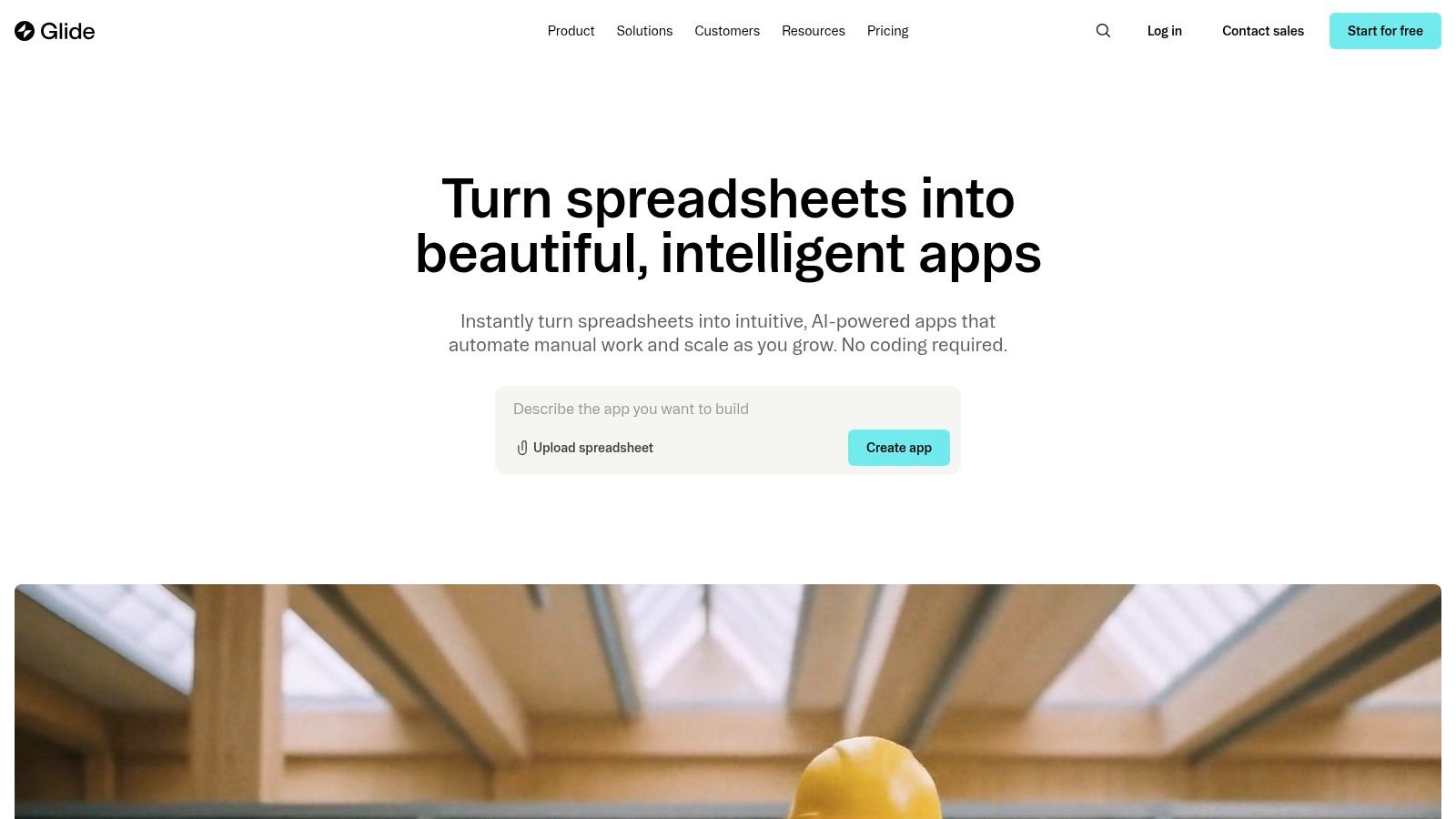
Glide is a remarkably fast no code mobile app builder that excels at turning spreadsheets and databases into polished, data-driven applications. It operates on the principle of "data-first" design, allowing you to connect a Google Sheet, Airtable base, or Excel file and instantly generate a functional app. This makes Glide a powerhouse for building internal tools, client portals, event directories, and lightweight customer-facing apps in a fraction of the time of traditional development.
The platform is designed for speed and simplicity, enabling users to create and share apps within minutes. Its intuitive interface focuses on displaying your data beautifully and adding layers of interactivity, such as user-specific views, forms for data entry, and automated actions. For those new to the concept of building from a data source, you can learn more about the app creation process to better understand these fundamentals.
Key Features and Strengths
Glide's core strength lies in its seamless integration with common data sources, which serve as the app's backend. The visual editor allows you to configure layouts, define user roles and permissions, and build complex workflows without code. As your needs grow, you can leverage Glide's own powerful database, Glide Tables.
- Data Source Flexibility: Start with familiar tools like Google Sheets, Airtable, or Excel, and connect to other data sources via APIs on higher-tier plans.
- Powerful Actions and Workflows: Automate tasks by creating multi-step workflows that can trigger emails, send notifications, and manipulate data based on user interactions.
- Growing AI Features: Integrate AI capabilities directly into your apps, such as text generation, image recognition, and data analysis, to create smarter tools.
- Rich Template & Expert Marketplace: Accelerate development by starting with a pre-built template or hiring a certified Glide expert to build a custom solution.
Pricing and Access
Glide offers distinct pricing models for apps intended for internal business use versus those for a wider public or customer audience. They also provide a generous 30-day trial for their Business plan.
Note: Plans for customer-facing apps (Glide Pages) have different structures and pricing based on user counts. Publishing true native apps requires third-party wrapping services, as Glide's primary output is a PWA.
Pros and Cons
Pros:
- Incredible Speed to Market: Go from spreadsheet to functional app in minutes, making it ideal for rapid prototyping and launching MVPs.
- User-Friendly Interface: The builder is exceptionally intuitive, especially for those already comfortable with spreadsheet software.
- Strong Community and Support: A large library of templates and an active expert ecosystem provide excellent resources for new and advanced users.
Cons:
- Complex Pricing Structure: The distinction between internal and external app plans, along with various usage-based limits, can be confusing to navigate.
- Primarily a PWA Builder: While Glide apps work perfectly on mobile browsers, achieving a true native App Store presence requires extra steps and potential costs with third-party tools.
Glide is an outstanding choice for anyone looking to quickly mobilize data from a spreadsheet into a functional and visually appealing application. Its speed is unmatched for internal tools and simple customer portals, providing a powerful alternative to complex development, much like how an AI app generator from a vibe coding studio like Dreamspace can transform an idea into a product rapidly.
Website: https://www.glideapps.com
3. Thunkable
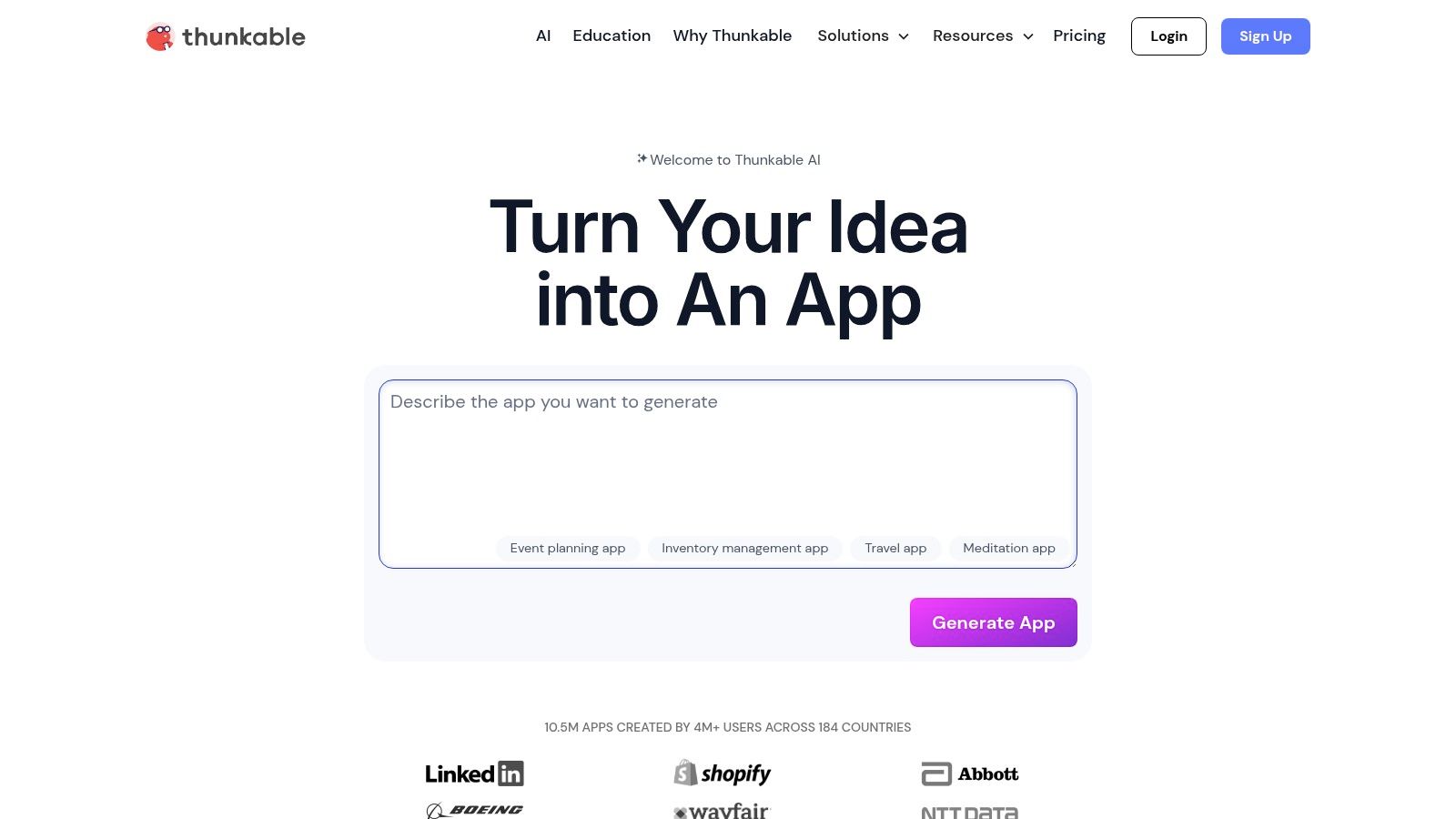
Thunkable is a versatile and education-friendly no code mobile app builder that empowers creators to build truly native mobile applications for both iOS and Android from a single project. It is renowned for its visual, blocks-based programming interface, which abstracts away complex code into logical, interlocking blocks, making app development accessible to beginners, students, and startups. This approach is ideal for projects that require deep integration with a device's native hardware and APIs.
The platform is designed for those who want to create powerful, device-aware applications without getting bogged down in traditional coding environments. Thunkable's drag-and-drop canvas for UI design, combined with its block logic for backend functionality, provides a comprehensive toolkit for bringing mobile app ideas to life. It’s a great platform for those who appreciate the visual logic of vibe coding, similar to the accelerated creation process found with an AI app generator from a vibe coding studio like Dreamspace.
Key Features and Strengths
Thunkable's core strength lies in its block-based editor, which demystifies programming concepts and allows for complex logic to be built visually. This makes it an excellent tool for both rapid prototyping and building full-featured applications that can access a phone's camera, GPS, Bluetooth, and sensors.
- Native Device Access: Directly integrate device features like the camera, accelerometer, push notifications, and local storage into your app's functionality.
- Direct Publishing: The platform streamlines the publishing process by allowing you to build and publish directly to the Apple App Store and Google Play Store from within the Thunkable interface.
- Flexible Testing Options: Instantly test your app on your own device with the Thunkable Live app, or share a web link for others to preview it as a web app.
- Team Collaboration: Higher-tier plans include features for teams to work on projects together, share resources, and manage app development collaboratively.
Pricing and Access
Thunkable provides a range of plans suitable for individuals, small businesses, and larger organizations, including a free tier for initial exploration.
Note: Similar to other platforms, publishing to the App Store and Google Play requires your own developer accounts with Apple ($99/year) and Google ($25 one-time fee). An active Thunkable subscription is also required to keep your published apps active and updated.
Pros and Cons
Pros:
- Beginner-Friendly Interface: The blocks-based system is intuitive and makes it easy for non-programmers to grasp development concepts and build powerful logic.
- True Native Performance: Apps are compiled as native iOS and Android applications, providing excellent performance and access to device hardware.
- Competitive Pricing: The individual plans offer a generous feature set for the cost, making it an accessible option for solo creators.
Cons:
- Usage Limitations: Lower-tier plans have caps on the number of projects and may limit access to certain features or impose quotas on AI integrations.
- Subscription Dependency: An active subscription is necessary to maintain and update your apps on the stores, which represents an ongoing operational cost.
Thunkable is an outstanding choice for anyone prioritizing a true native app experience and direct access to device capabilities. Its educational roots make it one of the most approachable platforms for learning the fundamentals of app logic, making it a powerful tool for turning a creative vision into a functional mobile application.
Website: https://thunkable.com
4. Google AppSheet
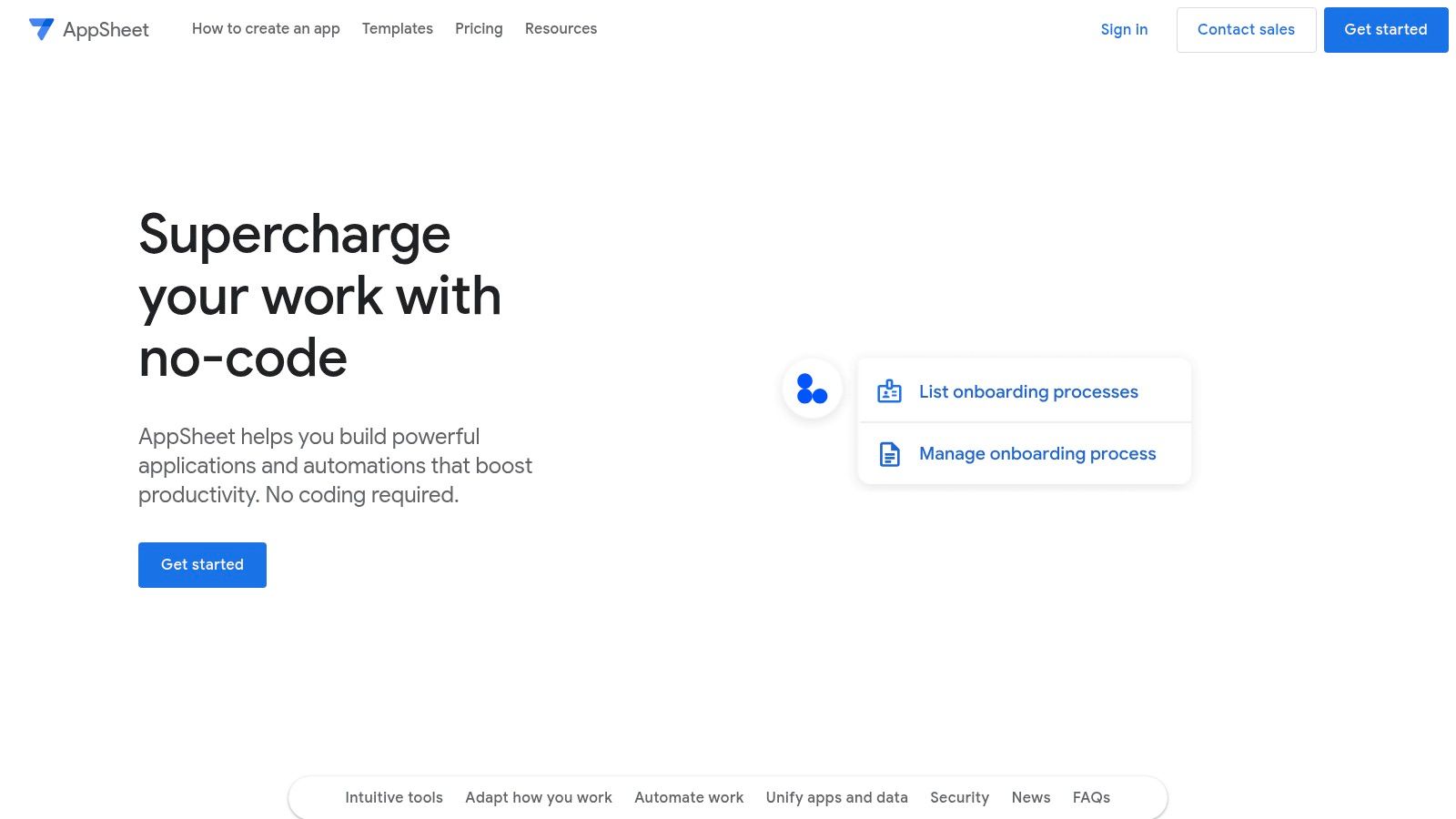
Google AppSheet is a robust no code mobile app builder that excels at transforming existing data sources into powerful, secure business applications. Acquired by Google, it is deeply integrated into the Google Workspace ecosystem, allowing organizations to rapidly build apps from data in Google Sheets, Excel, SQL databases, and more. It is designed less for public, consumer-facing apps and more for creating sophisticated internal tools.
The platform is ideal for digitizing business processes, such as inventory management, field service reports, safety inspections, and project tracking. AppSheet’s core philosophy is data-centric; you start with your data, and the platform intelligently generates a functional app that you can then customize. This approach makes it a go-to choice for businesses looking to empower their teams with custom solutions without extensive development cycles, placing it among the best low-code development platforms.
Key Features and Strengths
AppSheet’s strength lies in its powerful data handling and enterprise-grade controls. It enables users to build apps with rich data capture capabilities, including barcode scanning, signature capture, GPS location, and image uploads, which are essential for field-based teams. The platform also has impressive offline functionality, allowing data to be collected and synced later.
- Broad Data Connectivity: Natively connects to Google Sheets, Drive, Excel, Cloud SQL, and other business data sources. It also includes its own native AppSheet Database.
- Offline Functionality: Apps work seamlessly offline, queuing up data changes and syncing automatically when a connection is restored.
- Enterprise Security and Governance: Offers advanced security controls, including SSO, role-based access, and domain management, making it suitable for secure corporate environments.
- Built-in Automations: Create automated workflows to send emails, SMS alerts, or push notifications based on data triggers within the app, streamlining communication and processes.
Pricing and Access
AppSheet’s pricing is structured on a per-user, per-month basis, which is predictable and scalable for internal business deployments. It offers several tiers, starting with a free plan for prototyping.
Note: The pricing model is designed for deploying apps to a known set of internal users, making it different from platforms geared towards unlimited public users.
Pros and Cons
Pros:
- Enterprise-Grade Security: Its deep integration with Google Workspace provides robust identity management and governance features crucial for internal apps.
- Powerful Offline Capabilities: A standout feature for teams in the field or areas with poor connectivity.
- Predictable Pricing Model: The per-user fee makes it easy to budget for internal team applications without worrying about usage-based overages.
Cons:
- Internal Focus: Primarily designed for internal business applications and not well-suited for building and distributing consumer apps through public app stores.
- Workspace Dependency: The platform provides maximum value to organizations already heavily invested in the Google Workspace (G Suite) ecosystem.
For organizations seeking to build secure, data-driven internal mobile apps, particularly those operating within Google's ecosystem, AppSheet is an unparalleled choice. It empowers business users to solve their own problems quickly and securely, much like how an AI app generator from a vibe coding studio like Dreamspace can turn an idea into a functional prototype.
Website: https://about.appsheet.com
5. SAP Build Apps (formerly AppGyver)
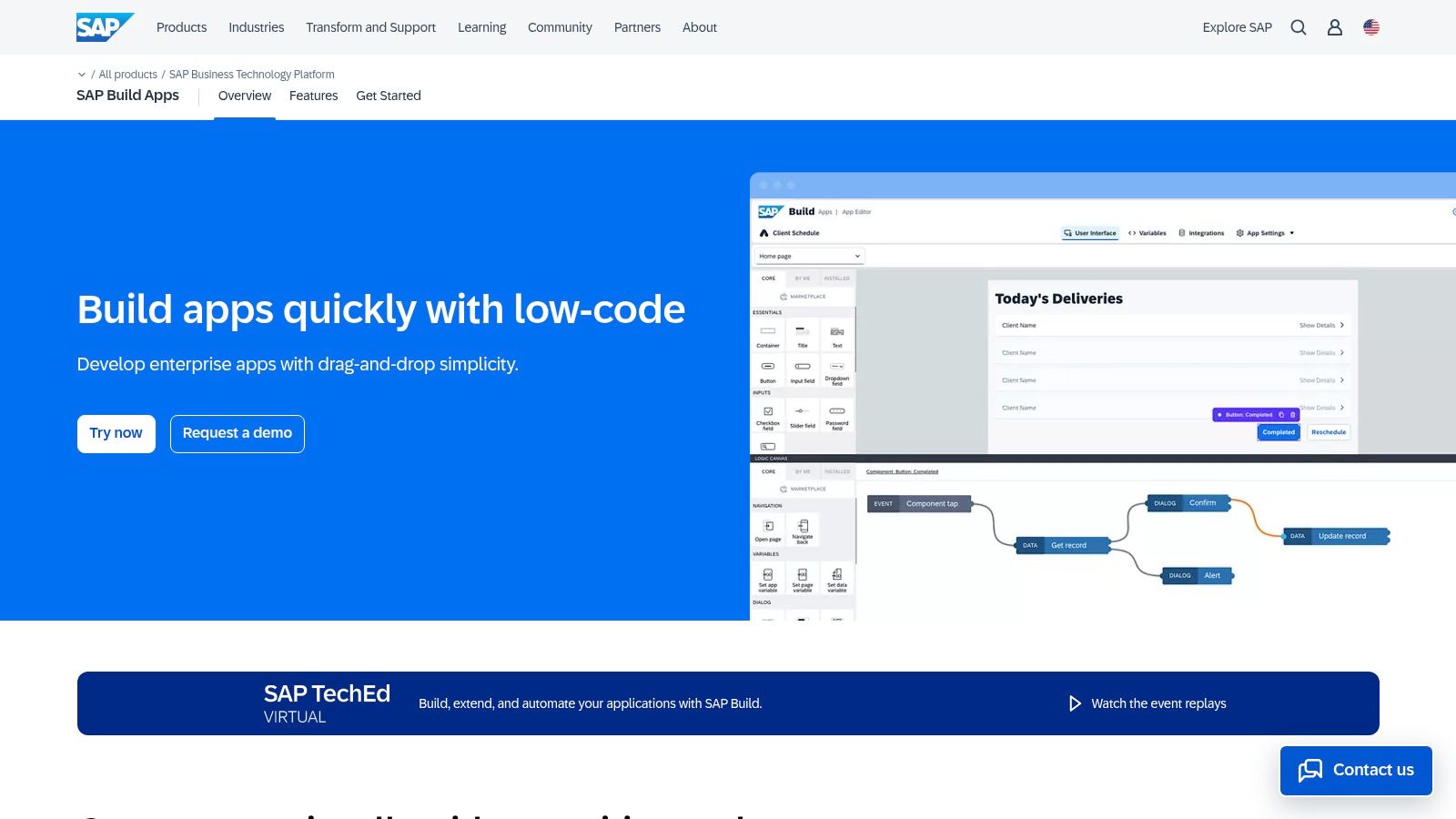
SAP Build Apps, the enterprise evolution of the widely respected AppGyver platform, is a professional-grade no code mobile app builder integrated deeply into the SAP Business Technology Platform (BTP). It is designed for creating sophisticated, mission-critical mobile and web applications that require robust security, governance, and seamless connectivity to enterprise systems. This makes it an ideal choice for large organizations, especially those already leveraging the SAP ecosystem.
The platform empowers both professional developers and business users to visually design, build, and deploy enterprise-ready applications without traditional coding. It excels in scenarios requiring complex business logic, data integrations with systems like SAP S/4HANA, and adherence to strict IT policies. Its focus is less on simple consumer apps and more on powerful internal tools, field service applications, and B2B portals.
Key Features and Strengths
SAP Build Apps retains the powerful visual development environment of AppGyver while adding enterprise-level capabilities. Users can drag and drop UI components, visually model complex logic flows with formulas, and connect to any REST API. The integration with SAP BTP is its key differentiator, providing a secure and scalable foundation.
- Enterprise Connectors: Provides pre-built and secure integration paths to SAP and other enterprise services, dramatically simplifying data connectivity.
- Centralized Governance: Aligns with enterprise IT needs through integrated monitoring, logging, and lifecycle management features.
- Pixel-Perfect UI Control: Offers granular control over the user interface, allowing developers to build custom, highly polished applications.
- Cross-Platform Builds: Like its predecessor, it supports the creation of true native iOS and Android apps, as well as web applications, from a single project.
Pricing and Access
Unlike typical self-serve SaaS models, pricing for SAP Build Apps is managed through the SAP BTP and is based on a capacity-unit consumption model. This approach is common in enterprise software and is tailored to organizational needs.
Note: The procurement process is designed for businesses and involves engaging with SAP, which differs significantly from the instant credit card sign-ups of other platforms.
Pros and Cons
Pros:
- Unmatched SAP Integration: The best choice for organizations embedded in the SAP ecosystem, offering native and secure connectivity.
- Enterprise-Grade Security: Inherits the robust security, compliance, and governance features of the SAP Business Technology Platform.
- Powerful Logic Engine: The visual logic canvas is extremely powerful, enabling the creation of very complex application logic without code.
Cons:
- Complex for Beginners: The platform is heavier and has a steeper learning curve than tools aimed at simple MVPs or consumer apps.
- Opaque Pricing: The capacity-unit model and enterprise sales process are less transparent and accessible for individual creators or small businesses.
For large enterprises looking to empower their teams to build custom applications that securely connect to core business systems, SAP Build Apps is a formidable solution. While a vibe coder might start with a more agile tool, like an AI app generator from a vibe coding studio like Dreamspace, for a quick MVP, an enterprise IT department would turn to SAP Build Apps for its governance and deep integration capabilities.
Website: https://www.sap.com/products/technology-platform/low-code-app-builder.html
6. BuildFire
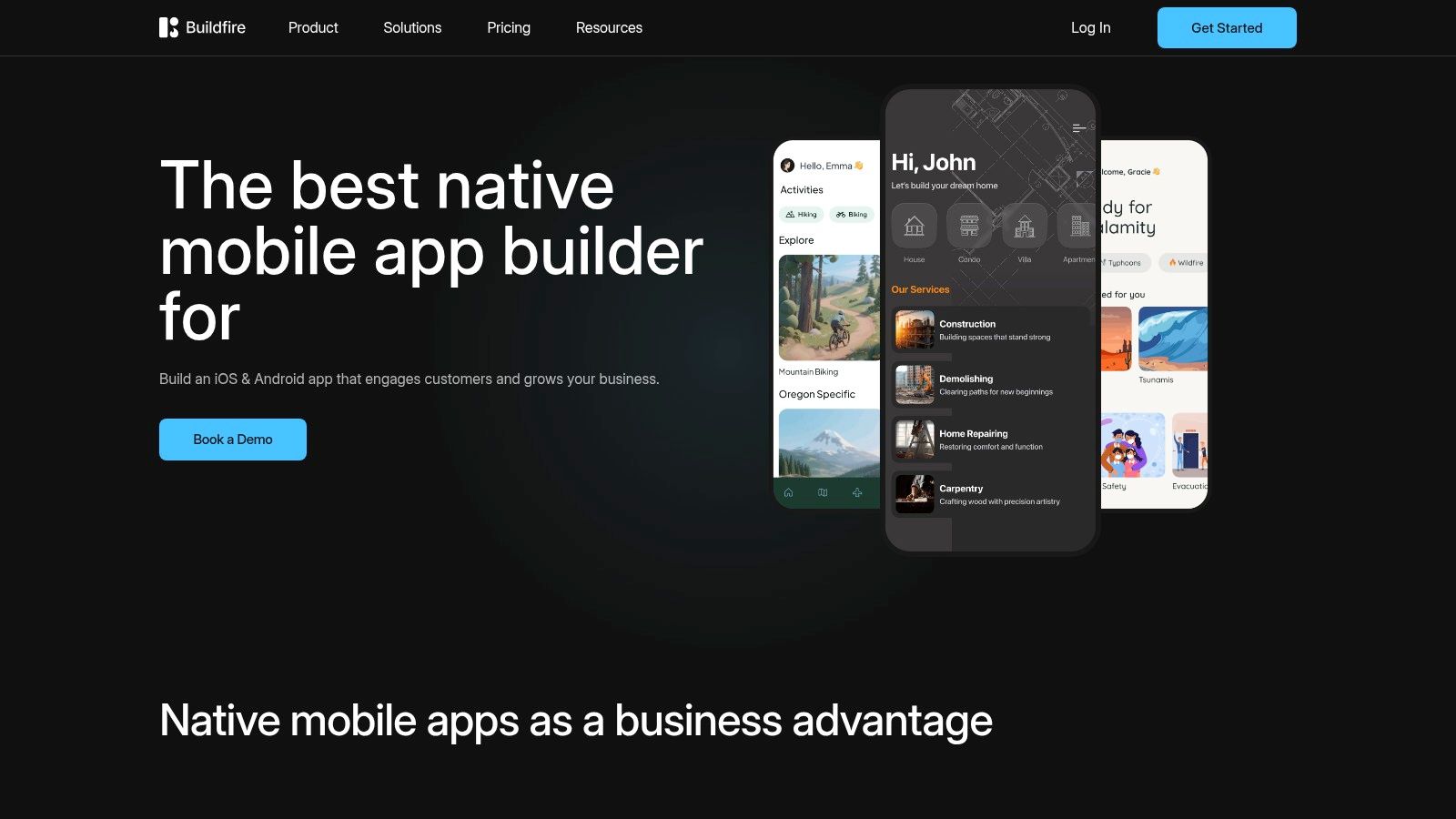
BuildFire is an established and powerful no code mobile app builder that excels at creating high-quality native iOS and Android apps, as well as progressive web apps (PWAs). It is designed primarily for small to mid-size businesses that need a robust solution without a deep technical bench. The platform's core strength lies in its extensive marketplace of pre-built plugins, which allows users to quickly assemble sophisticated apps by adding features for e-commerce, media streaming, community engagement, and event management.
This plugin-centric approach makes BuildFire a highly efficient tool for creating apps with common business functionalities, such as loyalty programs, online ordering systems, or internal communication hubs. The platform emphasizes not just creation but also ongoing management and success, offering dedicated support and publishing assistance to guide users through the complexities of launching and maintaining a mobile application. This makes it a great choice for those who prefer a more guided development journey.
Key Features and Strengths
BuildFire's most significant differentiator is its vast plugin marketplace. Rather than building every feature from scratch, users can select, configure, and combine ready-made functional blocks to construct their app, dramatically reducing development time. This modularity is a key advantage for business-oriented applications.
- Large Plugin Marketplace: Access dozens of features for verticals like booking, e-commerce (with Shopify integration), media, and social networking to build your app quickly.
- Native Publishing: Creates true native apps for iOS and Android, ensuring optimal performance, reliability, and access to device hardware.
- Managed Services: Higher-tier plans offer publishing support and account management, providing a "done-for-you" service that handles the app store submission process.
- Advanced User Management: Includes powerful features for push notifications, user segmentation, and analytics to engage and understand your audience at scale.
Pricing and Access
BuildFire’s pricing is geared towards businesses, with plans that include comprehensive support and infrastructure. They also offer custom enterprise solutions.
Note: Specific pricing is available upon request through their website. As with other native builders, you will need your own Apple ($99/year) and Google ($25 one-time) developer accounts for app store publishing.
Pros and Cons
Pros:
- Extremely Fast Assembly: The plugin system allows for very rapid creation of feature-rich apps, especially for common business use cases.
- Professional Support: Access to publishing assistance and managed services is a major benefit for non-technical founders and businesses.
- Scalable Infrastructure: Built to handle large user bases, making it a reliable choice for apps expected to grow quickly.
Cons:
- Higher Cost: The pricing structure is higher than many hobbyist-focused platforms, reflecting its business orientation.
- Plugin Dependency: While powerful, you are limited to the functionality available in the marketplace, which may restrict highly custom or unique app ideas. The cost of premium plugins can also add up.
BuildFire is an ideal choice for businesses that need to launch a professional, feature-complete native mobile app without the long timelines and high costs of traditional development. Its model is less about building from scratch and more about assembling a perfect solution from proven components, similar to how an AI app generator from a vibe coding studio like Dreamspace uses intelligent systems to rapidly bring a concept to life.
Website: https://buildfire.com
7. Appy Pie App Builder
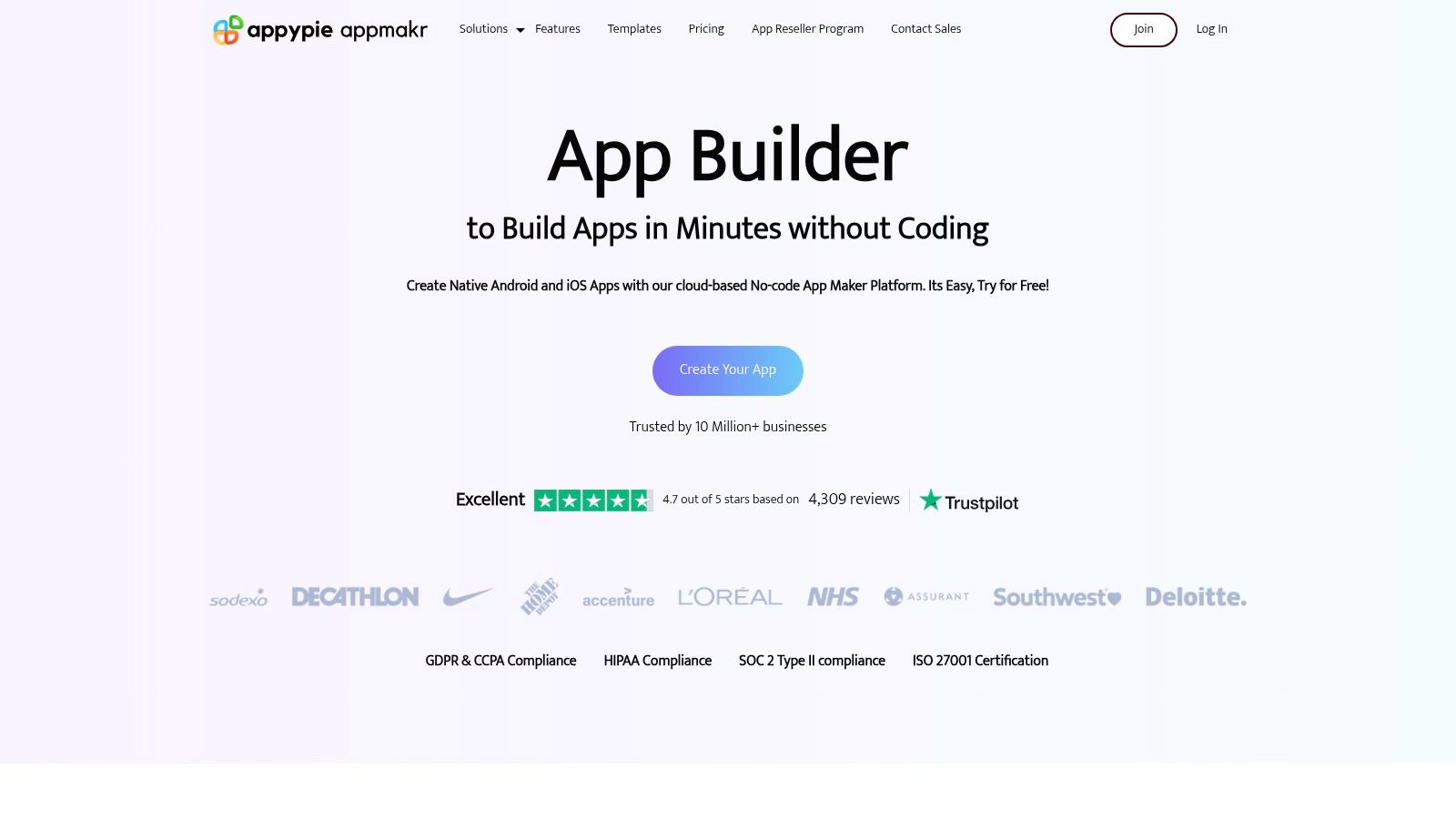
Appy Pie is a widely recognized no code mobile app builder known for its aggressive entry-level pricing and a broad feature set designed to get users on the app stores quickly. It positions itself as one of the most cost-effective and fastest ways to build and launch native apps for Android and iOS, as well as Progressive Web Apps (PWAs), without any coding knowledge. The platform’s approach focuses on simplicity and speed, offering a template-driven process.
The platform is ideal for small businesses, restaurants, event organizers, and individuals looking to create a simple, functional mobile presence. Appy Pie’s guided, three-step process (Design, Add Features, Publish) lowers the barrier to entry significantly, making it accessible to a wide audience. It abstracts away much of the technical complexity, allowing creators to focus on content and features rather than backend configurations.
Key Features and Strengths
Appy Pie’s main strength lies in its extensive library of pre-built features that can be added to an app like building blocks. This modular approach allows users to piece together an application tailored to their specific business needs, from e-commerce stores to informational guides.
- Broad Feature Library: Includes functionalities like push notifications, in-app purchases, loyalty programs, social media integration, and GPS location tracking.
- Monetization and Analytics: Built-in support for Google AdMob allows creators to monetize their apps with ads, complemented by integrated analytics to track user engagement.
- Unlimited Editing: All plans offer the ability to make unlimited edits and updates to your app, which are pushed to users in real-time.
- App Store Submission Support: Appy Pie provides assistance with the technical aspects of submitting your app to Google Play and, on higher tiers, the Apple App Store.
Pricing and Access
Appy Pie’s pricing is structured to cater to different publishing needs, with a key distinction being the platform you can publish to. A 7-day free trial is available to test the platform.
Note: As with other builders, publishing to the app stores requires your own developer accounts with Apple ($99/year) and Google ($25 one-time fee).
Pros and Cons
Pros:
- Low Entry Cost: The pricing is very competitive, making it one of the most affordable ways to get a native app on Google Play.
- Speed to Market: The template-based system and guided process enable extremely fast app creation and deployment.
- All-Inclusive Features: Higher-tier plans are quite comprehensive, bundling hosting, push notifications, and support into a single fee.
Cons:
- Tier-Gated Features: Critical features, most notably iOS publishing, are locked behind the most expensive plans, which can be a significant jump in cost.
- Limited Customization: The template-driven approach, while fast, can limit unique design and complex workflow customization compared to more flexible builders.
For creators prioritizing speed and affordability for standard business app functionalities, Appy Pie is a compelling option. It provides a straightforward path to the app stores, especially for Android-first projects, much like an AI app generator from a vibe coding studio like Dreamspace can rapidly turn ideas into working prototypes for vibe coders.
Website: https://www.appypie.com/app-builder
Top 7 No-Code Mobile App Builders Comparison
Beyond the Builder: What's Next for Your App?
The journey to launching a successful mobile application has been fundamentally democratized. As we've explored, the modern landscape of no-code mobile app builders offers a powerful and accessible entry point for creators, entrepreneurs, and developers alike. You no longer need to be a seasoned programmer to transform a brilliant idea into a functional, user-facing product.
From Adalo’s native app prowess and Glide’s data-driven simplicity to Thunkable’s cross-platform flexibility, each tool presents a unique pathway to app creation. The key is to recognize that selecting a platform is not the final decision but the foundational one. Your choice will shape your development process, your app's capabilities, and your ability to scale and adapt in the future.
Distilling Your Decision: Key Takeaways
Choosing the right no code mobile app builder hinges on aligning its strengths with your project's specific demands. Before you commit, it's crucial to revisit your core objectives.
- For Data-Centric Apps: If your app's primary function is to present and interact with data from a spreadsheet or database, platforms like Glide and Google AppSheet offer the most direct and efficient path from data to deployment. Their streamlined workflows are optimized for internal tools, inventory trackers, and simple directories.
- For True Native Functionality: When you require deep access to device features like the camera, GPS, or push notifications for a polished, App Store-ready experience, tools such as Adalo and BuildFire are engineered for this purpose. They provide the components and control needed for a more sophisticated consumer-facing application.
- For Complex Logic and Integrations: For projects demanding intricate workflows, conditional logic, and connections to external APIs, platforms like SAP Build Apps (formerly AppGyver) offer a higher ceiling for complexity without sacrificing the no-code paradigm. As you scale, managing payments becomes critical. When incorporating diverse payment options, especially for a global or crypto-savvy audience, exploring specialized integrations like Blockbee's plugin for Bubble can significantly enhance your app's monetization capabilities.
The Next Frontier: AI, Web3, and Vibe Coding
The evolution of no-code doesn't stop with visual builders. The most exciting developments are happening at the intersection of AI, blockchain, and automated development, particularly for our target audience of developers and crypto fans. While the tools on this list are excellent for building traditional mobile apps, a new wave of platforms is emerging to handle highly specialized, complex logic.
This is where the concept of "vibe coding" comes into play. For those building in the Web3 space, the challenges go beyond user interfaces. You need to generate secure smart contracts, query on-chain data, and build decentralized applications (dApps). This is a domain where an AI-powered solution becomes not just a convenience, but a necessity.
An emerging category of tools, the AI app generator, is designed to translate high-level requirements or "vibes" directly into production-ready code for niche domains like blockchain. They handle the complex backend and on-chain logic that traditional no-code builders aren't equipped for.
A prime example is Dreamspace, which operates as a vibe coding studio. It allows you to generate sophisticated on-chain apps and smart contracts without writing a single line of Solidity or Rust. This represents the next logical step for no-code: empowering creators to build in the most cutting-edge, technically demanding fields with the same ease as building a simple mobile app. The power to create is no longer limited by your coding knowledge but is now amplified by your vision.
Ready to build beyond the traditional UI? If your vision involves Web3, dApps, or complex on-chain logic, an AI app generator is your next step. Explore Dreamspace, the vibe coding studio that translates your ideas into production-ready blockchain applications, from smart contracts to data queries. Start building with Dreamspace today.