
How to Make an App From Scratch with AI
Learning how to build an app used to be an uphill battle against code, complexity, and cash. Not anymore. The new way is all about translating your vision directly into a functional product, and 'vibe coding' is how you get it done. Your idea is the only real prerequisite.
Turn Your Idea Into a Working Onchain App
Forget what you know about building onchain apps. It’s no longer some gatekept, hardcore technical challenge reserved only for grizzled developers. Modern tools have flipped the script, turning it into a creative process where your vision actually matters most.
Instead of getting bogged down in syntax and frameworks, you get to focus on the good stuff: what your app is for and what you want people to feel when they use it.
This whole shift is driven by a new wave of tools. AI app generators, like the vibe coding studio at Dreamspace, are tearing down the old walls. You just describe your idea, and the AI gets its hands dirty with the technical side of things.
The money barrier is also coming down. Fast. Building a blockchain app from scratch was once a massive financial undertaking. A traditional build for a simple DeFi staking app could easily run you $40,000 to $100,000, with more complex protocols soaring into the $200,000-$500,000+ range.
It’s no wonder that while global spending on blockchain hit $11.7 billion in 2022, the market is set to explode to an estimated $393.45 billion by 2030. No-code AI is the cheat code for launching tokenized ecosystems quickly without breaking the bank. For a deeper dive, see how these blockchain development trends are changing the game.
This is the core idea behind vibe coding—a simple, three-step flow from a raw concept to a live app, all powered by AI.
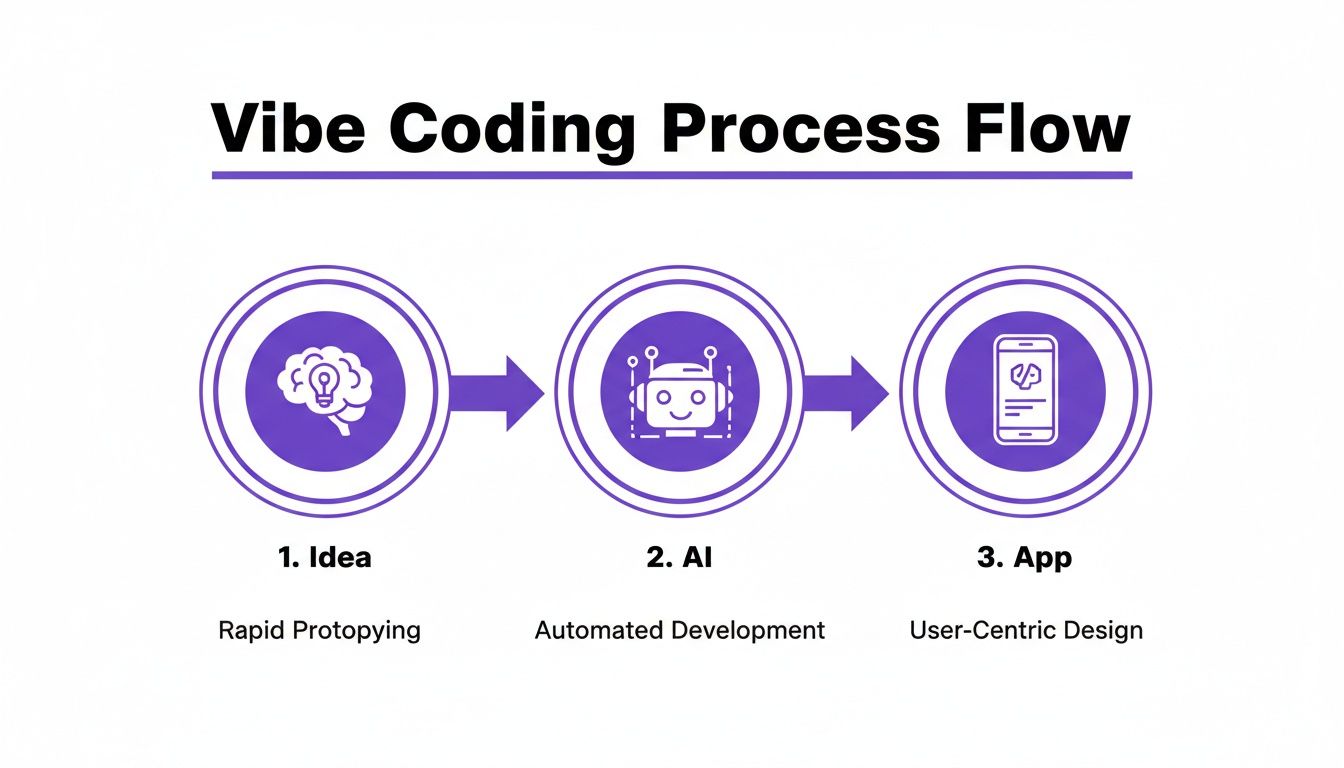
The diagram says it all. AI acts as the ultimate translator, turning your thoughts into real, working software without you having to write a single line of code.
Let’s look at how the old way stacks up against this new, AI-driven approach.
Traditional Development vs AI-Powered App Creation
The difference is night and day. Vibe coding doesn't just make things faster; it makes app creation accessible to anyone with a great idea.
Conceptualize Your Project First
Before you even think about opening a tool, you need to get the idea straight in your head. A solid concept is everything. Don't worry about programming languages or server setups yet. Just start by asking the big-picture questions.
Your initial brainstorm should cover three things:
- The Core Purpose: What problem does your app actually solve? Nail it down in a single, clear sentence. Something like, "My app lets artists easily mint and sell their music as NFTs."
- Your Target Audience: Who is this for? Be specific. Are you building for crypto OGs, total newbies, other devs, or a niche community?
- The User Journey: Walk me through it. What's the first thing a user does? What are the key steps they take to get to the main event? Map it out from start to finish.
By hammering out the "what" and the "why" before you ever touch the "how," you're creating a blueprint. This map is what you'll feed an AI app generator like Dreamspace, making sure the final app is a perfect match for your original vision.
Nailing this planning phase is non-negotiable. A well-defined concept makes the rest of the process incredibly smooth and sets you up for a much faster build.
Building a Solid Onchain Foundation
Alright, with your idea locked in, it’s time to lay the groundwork. For any onchain app, this foundation is built on two things: your smart contracts and the blockchain they call home. It might sound intimidating, but it really boils down to making a couple of key choices that fit your app's vibe.
First up: choosing your blockchain. Think of it like picking a city to build in. Each one has its own culture, costs, and community. You’re not just selecting a piece of tech; you’re joining an entire ecosystem.
- Ethereum: The OG. It’s the biggest and most secure, but transaction fees (gas) can get spicy. Perfect for high-value apps where security is everything.
- Solana: Built for speed and low costs. If your app needs to handle a massive number of transactions per second—like a game or a trading platform—Solana is a top contender.
- Layer 2s (Polygon, Arbitrum, etc.): These run on top of Ethereum, giving you faster, cheaper transactions while piggybacking on its security. It’s a great middle-ground, offering a bit of the best of both worlds.
Nailing this decision early is huge. It shapes everything from user experience to how your app will scale down the road. Ask yourself: will my users care more about iron-clad security or super fast, cheap interactions?
From Plain English to Smart Contracts
Once you’ve picked your chain, it’s time to map out your app’s logic. This is where smart contracts come into play. A smart contract is just code that automatically runs when certain things happen. Don't even think about code yet—just think in simple rules.
What does your app do?
- "Users can mint an NFT from my collection."
- "People can stake tokens to earn rewards."
- "Create a token for my community to vote on stuff."
That’s the kind of plain-English logic you need to start with. In the old days, turning these ideas into secure code was a massive headache. You had to learn languages like Solidity or Rust and then shell out a ton of money for security audits. A crucial part of this foundation is also getting the difference between public and private keys, which are the bedrock of secure transactions.
Now, AI completely flips the script.
Building onchain used to be a serious grind. The global web dev services market is on track to hit $125.4 billion by 2030, and a big reason is that traditional development is just plain expensive. An NFT marketplace can run you anywhere from $45k-$150k. This is exactly why tools that simplify the process are blowing up.
This is where a vibe coding studio like Dreamspace changes the game. It’s an AI app generator that takes your simple descriptions and spins up secure, audited smart contract code. You just describe the "what," and let the AI figure out the "how."
This gets rid of the brutal learning curve and insane costs, letting you stay focused on the creative logic that makes your app unique. If you're curious about what's happening under the hood, you can always explore different smart contract programming languages to see what the AI is juggling.
By making smart choices on your architecture and letting AI do the heavy lifting on the code, you can build a solid foundation without getting bogged down in the nitty-gritty.
Designing a User-Friendly Frontend Experience
A slick onchain backend is cool, but let's be real—it's only half the battle. Your app doesn't truly come alive until people can actually use it through a clean, intuitive frontend. This is the bridge between your smart contracts and your users, and nailing this part is what separates a decent app from a legendary one.
The classic headache has always been getting that onchain data to play nice with a simple user interface.
How do you show a user their wallet balance, their latest transactions, or the NFTs they just minted? In the old days, this meant wrestling with complex indexers and APIs. Now, you can just use familiar SQL queries to pull that data right off the chain. What used to be a massive pain is now surprisingly straightforward.
Say you're building an NFT gallery. You need to grab all the tokens a specific wallet holds. With the right setup, you can write a simple query like SELECT token_id, image_url FROM your_nft_collection WHERE owner_address = 'user_wallet_address'. Boom. Just like that, you have the data you need to power your app's display in real time.
Crafting Your UI with AI Prompts
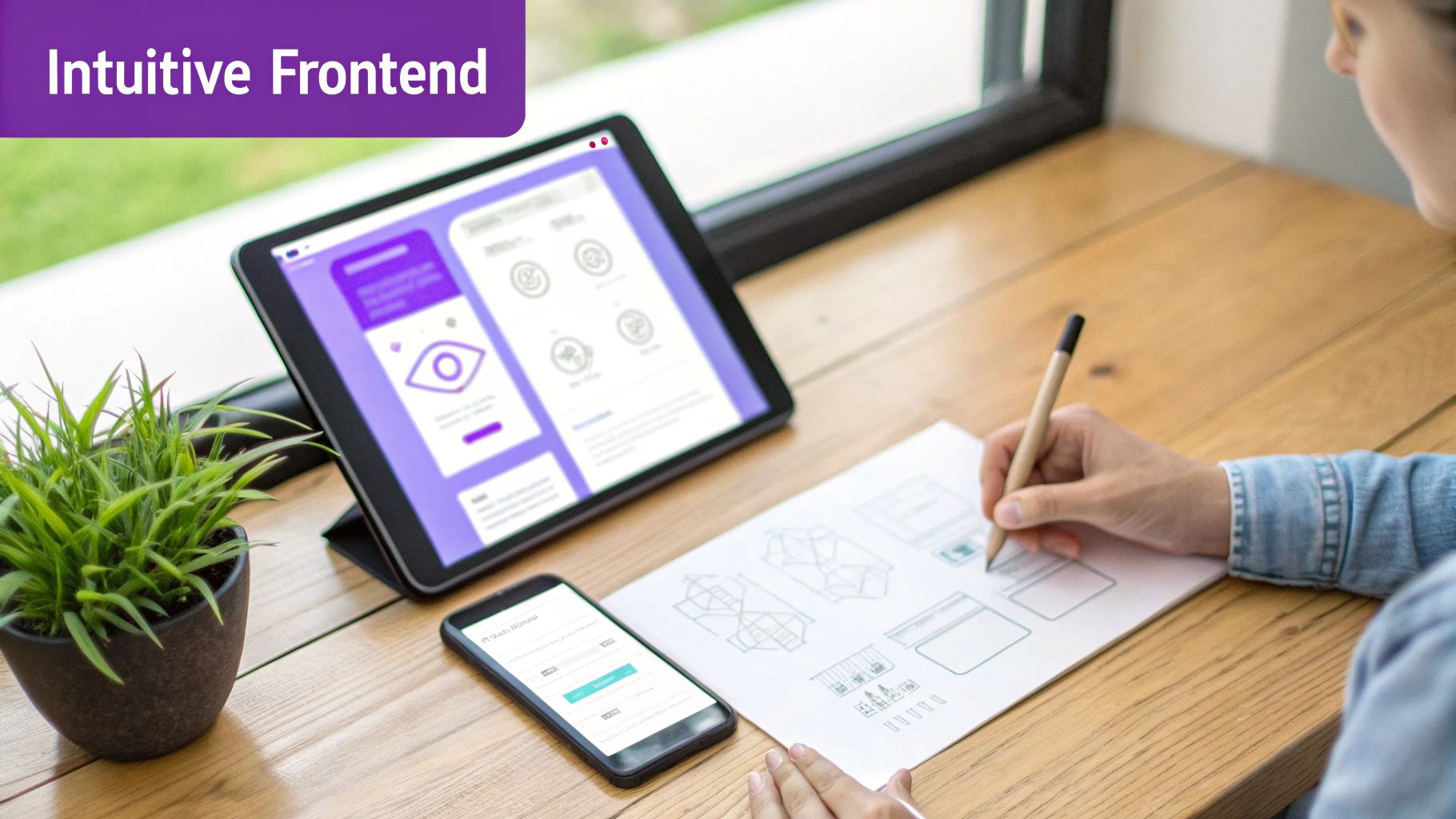
Okay, so you've got your data flowing. Now for the fun part: designing the look, feel, and flow of your app. Instead of dropping a ton of cash on designers or losing weeks of your life to frontend frameworks like React, you can just… describe what you want.
This is the magic of using an AI app generator. A platform like Dreamspace, the first vibe coding studio, lets you turn your vision into a fully functional, responsive website just by using natural language. You bring the vibe, and the AI writes the code.
User experience isn't just about looking pretty; it's about engagement. It takes a user about 500 milliseconds to decide if they like your site or not. A clean, simple design is absolutely key to making a killer first impression.
To get those primo results from an AI generator, you've got to be descriptive. Think of yourself as a movie director, telling your crew exactly how the scene should look.
Writing Effective Prompts for Frontend Generation
Learning how to make an app from scratch with AI is really about learning to communicate your vision. Vague prompts get you generic, boring results. But specific, detailed prompts? That’s how you get a design that feels totally custom.
Here’s how to write prompts that actually deliver:
- Be Specific About Layout: Don't just say "make a homepage." Try something like, "Create a homepage with a huge hero image up top, then a three-column grid for featured NFTs, and a footer with social links."
- Define Your Color Palette: "Use blue" is weak. Get specific. "Use a dark mode theme with a primary color of electric purple (#8A2BE2) and neon green accents for all the buttons and links."
- Describe the Mood: The vibe is everything. A prompt like, "Design a clean, minimalist dashboard with tons of white space and a pro, sans-serif font" will give you something way different than, "Create a playful and vibrant marketplace with rounded corners, bold typography, and colorful gradients."
Let's break it down with a real example. Imagine you're building a staking app.
Weak Prompt:"Make a page for staking tokens."
Way too simple. The AI has no idea what you want, so you'll get something bland and basic.
Strong Prompt:"Generate a staking interface with a clean card layout. The main card needs to show the user's staked balance and total rewards earned. Give me a clear 'Stake' button and an input field for the amount. Below that, add a 'Withdraw' button. Use a modern, dark theme with blue accents."
See the difference? That level of detail gives the AI a solid blueprint. The final product will actually match what's in your head. This process doesn't just speed up development; it lets you experiment with different styles on the fly. As you build, you'll learn how to get the most out of your prompts with a purpose-built AI app builder. Your app won't just work—it'll have the exact vibe you imagined.
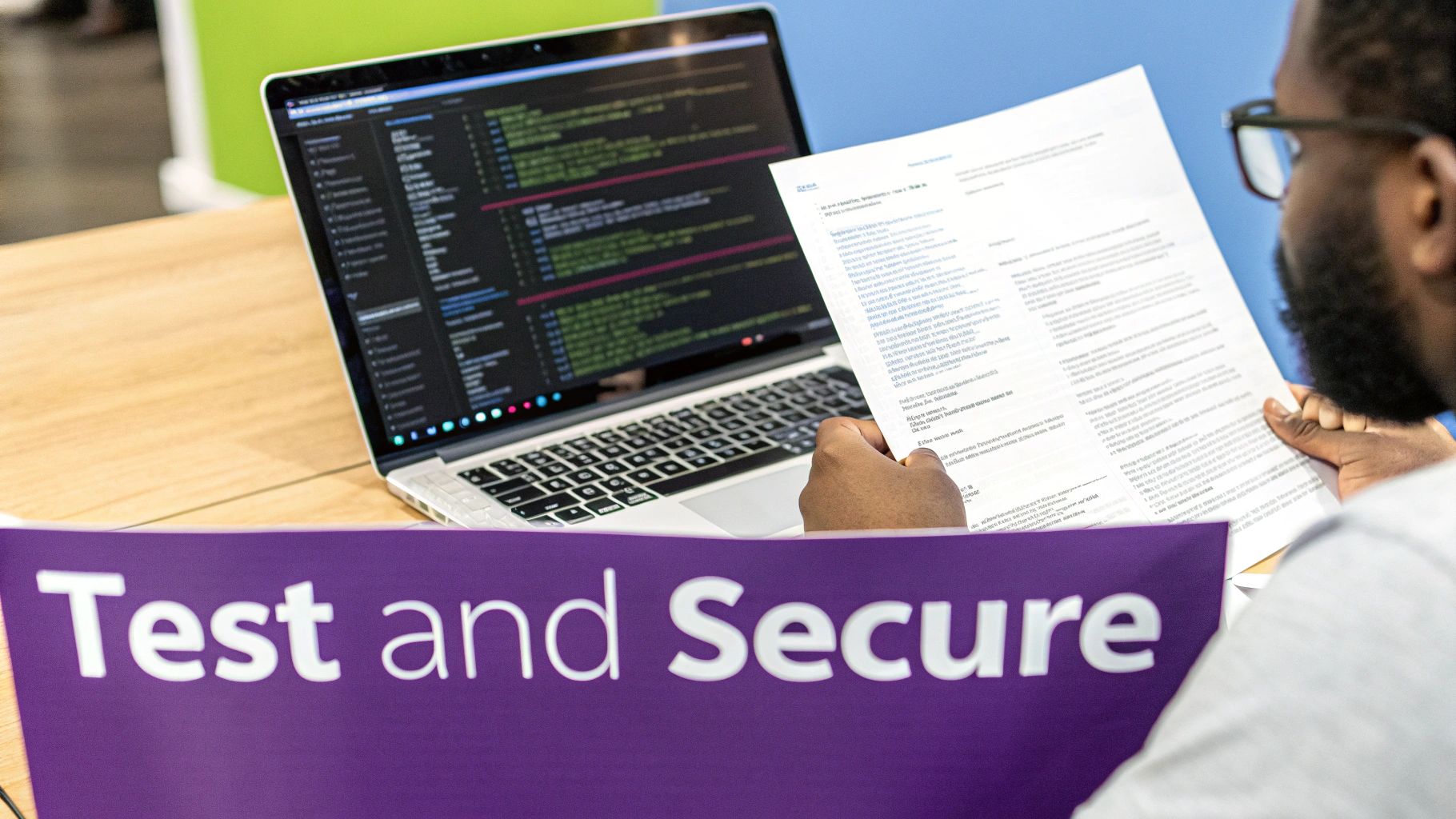
How to Test and Secure Your New Application
Let's be real: in the onchain world, security isn't just a nice-to-have, it's the whole game. One tiny bug can mean disaster. This is why testing and securing your app isn't the final step; it's a constant mindset you need from day one to make sure all your hard work is protected.
This is one area where an AI-powered platform gives you a massive head start. When you build with an AI app generator like Dreamspace, it bakes security directly into your project's foundation. The smart contract and backend code it generates are built on a solid base of current industry best practices, which helps squash common vulnerabilities before they even exist.
Even so, you're the captain of this ship. It's on you to put your app through the wringer before real users—and real assets—are on the line.
Get Friendly With Testnets
The single most important tool in your testing toolkit is the testnet. Think of it as a perfect clone of a main blockchain like Ethereum or Solana, but with one major difference: the crypto is fake. It’s all play money.
This sandbox environment lets you simulate literally anything a user could do in a live setting without risking a single cent. You can deploy your smart contracts, mint NFTs, swap tokens, and try your absolute best to break things—all for free.
Here’s a quick checklist for your testnet phase:
- Deploy and Interact: Push your smart contracts to a testnet (like Sepolia for Ethereum) and hammer every single function.
- Simulate the Chaos: What if a user tries to send a weirdly formatted transaction? Or an interaction fails halfway through? Test all the weird, non-standard stuff.
- Push the Limits: See how your app handles the heat. Write some simple scripts to simulate dozens of users hitting your contracts at once.
Your testnet is your playground, your lab, and your safety net. Skipping this is like skydiving without checking your parachute—it's just a bad idea. Every bug you find here is a potential crisis you've avoided on mainnet.
By catching and crushing bugs on a testnet, you're building confidence that your code is solid and ready for the real world when you finally deploy.
It's Time for User Acceptance Testing
Okay, so you’ve confirmed the app is technically sound. Now it's time to see how it feels to actual humans. This is called User Acceptance Testing (UAT), and it’s about way more than just squashing bugs. You're checking if the app is intuitive, useful, and actually enjoyable to use.
Grab a small, trusted group of friends or community members to be your first guinea pigs. Give them access to the testnet version and a few simple goals to accomplish.
You need their raw, honest feedback. Ask them about:
- The Vibe: Did they instantly get what the app was for?
- The Flow: Could they navigate around without getting stuck?
- The Functionality: Did it all work the way they thought it would?
- The Glitches: Did they run into any weird errors or janky behavior?
This kind of feedback is absolute gold. You’ve been staring at this thing for weeks, and a fresh set of eyes will spot issues you’re completely blind to.
Final Security Sweep
Before you pop the champagne, run through one last security checklist. Once your app is built, it's crucial to secure your web applications against any lingering threats. While a full-blown professional audit might be overkill for your first project, you can still adopt the right habits.
Make sure you've covered the fundamentals, like keeping your private keys somewhere safe and using multi-factor authentication wherever you can. Building this security-first mindset as you learn how to make an app from scratch sets you up for success on every project you build from here on out.
Deploying and Sharing Your App with the World
After all the hard work planning, building, and testing, you’ve finally made it to the last mile: launch day. This is that magic moment when your project graduates from a local test environment to a live app that anyone, anywhere can use. It’s easily the most satisfying part of learning how to make an app from scratch.
Getting your app out there boils down to a few critical moves. The first is pushing your smart contracts to the mainnet—the real, public blockchain. Unlike a testnet, this is where the stakes are real. Every transaction is final and costs actual gas fees.
Before you even think about deploying, you have to lock down your deployment keys. This private key gives you total control over your contracts, so it absolutely must be stored safely offline. Never, ever commit it to a public repo like GitHub. A hardware wallet is the undisputed champ for this.
From Testnet to Mainnet
Making the leap to mainnet isn't a race; it's a calculated move. The biggest curveball you'll face is gas fees—what it costs to execute your contract deployment. These fees can swing wildly depending on how busy the network is, so timing is everything.
Here’s a quick checklist for a drama-free deployment:
- Scout Gas Fees: Use a tool like the Etherscan Gas Tracker to get a feel for current network prices. Shipping your contracts during off-peak hours (like late nights or weekends) can literally save you hundreds of dollars.
- Top Up Your Wallet: Make sure the wallet you're deploying from has more than enough native currency (like ETH) to cover the estimated gas. I always add a little extra, just in case.
- Verify Your Contract: The second your contract is live, verify its source code on a block explorer like Etherscan. This simple step makes your code transparent, building instant trust with potential users by proving it does exactly what you claim.
This all might sound a bit intense, but modern tools have made it so much easier. An AI app generator like Dreamspace abstracts away a ton of this complexity, walking you through the deployment process and making sure all the settings are right.
Sharing Your Creation and Building a Community
Congrats, your app is live! But the real work is just beginning. Now, you need to get it in front of people. A slick launch strategy is just as crucial as clean code.
Announcing your project is step one. You don’t need a huge marketing war chest, just a clear message and a game plan for reaching your audience where they already are. For the crypto world, that’s platforms like X (formerly Twitter) and Discord.
A successful launch isn't a one-and-done event. It's the start of a conversation. The feedback you get in those first few weeks is pure gold for figuring out what to build next.
To get the ball rolling, focus on these moves:
- Craft a Killer Announcement: Write a clear, exciting thread on X that explains what your app does, who it’s for, and drops a direct link. Don’t forget visuals—a quick demo video or a few polished screenshots go a long way.
- Engage Directly: Don’t just post and walk away. Jump into relevant conversations, answer every question, and become an active member of the communities you're trying to attract.
- Create a Home Base: Spin up a dedicated Discord server for your users. It gives them a place to ask for help, report bugs, pitch new features, and connect with each other. This is how you turn users into a true community.
The beauty of a platform like Dreamspace is how it streamlines this whole final stage. As a vibe coding studio, it doesn't just help you build; it makes sharing as simple as sending a link. You get to stay focused on your vision and your community, knowing the technical side is handled and your app is ready for its moment.
Got Questions? We've Got Answers.
Jumping into app creation with AI is a whole new world, so it's only natural to have a few questions. Let's dig into some of the things people usually ask when they're learning to build an app from scratch this way.
What’s the Real Cost to Build an Onchain App With AI?
This is where things get really interesting. Traditionally, building a secure onchain app could set you back anywhere from $40,000 to over $500,000. It's a massive financial hurdle.
Using an AI app generator like Dreamspace completely changes the game.
Instead of shelling out for developer salaries, getting bogged down by endless timelines, or paying for pricey security audits, your costs are much more predictable. You're essentially swapping a huge, risky upfront investment for a simple platform fee. This opens up app creation for solo creators and bootstrapped startups in a way that just wasn't possible before.
Your main costs really just boil down to two things:
- Platform Access: A subscription or usage fee for the AI tool itself.
- Gas Fees: The cost to deploy your smart contracts on mainnet. This is a non-negotiable cost, no matter how you decide to build.
Can I Actually Build Something Complex With a No-Code AI Tool?
Absolutely. There's a common myth that no-code or AI tools are just for flimsy prototypes. That might have been true years ago, but modern AI app generators are built to pump out secure, scalable, and production-ready onchain apps that can handle the real world.
Take Dreamspace, for instance. As a premier vibe coding studio, it allows you to define intricate smart contract logic for things like custom tokenomics, DAO governance, or complex staking rewards. Then, you can integrate sophisticated SQL data queries and build out a multi-faceted UI that’s both slick and functional.
The AI isn’t just making a wild guess; it’s generating high-quality code based on current industry best practices. This lets you build out robust DeFi platforms, NFT marketplaces, or DAOs in a fraction of the time and without needing the deep technical expertise that was once a requirement.
You're not stuck with basic, cookie-cutter functionality. The real power here is the tool's ability to translate your detailed instructions into complex, working software, making those ambitious ideas totally achievable.
What Skills Do I Actually Need for "Vibe Coding"?
"Vibe coding" is all about putting your vision first, not your technical chops. You don't need to be a wizard in Solidity, Rust, or any other smart contract language.
What truly matters is creativity and clarity.
The most critical skills for this new way of building are:
- Having a Crystal-Clear Idea: You need to know exactly what your app should do and what problem it’s solving.
- Being a Good Explainer: Can you describe your app's features and user flow in plain, simple English? That’s the key.
- Knowing Your "Why": A solid grasp of your project's core purpose will guide every single decision you make.
Think of yourself as the architect who describes the blueprint, not the builder who has to lay every brick. A basic understanding of blockchain concepts helps, for sure, but it’s not a barrier to entry. With an AI app generator like Dreamspace, your idea is the most valuable asset you bring to the table.
How Do I Handle Updates and Maintenance for an AI-Generated App?
Managing updates and ongoing maintenance is usually a massive headache in traditional development. With an AI-generated app, the whole process is way simpler because you handle it through the same intuitive interface you used to build it in the first place.
Instead of diving into code, hunting for bugs, and manually deploying every little change, you just tweak your prompts or settings in the AI platform. Want to add a new feature? Describe it to the AI, and it will generate the updated smart contract and frontend components for you.
This makes the entire app maintenance lifecycle so much more manageable.
For example, platforms like the Dreamspace vibe coding studio can help you implement upgradable smart contract patterns or deploy new versions and migrate data without a hitch. It’s an iterative, responsive way to build, making it much easier to act on user feedback and continuously improve your app without getting tangled up in a messy codebase.
Ready to stop dreaming and start building? Dreamspace is the first vibe coding studio designed to turn your onchain app idea into a reality. Generate your smart contracts, query blockchain data with SQL, and launch your website—no code required.