
Your Guide to Coinbase API Documentation
If you're building anything that touches crypto, you'll eventually run into the Coinbase API documentation. It's the definitive guide for developers who want to tap into one of the world's biggest exchanges for trading, market data, or crypto payments. Think of this guide as your roadmap to mastering it.
Getting to Know the Coinbase API Ecosystem
First things first: the Coinbase API isn't just one thing. It’s actually a whole suite of different tools, each built for a specific job. Figuring out which part does what is crucial for building a solid crypto app.
Whether you're a weekend coder building a simple portfolio tracker or a startup engineering a full-blown trading platform, the documentation has what you need. And if you want to move faster, our AI app generator at Dreamspace can help you wire up the integration in no time.
Since launching way back in 2012, Coinbase has seen explosive growth. By 2023, it was serving over 100 million users worldwide. That kind of scale shows up in their developer tools. When the company went public in April 2021 with an initial valuation north of $85 billion, it was clear their APIs were a critical piece of the global fintech puzzle.
The Main API Buckets
The ecosystem is split into a few key product areas, and each has its own documentation. Here's the high-level breakdown:
- Exchange APIs: This is the core engine. You get REST, WebSocket, and FIX protocols for real-time trading, managing accounts, and pulling order book data.
- Data APIs: These give you indexed, on-chain information. It's a much more efficient way to query blockchain data, like pulling the transaction history for a specific wallet.
- Commerce and Onramp APIs: Built for businesses that want to accept crypto payments or for partners who need to help users convert fiat into crypto.
To really get the most out of these APIs, you need a good handle on the tech that powers them. If you need a refresher, our guide on blockchain application development is a great place to start. We’ll walk through the Coinbase documentation together, breaking it down with clear examples so you can build with confidence.
Mastering Coinbase API Authentication
Before you can do anything cool with the Coinbase API, you've got to get authentication right. This is the first and most critical step. For most REST endpoints, the standard way in is using an API Key and Secret. Think of it as the username and password for your application.
Getting your keys is simple. Head over to your Coinbase account settings, and you can generate a new set. But here's a pro-tip: be stingy with permissions. If your app only needs to pull market data, don't give it "trade" or "transfer" rights. It's a classic security principle called least privilege, and it'll save you a lot of headaches down the road.
Securing Your API Credentials
Pay close attention when you generate your keys. Coinbase will only show you the API Secret once. If you don't save it somewhere safe immediately, it's gone for good. Whatever you do, never expose this secret in your client-side code, like a JavaScript app. That’s just asking for trouble. The best practice is to keep your keys tucked away as environment variables on your server.
Once you have your keys, you’ll need to include a few specific headers in every single request to prove it's really you.
- CB-ACCESS-KEY: This is your public API key.
- CB-ACCESS-TIMESTAMP: The current UTC timestamp, counted in seconds.
- CB-ACCESS-SIGN: A special signature you create by hashing the request details with your API secret.
This whole integration process, from setup to launch, has a pretty standard flow.
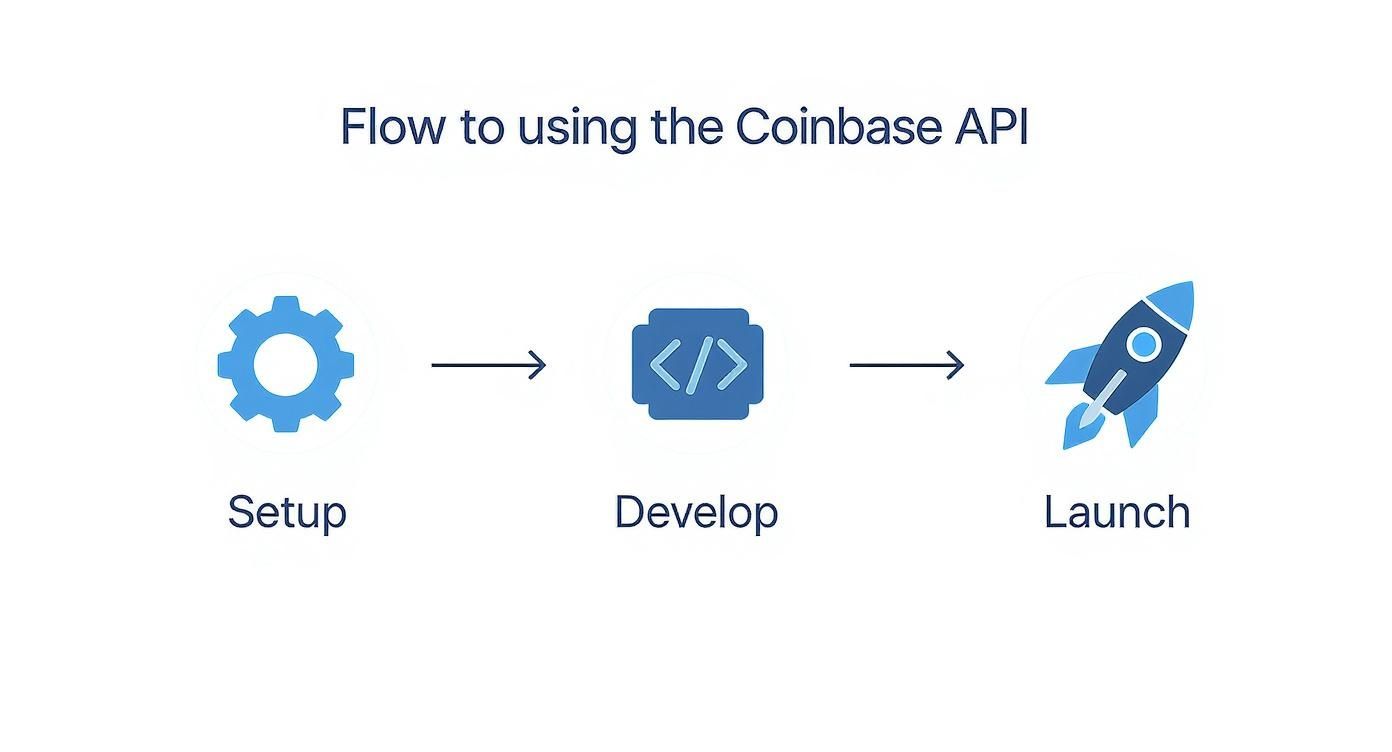
The key takeaway here is that a methodical approach to development is essential for getting your Coinbase-powered app off the ground successfully.
Creating the Request Signature
That signature is the real magic of the authentication process. It’s an HMAC-SHA256 hash that proves the request is authentic and hasn't been messed with. To create it, you first build a prehash string by mashing together the timestamp, the HTTP method (like GET or POST), the request path, and the request body. Then, you sign that string with your secret key.
While the API key method is perfect for your server talking to Coinbase's server, there's another option for apps that act on behalf of users. The OAuth2 flow lets you redirect a user to Coinbase to grant your app permission. Once they approve, your app gets an access token to make authorized API calls. If you're building with an AI tool like our vibe coding studio at Dreamspace, you'll find these authentication flows can be set up with very little manual work, letting you get to the fun parts faster.
Navigating Core Exchange API Endpoints
The Exchange API is where the real action happens. It’s your toolkit for building trading applications and managing accounts directly on Coinbase. Think of this section as your reference manual for the most critical REST endpoints you'll be working with. I’ve broken them down into three logical groups: Accounts, Orders, and Market Data.
This approach helps cut through the noise of the extensive official documentation, letting you zero in on what you need to get the job done. Before we jump in, though, having a good grasp of key REST API concepts will make everything that follows much easier to understand.

Managing Your Accounts
First things first, let's talk about accounts. These endpoints are your entry point for handling user assets and transaction history. If your app needs to show a portfolio or track financial activity, you’ll be spending a lot of time here.
Here are the essential endpoints for account management:
- List Accounts (
GET /accounts): This is your starting point. It fetches a complete list of all trading accounts tied to the authenticated user. The response gives you everything you need—account ID, currency, balance, and what's available to trade. - Get an Account (
GET /accounts/{account_id}): Need to check on a specific wallet? Just pass its unique ID to this endpoint. It's perfect for quickly refreshing the balance of a single account without pulling all the data again. - Get Account History (
GET /accounts/{account_id}/ledger): This one gives you the full story. It retrieves a detailed, paginated history of every transaction for a specific account, including trades, transfers, and fees.
Placing and Managing Orders
This is the core of any trading application. The order endpoints are how you programmatically execute trades on the exchange. The API gives you precise control, supporting different order types to fit your strategy.
One of the most powerful features here is the support for both market orders (which execute instantly at the current price) and limit orders (which only execute at a price you specify or better). This flexibility is absolutely crucial for building any kind of sophisticated trading bot.
Let's break down the main order functions:
- Place a New Order (
POST /orders): This is how you create a new buy or sell order. You'll need to specify key parameters like theproduct_id(e.g., 'BTC-USD'), theside('buy' or 'sell'), and the order type. - Get Order Status (
GET /orders/{order_id}): Once an order is live, you can use its ID to check up on it. The API will tell you if the order is still open, has been filled, or was canceled. - Cancel an Order (
DELETE /orders/{order_id}): Made a mistake or the market moved against you? As long as an order is still open, you can cancel it with a simpleDELETErequest to this endpoint.
To give you a clearer picture, here’s a quick-reference table summarizing the most common endpoints you'll be using.
Key Coinbase Exchange API Endpoints
This table should serve as a handy cheat sheet as you start building and integrating these functions into your application.
Accessing Market Data
Finally, we have the market data endpoints. This is the lifeblood for any analytics tool, charting software, or trading algorithm. These endpoints give you a real-time feed of the exchange's activity and let you pull historical data to backtest your strategies.
When you're building out complex dashboards with this data, a platform like Dreamspace—a vibe coding studio and AI app generator—can be a huge time-saver. It can handle a lot of the heavy lifting with data fetching and visualization, letting you focus on the logic.
Tapping Into On-Chain Data with the Data API
If the Exchange API is all about trading, think of the Data API as your direct line to the blockchain itself. Getting your hands on rich, indexed on-chain data is a must for any serious analytics, compliance, or research work, and this API is a ridiculously powerful way to query it.
Forget about the headache of running your own node—that's a huge resource drain. Instead, you can hit these endpoints to get processed data that's ready to go. It’s perfect for apps that need to track transactions or dig into wallet activity without all the operational overhead.
Pulling Full Wallet Histories
One of the real gems here is the Address History API. This thing lets you pull a complete, ordered history of every transaction for any wallet address on chains like Bitcoin and Ethereum.
This is an absolute game-changer if you're building tools that need a complete financial picture of an address. Imagine building a portfolio tracker that doesn't just show current balances but actually maps out the entire transaction history—sends, receives, and even smart contract interactions. That kind of detail is non-negotiable for serious blockchain data analysis.
What really makes it work is the performance. The low-latency design means even real-time applications can query address histories without a hitch.
Making Sense of the Response Data
When you query an address, the API sends back a clean, structured JSON response that’s a breeze to parse. Every transaction in the history comes packed with the critical details you'll need.
- Transaction Hash: The unique ID for the transaction on-chain.
- Sender/Receiver Addresses: Who sent it (
from) and who got it (to). - Amount: The value of the asset that was moved.
- Timestamp: The exact time the transaction was confirmed.
This consistent format makes it incredibly simple to pull the data into your projects. If you're building in a tool like Dreamspace, our vibe coding studio, you can instantly generate the code to fetch this info and spin it into a working UI.
Coinbase built its Data API for speed. The Address History API, for example, often returns data in under 500 milliseconds. That kind of speed is essential for institutional and retail apps that rely on real-time audit trails and compliance checks across different blockchains.
The underlying infrastructure handles massive scale. In 2023, Coinbase processed over $80 billion in quarterly trading volume, and a huge chunk of that was powered by automated systems hitting these very APIs. You'll even find specialized endpoints for things like tracking crypto index compositions, giving quantitative funds and data providers the granular historical data they need. You can learn more about Coinbase's powerful data solutions on their site.
If you're looking to accept crypto payments, the Coinbase Commerce API is your go-to. It’s a clean and direct way to plug cryptocurrency transactions right into your e-commerce platform or app, instantly opening your business up to a global audience.
The whole system revolves around a simple concept: the charge. When a customer hits "buy," your application creates a charge. This isn't just a number; it's a unique transaction record with a specific payment address and amount. This little detail is what makes tracking every single payment a breeze.
Monitoring the Transaction Lifecycle
Once you've created a charge, you need to know what's happening with it. That's where the Commerce Payment Status API comes in, giving you a real-time window into the payment's journey. Every transaction passes through a few clear stages.
- New: You’ve created the charge, but the network hasn't seen a payment yet.
- Pending: A payment has been detected on the blockchain but is still waiting for confirmations.
- Completed: The transaction has enough blockchain confirmations to be considered final and successful.
Getting this flow right is crucial for automating your business. You definitely don't want to ship a product before the payment is fully locked in. When you're building out these payment flows, using a vibe coding studio like Dreamspace can really speed things up by generating the code needed to react to these status changes.
Automating with Webhooks
Checking the API over and over again for status updates is a drag and not very efficient. The smarter way to do it is with webhooks. Think of webhooks as automatic alerts that the Coinbase API pings your application with whenever something important happens.
You can set up your system to listen for specific events, like charge:confirmed, which could automatically trigger your shipping process. Or, if a payment fails, the charge:failed event could kick off an email to the customer. This event-based model is just a much cleaner and more reliable way to build.
The Coinbase API isn't just for trading; it's a major part of the company's push into the crypto payments space. By late 2023, more than 8,000 merchants worldwide were already using Coinbase Commerce, which shows just how powerful this bridge between traditional and decentralized finance has become. You can dive deeper into the payment status system and all its features in their official docs.
Handling API Errors and Rate Limits
Let's be real—building a solid application means planning for when things break. When you're working with the Coinbase API, you have to build in smart error handling and play by their rules. This section will walk you through creating a resilient integration that doesn't fall over at the first sign of trouble.
Every developer has been there. A typo in your request, a stale API key, or a temporary hiccup on the server can all throw an error. How your app interprets and reacts to these errors is what separates a professional tool from a fragile script. If you skip over error handling, you're just setting yourself up for a terrible user experience.
Common HTTP Status Codes
When a request goes sideways, Coinbase sends back a standard HTTP status code. This is your first and best clue as to what went wrong. You'll want to code your app to listen for and handle these common responses.
Here are the codes you'll run into most often:
- 400 Bad Request: This one’s on you. It usually means your request is malformed—maybe you sent invalid JSON, forgot a required parameter, or passed a value that doesn't make sense. Go back and check your request body against the official docs.
- 401 Unauthorized: This is purely an authentication issue. Your API key could be wrong, the signature you generated might be invalid, or the key simply doesn't have the permissions needed for that specific action.
- 500 Internal Server Error: This isn't your fault; it signals a problem on Coinbase's side. The best move here is to pause for a moment and then try the request again.
Understanding Rate Limits
Coinbase uses rate limits to ensure the platform stays stable and available for everyone. This just means you can only make a certain number of API calls in a set period. If you push past that limit, you'll get hit with a 429 Too Many Requests error.
Generally, public endpoints are limited by your IP address, while private, authenticated endpoints are limited on a per-user basis. These limits are often based on requests per second. For example, some endpoints may cap you at 10 requests per second.
When you get a
429error, check the response headers. Coinbase often includes aRetry-Afterheader that tells you exactly how many seconds to wait before trying again. Following this is just good API etiquette.
Implementing Exponential Backoff
When you get a 429 or 500 error, don't just immediately retry. That’s a surefire way to make the problem worse. A much better approach is exponential backoff. It's an algorithm where you progressively increase the delay between your retries after each failure.
For example, you could wait 1 second after the first failure, 2 seconds after the second, 4 after the third, and so on. This simple strategy eases the load on the API and gives any temporary issues time to resolve, making it much more likely your next request will succeed. You can scaffold this logic quickly using tools like Dreamspace, an AI app generator, which lets you focus on your app's core features instead of boilerplate code.
Building Your First Crypto App with Dreamspace
It’s one thing to read through the Coinbase API docs, but it's a completely different ballgame to actually turn all that theory into a working app. That jump from documentation to live code can be a real grind, full of boilerplate setup, tricky authentication logic, and the usual state management headaches.
This is exactly where Dreamspace comes in. It's a vibe coding studio built to turn API specs into functional apps, fast. Think of it as an AI app generator that lets you focus on your app's actual purpose instead of getting stuck in the weeds of repetitive coding. Let's run through a couple of practical examples to show you what this looks like with the Coinbase API.
Example 1: Building a Simple Portfolio Tracker
First up, a classic: a simple portfolio tracker. The idea is to build a dashboard that connects to the Coinbase Exchange API, grabs all your account balances, and shows them in a clean UI. This is a foundational project for anyone getting into financial APIs.
Using Dreamspace, you can cut straight to the chase. Just describe what you want in plain English, something like, "Create a component that fetches and displays Coinbase account balances." The AI takes that prompt and generates the code to handle the authenticated GET /accounts request, parse the response, and map everything to front-end elements.
The advantages here are pretty clear:
- Faster API Integration: Dreamspace scaffolds the API call for you, complete with the right authentication headers we covered earlier.
- Automatic UI Generation: It can spin up a basic but totally functional UI component to list out your accounts and balances.
- Less Boilerplate: You get to skip all the manual setup for state management and data fetching.
Example 2: Creating an Automated Trading Bot
Ready for something more advanced? Let’s imagine a basic automated trading bot. This app would connect to the Coinbase API, keep an eye on an asset like BTC-USD, and fire off a POST /orders request when a specific signal hits—say, the price drops by 3% within an hour.
If you were building this from scratch, you'd be setting up a WebSocket for real-time price data, coding the trading logic, and securely handling the API calls for placing orders. With Dreamspace, you describe these moving parts, and the AI app generator gives you the code foundation. This frees you up to focus on what really matters: perfecting the trading strategy itself.
Learning how to effectively code with AI is quickly becoming a core skill, and tools like Dreamspace are showing what's possible.
These examples really highlight how a vibe coding studio can take the friction out of development. By automating the bridge between the Coinbase API documentation and a live application, you can get your ideas built, tested, and shipped faster than ever.
Questions People Actually Ask About the Coinbase API
Reading the Coinbase API documentation is one thing, but actually putting it to work in a real application is a whole different ball game. You’re bound to hit a few snags. This section cuts straight to the chase, answering the questions that trip up developers most often.
Getting these details right from the start is the difference between a secure, stable app and a project that’s a constant headache. Let's get these common questions sorted.
How Do I Secure My Coinbase API Keys?
This one’s a big deal. API key security is everything. The absolute golden rule is to never hardcode your keys directly into your source code. Seriously, don't even think about committing them to a public repo on GitHub. The industry-standard approach is to store them as environment variables on your server.
If your app has a frontend (like a React or Vue project), you need a backend service to act as a middleman. Your client-side app talks to your secure backend, and then your backend makes the authenticated calls to the Coinbase API. This setup ensures your secret key never gets exposed to the browser.
Also, stick to the principle of least privilege. When you generate a new API key, only give it the permissions it absolutely needs. If your app just reads market data, it has no business having 'trade' or 'transfer' permissions.
What Is the Difference Between the Exchange and Pro APIs?
This question comes up all the time, and it's totally understandable given Coinbase's history. For a long while, Coinbase ran a separate platform called Coinbase Pro (which itself started as GDAX), and its API was known as the "Pro API."
That's all in the past now. Coinbase has since merged its retail and advanced trading platforms. The current, main API for any kind of programmatic trading is what this guide calls the Exchange API. If you're starting a new project, you should be working exclusively with the official, up-to-date Coinbase API documentation for the Exchange REST and WebSocket APIs. That's how you'll get the latest features and stay compatible.
Can I Access Real-Time Market Data with the API?
Yep, and you have two great options. The first method is simply polling the REST API. You can hit endpoints like /products/{product_id}/ticker on a set interval to get the latest price and volume data.
Polling is fine for some use cases, but for genuine, low-latency real-time data, the WebSocket feed is a much better tool. It allows you to subscribe to specific channels—like 'ticker', 'level2', or 'matches'—for whatever trading pairs you're interested in. The WebSocket keeps an open connection and pushes updates to your app the second they happen, which is exactly what you need for building trading bots or live charting tools.
How Does Dreamspace Simplify API Integration?
Look, integrating APIs involves a lot of tedious work. You have to manually write the code for every API call, figure out how to craft authentication headers, parse the JSON responses, and handle all the potential errors. Dreamspace, as a vibe coding studio and AI app generator, just gets rid of that busywork.
Instead of writing all that boilerplate code by hand, you can use Dreamspace’s visual interface to connect to Coinbase endpoints. Its AI will generate the actual code snippets you need to fetch data, send requests, and deal with the responses, which saves an incredible amount of development time. It lets you focus your brainpower on what makes your application unique—like designing a killer trading strategy or building beautiful data visualizations—while Dreamspace takes care of the API plumbing.
Ready to turn the Coinbase API documentation into a functional onchain application? With Dreamspace, you can generate smart contracts, query blockchain data, and launch your project with AI. No code needed. Start building today at https://dreamspace.xyz.