
Change Domain Name: How to Preserve SEO During Migration
Before you touch a single DNS record, you need a game plan. Changing your website's domain isn't just a technical task; it's a major strategic move that can make or break your online presence. Getting it right means thinking through your new brand identity, auditing everything you've built, and letting your users know what's coming.
This is doubly true for onchain apps, where your domain is tangled up with smart contracts and decentralized systems. A sloppy migration can cause more than just a 404 error—it can break core functionality.
Your Pre-Migration Strategic Playbook
Jumping straight into the technical side of a domain change without a solid strategy is a classic mistake. It's how you end up with tanking SEO, confused customers, and a brand identity that feels disjointed. Think of this phase as drawing up the blueprints before the construction crew arrives. Every step you take from here on out needs to be deliberate.
For apps built with a platform like Dreamspace, the vibe coding studio, this planning stage is non-negotiable. Your domain is deeply integrated into your onchain components, so a thoughtless switch can bring things to a screeching halt.
Choosing a New Domain That Supports Your Future
Your domain is more than just a web address; it's the foundation of your brand's future. It needs to be memorable, easy to spell, and—most importantly—aligned with where your project is headed. Maybe your original name feels too narrow now, or it just doesn't capture the essence of what you've become.
We're seeing an interesting trend in the market. While old-school extensions like .com and .net have actually seen a 2.1% dip in new registrations, the newer generic top-level domains (gTLDs) have surged with 15.9% year-over-year growth. This tells us that people are moving towards more creative and brand-specific extensions to stand out.
Here’s what to think about when you're brainstorming:
- Brand Fit: Does the name reflect who you are now and who you want to be in five years?
- Memorability: Can someone hear it once and type it correctly? Keep it simple.
- Availability: Is the domain free? What about the social media handles? Check them all.
- The Right Extension: Does a modern TLD like
.appor.xyzfeel more fitting for your onchain project than a traditional.com?
Conducting a Comprehensive Site Audit
You can't move house without knowing what's in every room. A full site audit is your inventory—a master list of every URL, backlink, and piece of content tied to your old domain. This audit is your roadmap for the entire migration, ensuring nothing gets lost in transit.
A domain migration without a pre-launch audit is like navigating without a map. You might eventually reach your destination, but you'll almost certainly get lost, leave things behind, and take unnecessary damage along the way.
To get started, use a tool like Screaming Frog or Ahrefs to crawl your entire site. The goal is to get a spreadsheet of every single URL. This document is pure gold when it comes time to set up your 301 redirects, which are essential for telling search engines "Hey, this page moved over here permanently."
If you've built your site on a platform, understanding its structure is key. Our guide on the differences between an AI website builder and WordPress can give you some useful context on how content is organized, which helps during an audit.
Before we go any further, let's put this into a quick checklist. Running through these tasks before you start the migration will save you a world of headaches.
Pre-Migration Checklist
This checklist summarizes the critical groundwork needed to ensure a smooth transition. Don't skip these steps; they're your best defense against common migration pitfalls.
Completing this checklist gives you a solid foundation, ensuring all subsequent technical steps are built on careful planning rather than panicked reactions.
Setting Success Metrics and Communicating the Change
How will you know if this was all worth it? You need to define success before you start. Decide on your Key Performance Indicators (KPIs) now—things like organic traffic, keyword rankings for your top 10 pages, user sign-ups, and bounce rate. Get a baseline measurement so you can see the real impact of the change.
Finally, don't leave your users in the dark. A sudden domain change is confusing and can erode trust. Get ahead of it with a clear communication plan:
- On-Site Banners: A few weeks out, add a banner to your homepage announcing the move.
- Email Blasts: Let your subscribers know what’s happening and why you’re excited about it.
- Social Media Updates: Keep the conversation going on all your channels.
This kind of proactive communication reassures your community and minimizes the dip in engagement that often comes with big changes. By doing this strategic prep work, you’re not just changing a URL—you're setting your brand up for its next chapter.
Executing the Technical Domain Migration
Alright, you've got your strategy locked in. Now it's time to get your hands dirty with the technical side of the domain change. This is where the details really, really matter. One wrong move can lead to downtime, broken links for your users, and a nosedive in your search rankings.
Let's break down exactly what you need to do, from buying your new digital address to making sure every visitor ends up in the right place.
If you’re using Dreamspace, our vibe coding studio, this part is especially critical. Dreamspace builds production-ready onchain apps, so your domain is hardwired into more than just your web pages—it connects to app settings and even smart-contract interactions. Nail these steps, and your AI-generated app will keep running smoothly.
This graphic lays out the groundwork you should have covered before you even start the technical migration. Think of it as your pre-flight checklist.
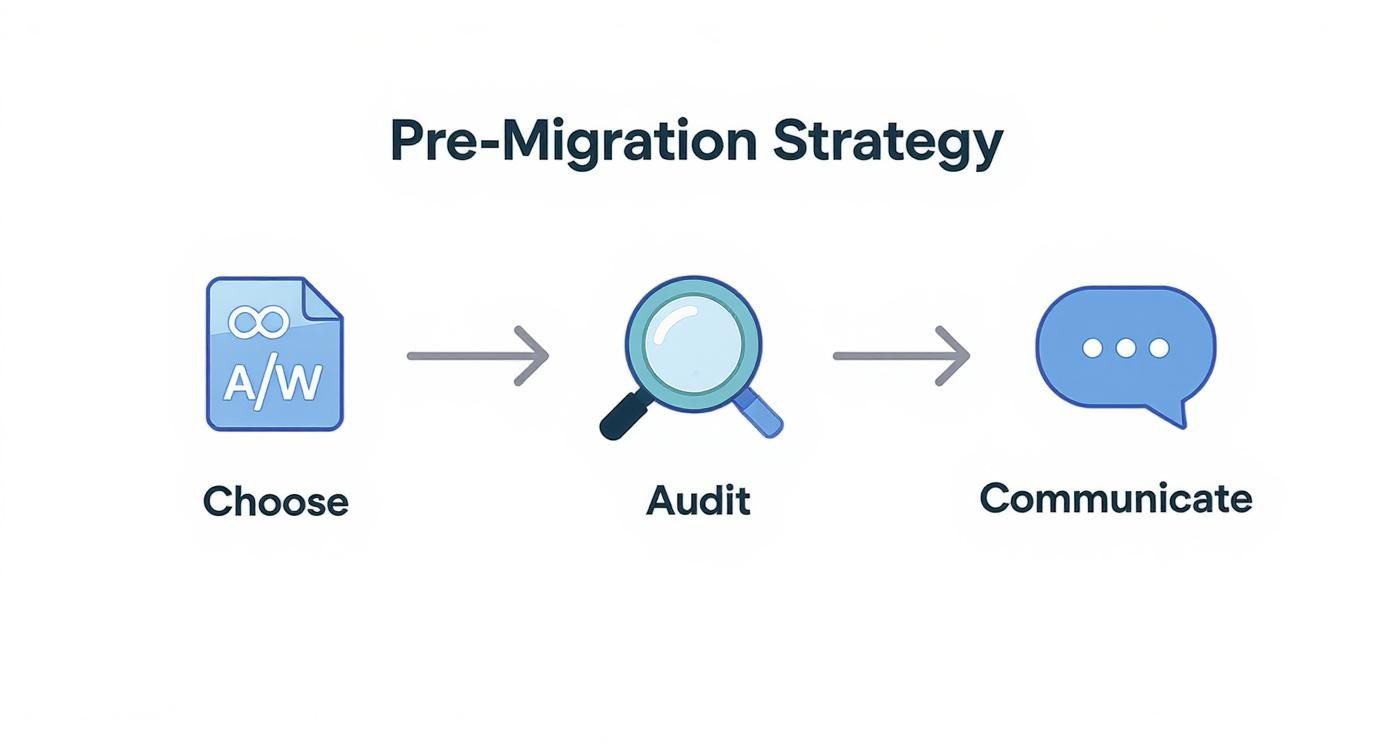
It’s all about building on a solid foundation. Rushing this is how mistakes happen.
Securing Your New Domain and Hosting Environment
First up, you need to officially buy your new domain name from a registrar. Once it's yours, you'll jump into its DNS settings and point it to your website's hosting server. This is basically giving the internet the new mailing address for your site.
Next, you have to get your hosting environment ready. You need to make sure it's configured to accept traffic coming to your new domain. Most modern hosts have a simple "add-on domain" feature in their control panel that makes this a breeze. This step is what tells your server, "Hey, when someone visits this new URL, show them these website files."
The Cornerstone of SEO Preservation: 301 Redirects
If you only remember one thing from this whole guide, let it be this: implementing permanent 301 redirects is non-negotiable. Seriously. A 301 redirect is a command that tells browsers and search engines that a page has moved forever, automatically sending visitors from the old URL to the new one.
Why is this so vital? A 301 passes most of your hard-earned SEO juice—all that link equity and your page rankings—from the old URL to the new one. Skipping this is like moving to a new house and not forwarding your mail. All your online authority gets lost, and your rankings will crater.
You absolutely must create a one-to-one map for every important page.
- Your old homepage has to redirect to your new homepage.
old-domain.com/about-usmust go tonew-domain.com/about-us.old-domain.com/blog/awesome-postmust point directly tonew-domain.com/blog/awesome-post.
A common—and disastrous—mistake is setting up a blanket redirect that points all old pages to the new homepage. This creates a terrible user experience and tells Google your old content is just gone, wiping out your page-specific rankings.
Updating Security and Platform Settings
With your redirects set, it's time to secure your new domain with an SSL certificate. This is what enables HTTPS, encrypting the connection between your server and your visitors. Without a valid SSL, browsers will flash big, scary security warnings, killing user trust and hurting your SEO. Thankfully, most hosts offer free SSLs that are easy to install.
Now, for the crucial Dreamspace-specific step. You need to log into your Dreamspace dashboard and update your app's settings to use the new primary domain. This ensures that any auto-generated URLs, API endpoints, or onchain references inside your app are pointing to the correct new address.
This is a small tweak that prevents major headaches for your users. The fact that it's this simple is a perfect example of how you can learn more about what is no-code development and the power it gives you to manage complex apps without a line of code.
By tackling these technical steps with care, you’re not just moving a website—you're methodically transferring its value and ensuring a seamless switch for both your users and search engines.
Okay, you’ve wrestled with the DNS settings and got the new site live. The technical heavy lifting is done, but now comes the part that keeps every site owner up at night: protecting your SEO. All that hard-earned ranking and traffic is on the line. Getting this wrong can turn a rebrand into a traffic nosedive.
This is your game plan for making sure search engines—and your users—don't lose track of you. We'll cover the crucial steps to signal that you’ve moved, not disappeared, ensuring all the authority from your old domain transfers cleanly to the new one. For anyone running apps built with an AI app generator like Dreamspace, this is absolutely critical for preserving the organic growth you’ve worked for.
Officially Announce Your Move to Google
First things first: you need to tell Google directly that you've moved. The "Change of Address" tool in Google Search Console is your official channel for this. It’s like filing a change of address with the post office—it’s the fastest way to get your mail (in this case, search traffic) sent to the right place.
Using this tool tells Google to start prioritizing your new domain for crawling and indexing, which can dramatically speed up the entire transition. Just make sure you've verified both your old and new domains as separate properties in your Search Console account before you start.
Update and Submit Your New Sitemap
Once Google knows about the move, you need to hand over a new map. Your XML sitemap is essentially a blueprint of your website, listing all the important pages for search engines to find.
You'll need to generate a brand new sitemap that uses all your new URLs. After it's created, jump back into Google Search Console and submit it under your new domain property. This nudges Google to start crawling the new URLs and helps get them indexed much quicker.
Quick tip: Don't just delete your old sitemap. Leave it up for a little while. This helps Google connect the dots between your old pages and the new ones via the 301 redirects you set up.
The Essential Task of Updating Internal Links
Your 301 redirects are handling traffic from outside your site, but what about all the links inside your own content? Think about it—every blog post, service page, and footer link is probably hardcoded to point to your old domain.
If you leave them, they’ll still work, but they create a messy "redirect chain." A user clicks an old link, gets bounced by the redirect, and then lands on the new page. It’s clunky, adds a tiny bit of load time, and can dilute link equity over time.
This is where you have to do a deep dive and run a search-and-replace across your entire database. It’s a bit tedious, but it creates a much cleaner foundation for your new domain’s SEO. While you're at it, double-check your canonical tags. They absolutely must point to the new domain's URLs to avoid confusing search engines with duplicate content. For a solid grasp on this, understanding proper canonical tag implementation is a must-read.
Reclaiming Your Off-Page SEO Power
Finally, it's time to look beyond your own website. A huge part of your site's authority comes from your backlink profile—all those links pointing to you from other websites. While your 301 redirects will pass most of that SEO juice, a direct link is always better.
Here’s a simple outreach strategy:
- Use an SEO tool to pull a list of all your backlinks.
- Sort them by authority and identify your most valuable links.
- Find the contact info for the editors or site owners of those top-tier sites.
- Send a friendly email letting them know about your new domain and politely ask if they wouldn't mind updating the link.
Most people skip this manual outreach, but it can make a noticeable difference in how fast your new domain re-establishes its authority. In a world where global domain registrations have hit 368 million and are growing 13.5% year-over-year, protecting every bit of your existing SEO authority is more important than ever.
Updating Your Onchain and Web3 Identity
When you swap domains on a regular website, your biggest worries are usually traffic and SEO. But for an onchain app, the game changes entirely. The stakes are way higher. Your domain isn't just a convenient label; it's often hardcoded directly into the immutable logic of the blockchain itself.
This is especially true for projects built with an AI app generator like Dreamspace, where the platform does a fantastic job of linking your frontend to your onchain logic. If you overlook these deep-rooted connections during a move, you're not just risking a 404 error. You could break core features and completely derail how users interact with your dApp.
Hunting Down Hardcoded Onchain References
The single biggest headache in a Web3 domain migration is dealing with those hardcoded references. You can't just run a "find and replace" on a database like you would with a traditional site. Once a smart contract is out there, it's pretty much permanent.
If your old domain is baked into a smart contract—say, as the base URI for your NFT metadata—that link is now set in stone. This is how you end up with broken images, dead dApp features, and a serious loss of trust from your community.
To get ahead of this, you have to perform a thorough audit of all your onchain assets:
- Smart Contract Endpoints: Dig into your contract code. Are there any spots where the old domain is used to point to off-chain resources or APIs? If so, you might be looking at deploying a new version of the contract or, hopefully, using a proxy contract pattern that allows for updates.
- NFT Metadata URLs: Check the metadata for every NFT collection. If fields like
imageoranimation_urlpoint to assets on your old domain, those links are about to break. You’ll need to point the metadata to a new source and possibly trigger a metadata refresh, if your contract standard even allows for it. - API and Oracle Connections: Don’t forget about the external services or oracles your dApp depends on. Make sure they’re all updated with the new domain endpoint, otherwise your data feeds will go dark.
For anyone managing complex onchain systems, a domain change is a delicate surgery. Foresight is everything; designing contracts with updatable URI pointers from day one can save you a world of pain. Our guide on blockchain application development is a great resource that dives into these kinds of architectural best practices.
Aligning Your Decentralized Identity
Once the technical gremlins are sorted, a domain change is a golden opportunity. It’s your chance to unify your brand’s identity across both the old-school web and the decentralized one. Your presence on platforms like the Ethereum Name Service (ENS) or Unstoppable Domains needs to match your new brand.
This isn’t just for looks. It’s a huge part of building user trust and security in the Web3 world. When someone connects their wallet to new-brand.xyz, they need to see a consistent identity, not confusing leftovers from your old domain.
Mapping to ENS and Other Decentralized Domains
A great way to create a seamless brand experience is by mapping your new domain to a decentralized name. For example, you can set up an ENS name like newbrand.eth to resolve directly to your new website. Suddenly, your dApp is accessible through a clean, memorable Web3 address.
Getting this done involves a few key steps:
- Get the Decentralized Name: First, you have to actually register the name you want (like
yourbrand.ethoryourbrand.crypto) on its native service. - Set Up the Records: Next, you'll configure the resolver records for that name. This is where you set the content hash to point to your site’s IPFS deployment or add text records linking to your new domain, socials, and other brand assets.
- Update dApp Integrations: Finally, tweak your dApp's front end to recognize and show off the new decentralized name. This reinforces your brand at every single user touchpoint.
For anyone new to this part of the ecosystem, figuring out the process of claiming a Web3 domain is the perfect first step toward building that consistent onchain identity. By carefully updating your hardcoded references and aligning your decentralized presence, you ensure your domain change strengthens your project instead of undermining it.
You’ve flipped the switch, the new domain is live. That's a huge milestone, but the real work starts now. Think of the next few weeks as a shakedown cruise for your new digital home. You need to be watching everything like a hawk to make sure the transition is as seamless for your users and search engines as it was on paper.
Ignoring this phase is a classic mistake. You’ve launched the ship, but now you have to steer it through potentially choppy waters. Search engines are busy re-indexing, your users are getting used to the new address, and tiny technical glitches can easily go unnoticed. This is doubly true for an onchain app built with an AI app generator like Dreamspace, where you’re juggling both web traffic and dApp functionality.
Keep a Close Eye on Your Analytics and Rankings
Your mission control for this operation will be tools like Google Analytics and Google Search Console. They are your eyes and ears, giving you crucial feedback on how the migration is settling in. Don't just give the dashboards a passing glance—you need to dig in.
In Google Analytics, set up some custom alerts. You’ll want to know immediately if there’s a sudden, sharp drop in organic traffic. A small dip right after the change is normal, but a sustained freefall is a five-alarm fire. It probably points to a major issue with your redirects or indexing.
Over in Search Console, the "Coverage" report is your new best friend. Check it daily. You're looking for any spikes in crawl errors, especially 404s (Not Found) or redirect chain problems.
This post-migration window is all about separating the signal from the noise. Expect a bit of SEO turbulence for a couple of weeks. Proactive monitoring helps you spot the difference between normal ripples and a real problem that needs your immediate attention.
Your Post-Launch Testing Checklist
Automated reports are great, but they don't tell the whole story. It’s time for some good old-fashioned manual testing to ensure the user experience is actually working. Put on your user hat and navigate your site as if you're seeing it for the first time.
Your checklist should be ruthlessly thorough:
- Core Functionality: Click on everything. Test every single contact form, sign-up flow, login portal, and checkout process. Leave no button un-clicked.
- Link Integrity: Fire up a tool like Screaming Frog and run a full crawl on the new domain. Your goal is to hunt down and eliminate any internal links still pointing to the old site, fix any new 404s, and squash mixed content warnings (HTTP elements on an HTTPS page).
- Redirect Sanity Check: Grab a list of your most important old URLs—your top-performing blog posts, key service pages, etc. Manually type a dozen or so into your browser and make sure they snap directly to the correct new page with a clean 301 redirect.
- Onchain Interactions: This is non-negotiable for Dreamspace apps. Connect a wallet. Mint something. Fetch data. Make sure every single onchain function is working perfectly and hitting the right endpoints on your new domain.
This hands-on approach is the only way to be certain that all your hard work resulted in a smooth, bug-free experience.
To make sure you're tracking the right things, here are the key metrics to watch in your analytics and search console dashboards.
Key Monitoring Metrics After Domain Change
Keeping a close watch on these numbers will give you a clear picture of your migration’s success and help you react quickly if something starts to go sideways.
Have a Rollback Plan (Just in Case)
Even the most meticulous plans can hit a snag. If you uncover a catastrophic issue—like your entire site being de-indexed or a critical onchain function failing—you might need to hit the big red button and revert to the old domain temporarily. Your rollback plan is that emergency escape hatch.
It doesn't have to be some elaborate document. It's really just the migration plan in reverse: change the DNS records back to the old server and remove the 301 redirects. Just having this process mapped out gives you the peace of mind to act fast if disaster strikes, which will minimize downtime and protect your users.
In a world with 378.5 million domain registrations and a 4.5% year-over-year increase, a solid digital foundation is everything. You can explore more about these domain industry trends to understand just how crucial a well-managed domain is for modern businesses.
Common Questions About Changing Your Domain
Even the most buttoned-up migration plan comes with its share of "what ifs." It's completely normal. Let's tackle some of the most common questions that pop up, so you can move forward without any nagging doubts.
How Long Does SEO Recovery Take?
This is always the million-dollar question. After you flip the switch on a new domain, you're going to see some turbulence in your traffic and rankings—that’s just part of the process.
For a migration that's been handled correctly, you should see things start to settle down within a few weeks. But for a larger, more complex site, a full recovery might take a few months. It all boils down to how quickly search engines can crawl your new URLs, process all those 301 redirects, and get your content re-indexed under the new name. Your best friend during this time will be Google Search Console, so keep a close eye on it.
Why Must I Keep My Old Domain Registered?
Letting your old domain expire is one of the worst things you can do post-migration. Seriously. You need to hold onto it and keep it active for at least a year, though I’d argue for keeping it even longer.
The reason is simple: your 301 redirects live on that old domain. The second it expires, they all break. That means every bit of SEO juice, every user bookmark, and every backlink you ever earned just leads to a 404 error page. It's a small annual fee to pay for protecting years of hard work.
Think of your old domain as a permanent mail forwarding service. Canceling it means all your valuable packages—backlinks, direct traffic, and SEO signals—get returned to sender, or simply lost forever.
What Happens if I Don't Use 301 Redirects?
Forgetting to set up 301 redirects—or accidentally using a 302 temporary one—is like hitting the self-destruct button on your SEO. Without that permanent redirect, search engines treat your new site as a completely separate, duplicate version of the old one.
None of the authority, rankings, or link equity you've spent years building gets passed along. Your new domain is forced to start from square one, while your old pages eventually drop out of the search index, taking all their traffic with them. For apps built with an AI app generator like Dreamspace, where getting found is everything, it’s a wound you just can't afford.
Ready to build your next onchain project without the coding grind? With Dreamspace, you can generate production-ready smart contracts, blockchain data queries, and a full web app using AI. Start building your vision today at https://dreamspace.xyz.