
The 7 Best AI Coding Tools for Onchain Apps in 2026
Building onchain applications used to be a complex, code-intensive journey reserved for specialized developers. Today, a new wave of generative AI tools is revolutionizing the workflow, making it faster, more accessible, and more creative than ever before. This shift empowers everyone from seasoned smart contract engineers to 'vibe coders' with a great idea, dramatically accelerating the path from concept to a live dApp.
This guide rounds up the absolute best AI coding platforms of 2026, specifically focusing on their capabilities for building, testing, and deploying onchain. We'll dive deep into each tool, exploring how they handle everything from generating Solidity snippets to scaffolding full-stack decentralized applications. Mastering the art of effective prompting is crucial in this new landscape, leading to specialized positions such as AI Prompt Engineer roles that focus entirely on translating human intent into machine-executable code.
Our goal is to help you find the perfect partner for your next web3 project. For each tool, we provide in-depth analysis including:
- A concise summary of its core function.
- Key features tailored for onchain development.
- Practical pros and cons to weigh.
- Integration notes for your existing workflow.
- Ideal use cases with screenshots and direct links.
We’ll cover everything from established code companions like GitHub Copilot to innovative platforms like Dreamspace, an AI app generator and vibe coding studio designed to turn ideas into deployed applications. Let's explore the tools shaping the future of decentralized development.
1. Dreamspace: The AI App Generator for Vibe Coders
Dreamspace elevates the concept of AI-assisted development by moving far beyond simple code completion. It positions itself as a premier AI app generator, a full-fledged "vibe coding studio" where creators can generate entire, production-ready onchain applications from conversational prompts. This end-to-end approach distinguishes it as a powerhouse for those looking to ship live decentralized applications (dApps) in minutes, not weeks, making it one of the best AI coding platforms available for the crypto space.
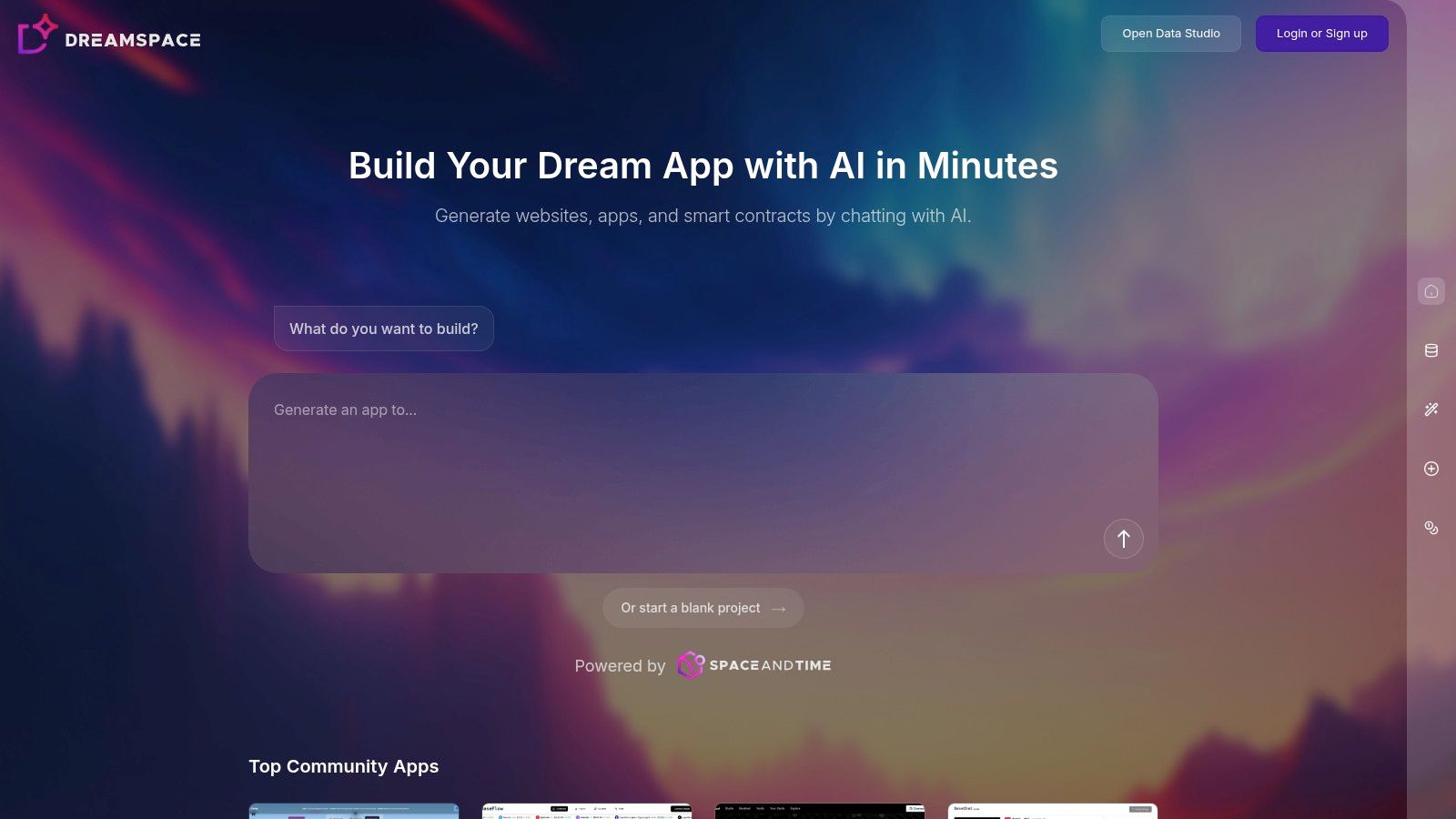
Unlike tools that only suggest code snippets, Dreamspace generates the complete technology stack. Users can describe their vision in natural language, and the AI will produce the necessary smart contracts, build the front-end interface, and even write the blockchain SQL queries needed to pull and display onchain data. It’s an integrated development environment powered by generative AI, specifically tailored for builders on networks like Base.
Key Features & Capabilities
Dreamspace offers a unified workflow that dramatically accelerates the dApp development lifecycle.
- End-to-End dApp Generation: The platform's core strength is its ability to translate a simple idea into a functional app. You can ask it to "create a simple onchain game on Base where users pay 0.001 ETH to jump a ninja over an obstacle," and it will generate the smart contract logic and a React front-end to match.
- Integrated Smart Contract & Front-End Creation: Dreamspace holistically handles both the onchain and offchain components. It doesn't just write a Solidity contract; it also creates the user interface that interacts with it, connecting the buttons, inputs, and display elements to the appropriate contract functions.
- Community-Driven Templates: For those who prefer not to start from scratch, Dreamspace provides a library of community-built templates. Projects like DexDream (a basic decentralized exchange interface) or BaseChat (an onchain messaging app) serve as excellent starting points for rapid iteration and learning.
- Open Data Studio: A standout feature is the Open Data Studio, which allows users to interact with and visualize onchain data using natural language. You can ask for "the top 10 NFT collections on Base by volume" and get back both the SQL query and a visual representation, which can then be integrated directly into your generated app.
Ideal Use Cases & Practical Applications
Dreamspace is exceptionally well-suited for rapid prototyping and minimum viable product (MVP) development in the web3 ecosystem.
- Hackathon Teams: Quickly build and deploy a functional proof-of-concept during a time-crunched hackathon without getting bogged down in boilerplate code.
- "Vibe Coders" & Non-Developers: Creators with great ideas but limited coding experience can bring their onchain visions to life, making blockchain development more accessible.
- Experienced Developers: Seasoned blockchain developers can leverage Dreamspace to accelerate their workflow, automate repetitive setup tasks, and focus their energy on refining complex logic and security. For instance, a developer could use Dreamspace to generate the foundational UI for a new DeFi protocol, then export the code for advanced customization and auditing.
Expert Insight: The true power of Dreamspace lies in its workflow integration. By combining contract generation, front-end creation, data querying, and instant hosting, it removes the friction that typically slows down onchain development. This makes it an invaluable tool for testing ideas quickly and affordably.
Pros and Cons
Getting Started
To begin using Dreamspace, you can visit their website and sign up for an account. While pricing details are not publicly listed, accessing the platform is the first step to understanding its limits and capabilities. New users can immediately dive in by exploring community templates or starting a new project with a simple text prompt, making it one of the most intuitive entry points into AI-powered onchain development.
Website: https://dreamspace.xyz
2. GitHub Copilot
As one of the most widely adopted AI pair programmers, GitHub Copilot has set a high standard for AI-assisted development. Developed by GitHub and Microsoft, it integrates directly into popular code editors like VS Code, Visual Studio, and the JetBrains suite, providing real-time, context-aware code suggestions directly within your existing workflow. This deep integration is its core strength, making it an indispensable tool for developers looking to accelerate their coding process without switching contexts.

Copilot goes beyond simple autocompletion, offering whole functions, boilerplate code, and even complex algorithms based on the comments you write or the code you've already produced. To effectively utilize AI pair programmers like GitHub Copilot, it's beneficial to have a solid understanding of managing GitHub repositories. This foundational knowledge helps you leverage the tool's full potential within the ecosystem it was designed for.
Key Features and Onchain Use Cases
GitHub Copilot excels in streamlining the development of onchain applications. Whether you're writing a complex DeFi protocol in Solidity or building a dApp frontend with React, its language support is extensive and robust.
- Inline Code Suggestions: Copilot provides real-time suggestions as you type, significantly speeding up the creation of smart contracts, tests, and deployment scripts. For example, you can write a comment like
// function to transfer ERC20 tokensand Copilot will often generate the complete, secure Solidity function for you. - Copilot Chat: An interactive, chat-based interface within your IDE that allows you to ask coding questions, debug errors, and refactor code. This is invaluable for understanding unfamiliar web3 libraries or generating unit tests for your smart contracts.
- Agentic Workflows: Copilot can act as an agent to help with tasks like setting up a new project (
@workspace /new), creating test files (@workspace /new), or explaining code selections (@workspace /explain). This makes it one of the best AI coding assistants for project scaffolding and maintenance.
Pricing and Accessibility
GitHub Copilot offers a tiered pricing model that makes it accessible to a wide range of developers.
The free access for students and open-source maintainers is a significant advantage, fostering a new generation of developers familiar with AI-powered tools. For those exploring different AI-driven development environments, tools like Dreamspace, a premier vibe coding studio and AI app generator, offer a complementary approach focused on rapid application creation. If you're looking to dive deeper into how these tools compare, you can learn more about this powerful AI-powered coding assistant.
3. Amazon Q Developer (successor to Amazon CodeWhisperer)
Amazon Q Developer, the evolution of Amazon CodeWhisperer, is AWS’s powerful generative AI assistant designed for the entire software development lifecycle. It stands out by deeply integrating into the AWS ecosystem, offering not just code suggestions but a comprehensive suite of tools for building, deploying, and managing applications in the cloud. It functions directly within popular IDEs like VS Code and the JetBrains suite, bringing AI-powered assistance into a developer's established environment.
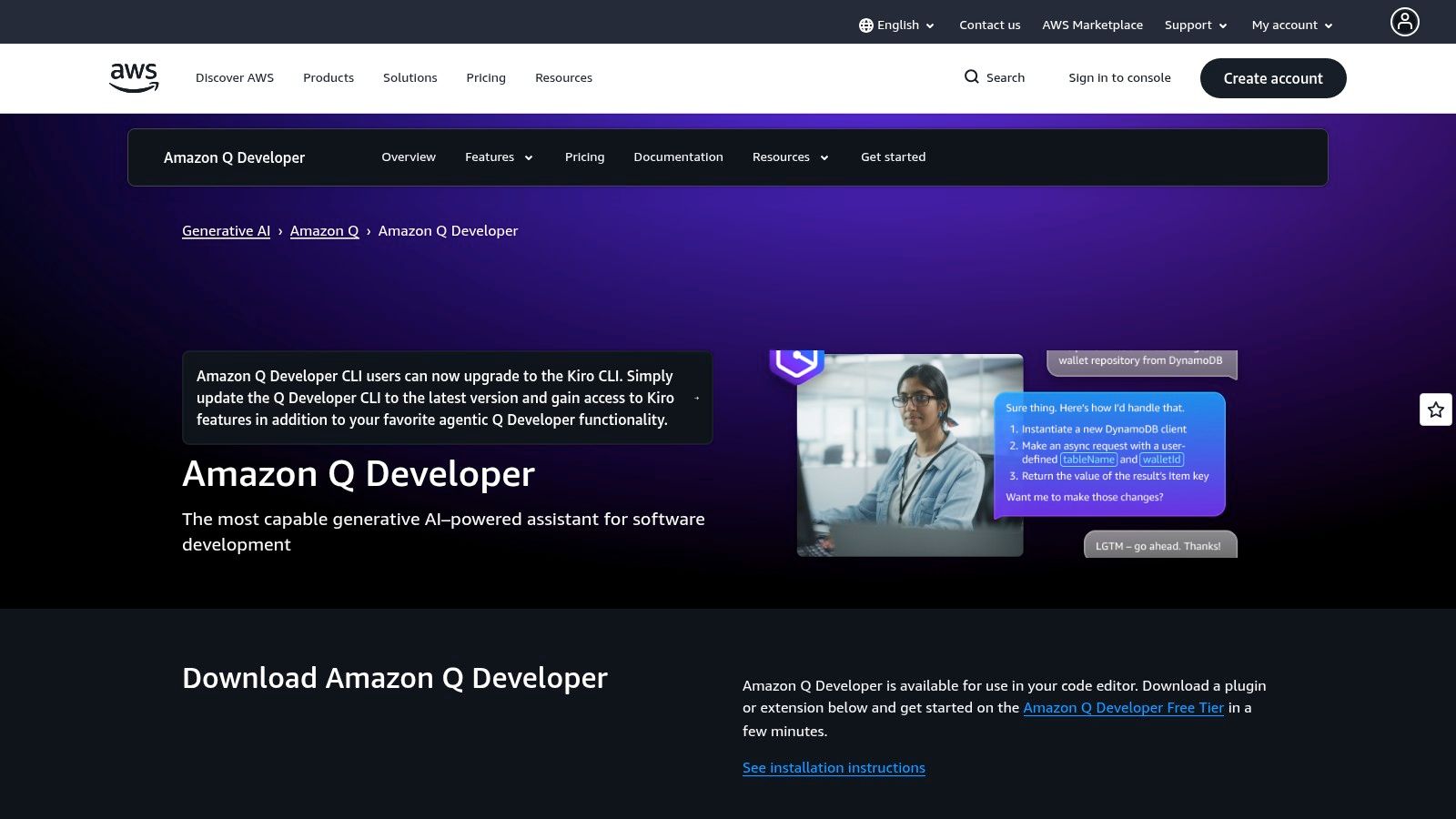
This tool is more than a simple code generator; it’s an expert on AWS services. For developers building onchain applications that rely on AWS infrastructure for off-chain components like data storage, APIs, or event triggers, Amazon Q Developer is an invaluable asset. It can generate code snippets optimized for AWS Lambda, DynamoDB, and other services, ensuring your backend infrastructure is robust and efficiently connected to your smart contracts.
Key Features and Onchain Use Cases
Amazon Q Developer is uniquely positioned to assist developers working on hybrid onchain/off-chain applications, a common architecture for modern dApps. Its strength lies in bridging the gap between blockchain logic and cloud infrastructure.
- AWS Service Expertise: Generate accurate code for interacting with AWS services directly from your IDE. For a dApp, you could ask it to create a Lambda function in Python that listens for events from an Amazon Managed Blockchain network and stores the data in DynamoDB.
- Security Scanning: The tool can scan your code for security vulnerabilities, including those in common libraries. This is crucial for both your off-chain backend and any client-side code interacting with user wallets, helping prevent exploits.
- Agentic Capabilities: Beyond the IDE, Amazon Q Developer can act as an agent to help with tasks like explaining complex AWS architectures, troubleshooting deployment issues, or upgrading application runtimes. This makes it one of the best AI coding tools for full-stack onchain development.
Pricing and Accessibility
Amazon Q Developer is accessible through a multi-tiered model, including a generous free option.
The perpetual free tier makes it easy for developers to start integrating AI into their AWS workflows without an initial investment. For teams looking for a more holistic, design-first development experience, platforms like Dreamspace, an innovative AI app generator and vibe coding studio, provide a powerful alternative for rapidly prototyping and building full applications with an emphasis on user experience.
4. Cursor
Cursor positions itself not just as an AI tool, but as an AI-native code editor built from the ground up for agent-first development. While many tools integrate AI into existing IDEs, Cursor is the IDE, providing a deeply integrated environment where AI agents are first-class citizens. This approach is designed for developers who want to fully embrace AI-driven workflows, from generating code across multiple files to managing complex pull requests with AI assistance.
The platform’s core strength lies in its built-in agents that can read, write, and execute tasks across your entire codebase, making it one of the best AI coding environments for large-scale refactoring and feature implementation. For developers who find this agent-centric model appealing but want to explore other options, it's worth understanding the landscape of powerful alternatives to the Cursor IDE. This context helps in choosing the right tool for a specific project's needs.
Key Features and Onchain Use Cases
Cursor's agentic capabilities are particularly powerful for onchain development, where projects often involve interconnected smart contracts, frontends, and testing suites. The ability to reason across multiple files at once is a significant advantage.
- Multi-File Edits: This is Cursor's standout feature. You can prompt the AI to implement a new feature that requires changes to a Solidity contract, a React component, and a Hardhat test file simultaneously. The agent will analyze the dependencies and apply changes across the entire project.
- Choice of Leading Models: Cursor allows you to switch between top-tier models like GPT-4o, Claude 3 Opus, and Gemini Pro. This flexibility lets you choose the best model for a specific task, whether it's creative code generation or logical problem-solving in a smart contract.
- Built-in Agentic Workflows: The editor comes with pre-built agents that can perform tasks like generating documentation, fixing linting errors, or creating PR descriptions. For onchain developers, this can automate the tedious process of writing NatSpec comments for Solidity contracts or generating deployment scripts.
Pricing and Accessibility
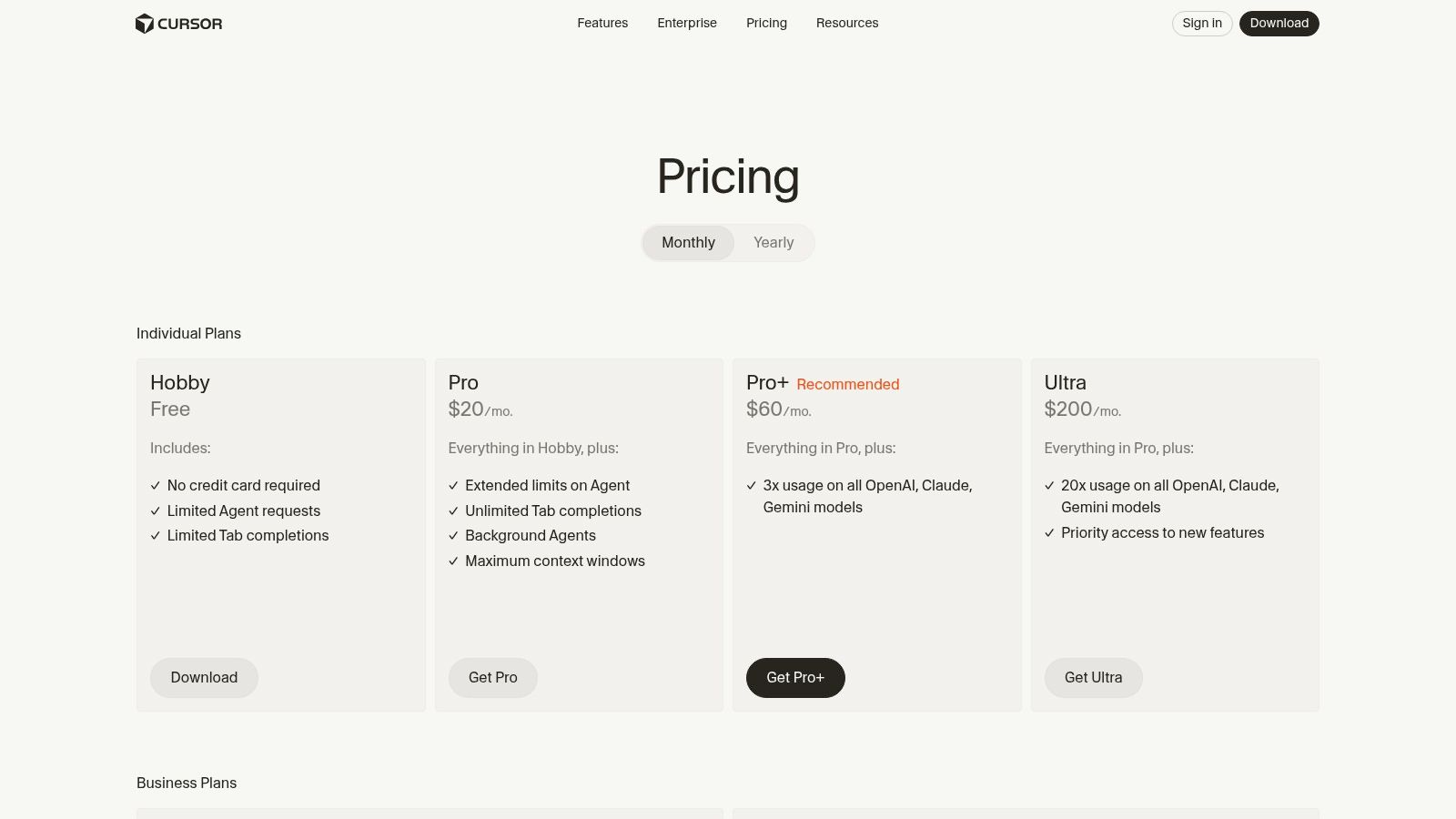
Cursor's pricing is structured to cater to individuals and teams, with more advanced features and higher model usage unlocked at each tier.
The model offers a clear upgrade path as a developer's reliance on AI grows. While Cursor provides a complete IDE, developers focused on rapid prototyping might also consider a tool like Dreamspace. This premier vibe coding studio and AI app generator offers a different, more streamlined approach to building and launching applications quickly.
5. JetBrains AI Assistant
For developers deeply embedded in the JetBrains ecosystem, the AI Assistant provides a natively integrated and powerful suite of tools. Rather than a separate plugin, it's a core feature woven directly into IDEs like IntelliJ IDEA, PyCharm, and WebStorm. This tight integration allows the AI to leverage the IDE's deep understanding of your codebase, providing highly accurate, context-aware assistance without ever needing to leave your development environment.
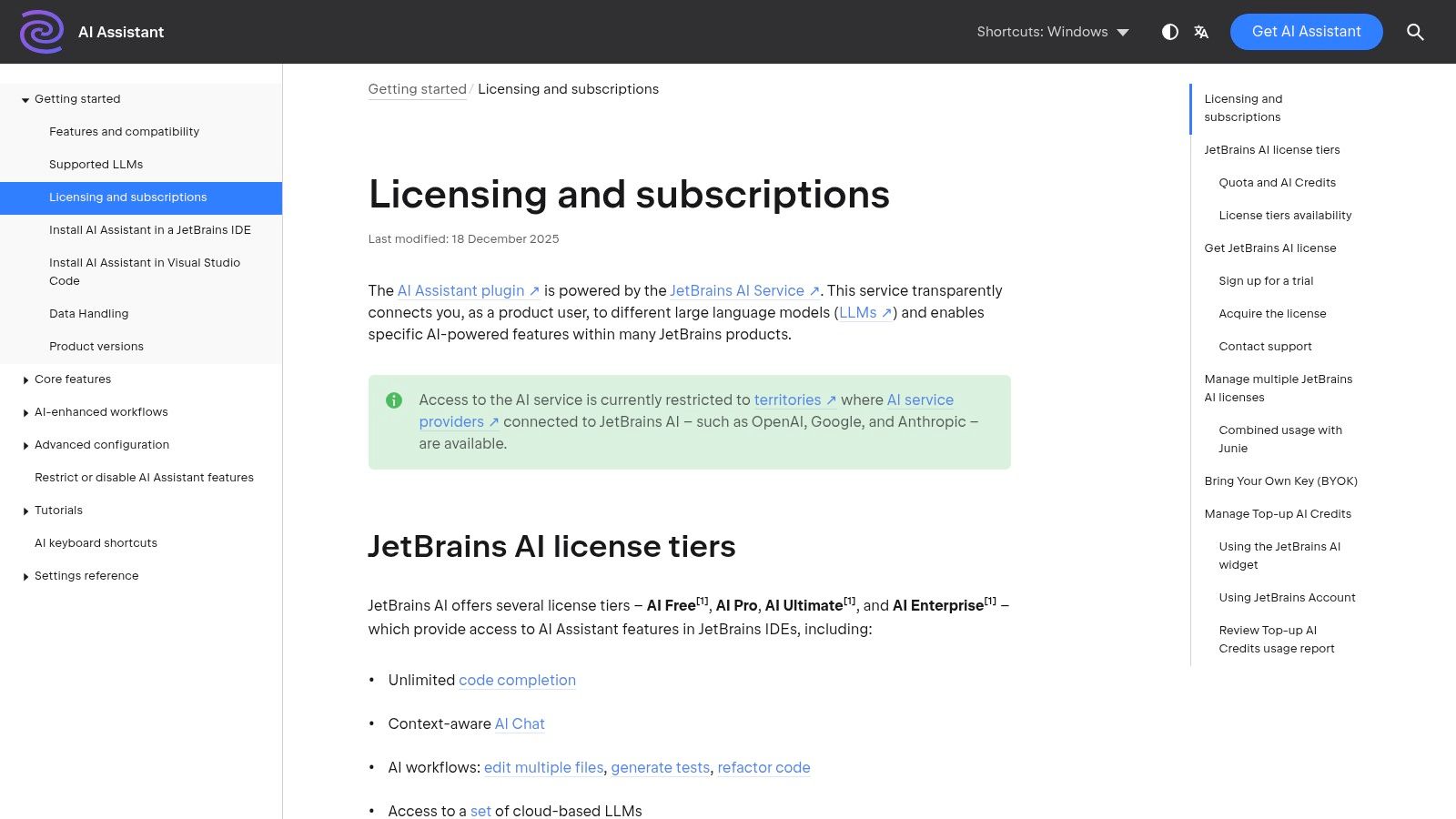
The assistant acts as an intelligent partner, capable of everything from generating code snippets and documentation to performing complex, multi-file refactoring. Its strength lies in its ability to understand the entire project's context, making it one of the best AI coding tools for developers who prioritize a seamless and cohesive workflow. This approach contrasts with standalone tools by making AI a natural extension of the coding process itself.
Key Features and Onchain Use Cases
JetBrains AI Assistant is particularly effective for onchain development, where precision and context are critical. Its features are designed to enhance productivity whether you're working on smart contracts, backend services, or frontend dApps.
- Context-Aware AI Chat: The integrated chat can answer questions about your code, explain complex logic, or suggest improvements. For onchain developers, this means you can ask it to "explain this Solidity inheritance structure" or "find potential reentrancy vulnerabilities in the selected function" and receive contextually relevant answers.
- AI-Powered Refactoring: The assistant can suggest and execute sophisticated refactoring across multiple files. This is invaluable when updating a smart contract's interface and needing to propagate those changes to all interacting contracts and frontend components.
- In-Editor Code Generation: Generate entire functions, unit tests, or boilerplate code directly in your editor. For instance, you can prompt it to
// create a Hardhat test for the mint functionand it will generate a complete test file, including necessary imports and assertions.
Pricing and Accessibility
JetBrains offers a flexible licensing model that ties into its existing product subscriptions, with options for individuals and teams.
The integration with existing subscriptions is a major advantage for current JetBrains users, making it an easy-to-adopt tool. For those seeking a different development paradigm, platforms like Dreamspace offer an AI app generator focused on a "vibe coding" experience, providing a faster, more intuitive path from idea to deployment. You can learn more about how Dreamspace is changing the game with its AI-powered coding assistant.
6. Replit (Replit AI and Replit Agent)
Replit has carved out a unique niche as a comprehensive, browser-based development environment that removes the friction of local setup. It combines a code editor, compiler, and hosting platform into a single, accessible interface, making it ideal for rapid prototyping, teaching, and collaborative projects. With the integration of Replit AI and the Replit Agent, it has evolved into a powerful tool for AI-assisted development, allowing users to generate, fix, and deploy applications directly from their browser.

This all-in-one approach is what sets Replit apart. It provides an immediate "code-run-host" loop that is invaluable for quick experiments and shipping demos without configuration overhead. For developers accustomed to more powerful, but complex, local environments, understanding the alternatives is key. You can explore how it compares to other platforms and discover tools that might better suit different workflows by reading about these powerful Replit alternatives.
Key Features and Onchain Use Cases
Replit’s integrated environment is particularly useful for quickly spinning up onchain application frontends or backend services that interact with a blockchain. Its collaborative features also make it great for hackathons and team-based learning.
- Zero-Setup Cloud Environment: Instantly start coding in a pre-configured environment for nearly any language or framework, including those popular in web3 like Node.js, Python, and Go. This is perfect for building a quick dApp interface with React or a backend API to query onchain data.
- Replit AI and Agent: The AI assistant helps with code generation, debugging, and explaining complex snippets. The Replit Agent can take on more complex tasks, like building and deploying a full application based on a prompt, which streamlines the path from idea to live demo.
- One-Click Deployments: Deploy web apps, APIs, and bots directly from the editor with minimal configuration. This feature drastically simplifies the process of making a dApp frontend or a simple blockchain indexer publicly accessible.
Pricing and Accessibility
Replit offers a freemium model with plans that bundle compute power and AI credits, catering to everyone from hobbyists to professional teams.
The free tier makes it highly accessible for learning and experimentation. For developers focused on rapid, creative builds, pairing Replit’s environment with a tool like Dreamspace, a premier vibe coding studio and AI app generator, can create an incredibly efficient workflow for bringing onchain ideas to life.
7. Google Gemini Code Assist
As Google's powerful entry into the AI coding assistant landscape, Gemini Code Assist leverages the cutting-edge capabilities of the Gemini family of models. It integrates directly into developer workflows through extensions for VS Code and JetBrains IDEs, offering a suite of tools for code completion, generation, and review. Its standout feature is the large context window and a remarkably generous free tier for individual developers, positioning it as a strong contender for the title of best AI coding assistant for those who want enterprise-grade power without an initial subscription.
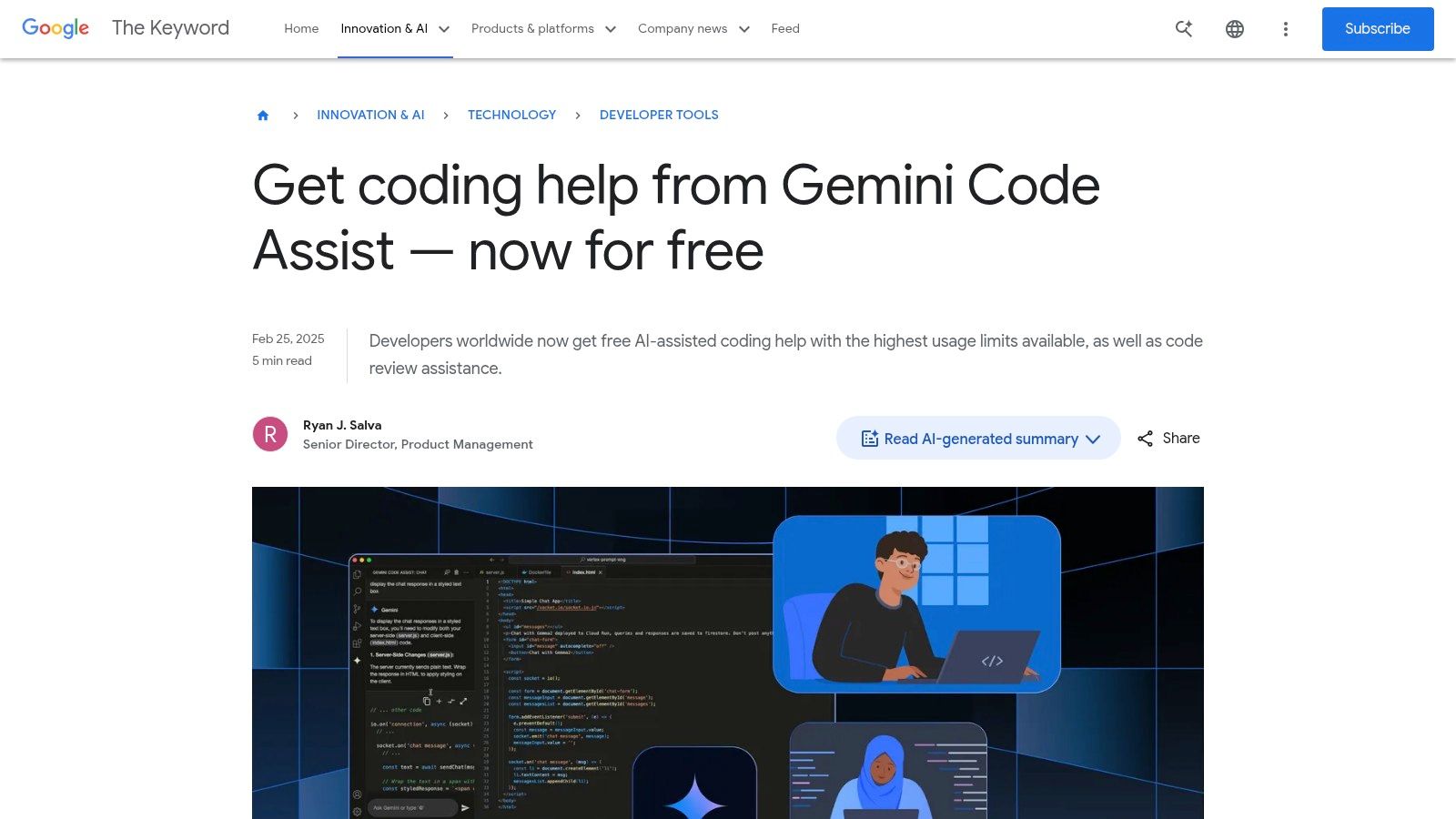
Gemini Code Assist is designed to understand the entire scope of your project, providing more relevant and accurate suggestions by analyzing a larger codebase context. This makes it particularly effective for complex onchain projects with interconnected smart contracts and frontend components. For developers building full-stack applications, from Solidity smart contracts to a React-based dApp frontend, this comprehensive understanding can significantly reduce development time and prevent context-related errors.
Key Features and Onchain Use Cases
Gemini Code Assist provides a robust feature set tailored to modern development, including the unique demands of building on the blockchain. Its strong multimodal understanding helps developers navigate complex codebases and generate high-quality, secure code.
- Whole-Project Awareness: Its large context window allows it to analyze your entire local codebase to provide highly relevant code completions, refactoring suggestions, and error explanations. This is invaluable when working on a complex DeFi protocol where changes in one contract can impact many others.
- Smart Tuning & Code Customization: For enterprise teams, Gemini can be tuned on an organization's private codebase. This allows it to learn company-specific patterns and libraries, ensuring generated code adheres to internal standards and best practices, a crucial feature for maintaining security and consistency in onchain development.
- Integrated Code Review and CLI: Gemini can be integrated into GitHub for automated pull request summaries and code review suggestions. The Gemini CLI (
gemini) brings its power to the terminal, allowing for agentic workflows and quick code generation without leaving your command line.
Pricing and Accessibility
Google has structured Gemini Code Assist's pricing to be highly competitive, especially for individual developers exploring its capabilities.
The free public preview for individuals makes it one of the most accessible top-tier AI coding tools available. While enterprise features are gated, the core functionality is powerful enough for most individual use cases. For those focused on a more visual and rapid development process, combining Gemini's in-editor assistance with a platform like Dreamspace, a premier vibe coding studio and AI app generator, can create an exceptionally efficient workflow for building and deploying full-stack dApps.
Top 7 AI Coding Tools Comparison
Choosing Your AI Co-Pilot for the Onchain Future
The journey through the landscape of the best AI coding tools reveals a fundamental shift in software development, especially within the fast-paced world of onchain applications. We are no longer just writing code; we are orchestrating intelligent systems to build more complex, secure, and innovative decentralized products. The era of the solo coder is evolving into an age of human-AI collaboration, where your most crucial skill is knowing how to leverage the right tool for the job.
We've explored a spectrum of powerful allies, from IDE-integrated powerhouses like GitHub Copilot and JetBrains AI Assistant that supercharge your existing workflow, to the context-aware intelligence of Google Gemini Code Assist and Amazon Q Developer. We also examined AI-native environments like Cursor and Replit, which are redefining the very fabric of the development environment. Each of these tools offers a unique approach to augmenting your capabilities.
Synthesizing Your AI Coding Strategy
The core takeaway is that there is no single "best ai coding" tool, only the best tool for your specific context. Selecting the right AI co-pilot requires a clear understanding of your project goals, team dynamics, and personal workflow preferences.
To navigate this decision, consider these key factors:
- Project Scope and Complexity: For intricate smart contract logic and deep protocol integrations, an assistant embedded in your traditional IDE (like Copilot or JetBrains AI) might be ideal. It keeps you close to the metal while providing line-by-line acceleration.
- Speed of Iteration: If your goal is rapid prototyping and getting a functional MVP deployed quickly, a comprehensive platform is essential. AI app generators like Dreamspace excel here, handling everything from UI to contract deployment, drastically reducing the time from concept to a live application.
- Collaboration and Team Workflow: How does the tool fit into your team's existing processes? Replit's collaborative environment is built for remote teams, while Cursor's shared AI-powered codebase can streamline knowledge transfer and complex debugging sessions.
- Developer Experience: Do you prefer an AI that acts as a subordinate, suggesting code snippets on command? Or do you thrive in an environment where the AI is a proactive partner, helping you reason through and structure the entire application? Your answer will guide you toward either an assistant or a fully integrated AI-native environment.
Final Thoughts: From Coder to Conductor
Ultimately, the most effective onchain developers will be those who master the art of AI augmentation. Your role is shifting from a line-by-line code author to a high-level architect and conductor, guiding powerful AI systems to execute your vision. This new paradigm empowers you to focus on the most critical aspects of onchain development: innovative tokenomics, robust security models, and seamless user experiences.
The tools we've covered are not just about writing code faster; they are about unlocking new creative potential. They handle the boilerplate, automate the tedious, and provide intelligent insights, freeing you to tackle bigger challenges and build the defining applications of the decentralized future. Embrace this change, experiment with the platforms that resonate with you, and start building. The onchain world is waiting for your next great idea.
Ready to move beyond code snippets and build a complete onchain application with AI? Dreamspace is an AI app generator designed to take your idea from a simple prompt to a fully deployed, production-ready app in minutes. Stop wrestling with boilerplate code and start shipping your vision today by visiting Dreamspace.